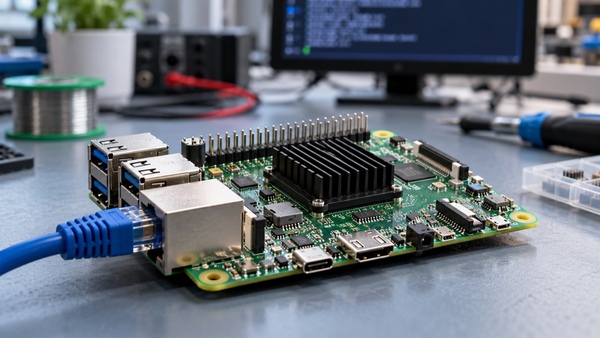
A Linux SBC, or Linux single board computer, combines a processor, memory, and essential interfaces on one circuit board that runs Linux. It can form the core of a gateway, touchscreen terminal, or connected instrument. Getting one to boot is an important milestone, but it answers only a small part of the selection question. A deployed device also needs to survive interrupted power, support its actual peripherals, and remain serviceable after the original development team moves on.
For engineers moving beyond a demonstration, the useful comparison is therefore broader than processor speed and memory capacity. The following checks help reveal work that a specification sheet can leave hidden.
Start with the devices daily job
Describe the workload before choosing the board. A gateway that collects serial data has different priorities from a terminal that renders an animated interface. List the connected equipment, expected data rates, startup requirements, network conditions, and information that must survive a restart. Include what happens when a peripheral disappears or the network stays offline.
Then turn that description into a test. For a hypothetical building gateway, this could mean collecting measurements while buffering records locally during a network outage. For a touchscreen controller, it could mean starting the interface without a keyboard and reconnecting a disconnected USB peripheral. These scenarios expose integration constraints more effectively than an idle desktop demonstration.
Ask what “Linux support” actually includes
A downloadable image is a starting point. Ask which kernel, bootloader, device tree, and userspace components belong to that image, and how the same release can be rebuilt. The board support package, often shortened to BSP, connects the operating system to the particular hardware. Its usefulness depends on documentation, available sources, required binary components, and the suppliers maintenance arrangements.
Request a list of interfaces validated on the supplied software release. A processor may support a peripheral that the board does not expose, or the connector may exist while the necessary driver configuration remains unfinished. Treat hardware capability, board routing, and software readiness as separate checks.
Also identify who owns future fixes. Ask how security issues are assessed, how board-specific patches are maintained, and what assistance remains available after delivery. A newer kernel version alone does not establish that every required feature works, while an older vendor release needs a credible maintenance plan.
Match interfaces to the real equipment
Connector names can hide electrical differences. A UART header does not automatically provide an RS-232 or RS-485 interface; the required transceiver, signal levels, and protection must be checked. Likewise, matching a display connectors shape is insufficient. Pin assignments, power rails, interface configuration, timing, and backlight control must agree.
For a display-based product, evaluate the intended panel and touch controller together. Confirm the image, touch coordinates, orientation, and startup behavior on the actual software build. If the final design uses a different cable or adapter, include that arrangement in the evaluation rather than assuming the original demonstration covers it.
Prepare a short interface matrix before ordering samples:
| Requirement | Evidence to request | Practical check |
|---|---|---|
| Serial communication | Pinout, electrical levels, and transceiver details | Exchange data with the intended field device |
| Display and touch | Panel configuration and touch driver support | Check startup, orientation, and touch alignment |
| Network recovery | Driver information and connection configuration | Disconnect and restore the network during operation |
| Local storage | Storage part details and partition layout | Check behavior when writable space becomes full |
Plan where writes go
Logs, cached downloads, databases, and temporary files can produce a different storage workload from the application executable itself. Estimate what is written, how often, and how much capacity must remain available. Ask for the actual storage components endurance and operating specifications rather than treating every eMMC device or memory card as equivalent.
Separating the operating system from writable application data can simplify recovery. A read-only system partition reduces opportunities for accidental changes there, but writable data still needs protection appropriate to the application. Define which records may be lost after a sudden shutdown and which must be preserved. Test those expectations using controlled interruptions on development hardware.
Decide how a failed update will recover
Remote updates need a failure path before they need a polished dashboard. An A/B design commonly keeps an active system slot while installing a replacement into an inactive slot. The boot process must then select the candidate and decide whether to keep it or return to the previous version.
Tools such as RAUC support signed update bundles and integration with boot selection, but they still require a suitable board configuration and bootloader logic. Define success at the application level: reaching a login prompt may not mean that the gateway service or operator interface works. Include configuration and database compatibility in rollback planning, because restoring old software may not restore data that a new release has changed.
Test recovery and temperature together
A hardware watchdog can reset a system when expected keepalive signals stop. Its presence is useful only when the driver, timeout, and supervision policy suit the device. A process that continually feeds the watchdog while the main application is frozen can conceal the failure it was meant to detect. Verify the recovery behavior deliberately.
Run the workload inside the intended enclosure, with the planned cooling arrangement and connected peripherals. Record temperature, performance, and errors over a representative operating period. A brief test on an open bench cannot establish performance in a sealed installation. Select acceptance limits from the product requirements and component ratings, rather than borrowing an arbitrary temperature target.
Use the evaluation to define supplier questions
Ask suppliers to respond against the same workload and interface matrix. Rocktechs published Linux SBC offering includes BSP development, device tree configuration, driver integration, and display validation services. Those are relevant discussion points for projects that need board and screen integration, but the exact panel combination, software deliverables, maintenance scope, and supply commitments still need written confirmation for the selected configuration.
Keep the final evaluation package: hardware revision, software release, build instructions, peripheral list, and test results. A Linux SBC becomes a practical product platform when another engineer can reproduce its behavior, understand its limits, and recover it after a failure. That evidence is more useful than a successful first boot alone.
限會員,要發表迴響,請先登入


