Single-board computers are used in many modern embedded products. They appear in industrial HMI panels, smart home controllers, access control systems, medical terminals, automated test equipment, retail kiosks, machine gateways, and information display devices. When engineers evaluate an SBC, they often compare processor performance, memory size, display interfaces, network ports, and expansion connectors. These hardware specifications are important, but they do not fully define how the final product will behave.
The software platform is often the more important decision. In many embedded SBC projects, the choice is between an Android-based board and a traditional Linux-based board. Both platforms use the Linux kernel at the lower level, but their user-space design, development workflow, startup behavior, driver integration, and long-term maintenance model are very different.
Android is usually better for products where the screen, touch interaction, and multimedia experience are the main value. Linux is usually better for products where hardware control, background services, industrial communication, fast startup, and system transparency are more important. The decision should be made according to product behavior, not simply according to which operating system is more familiar.
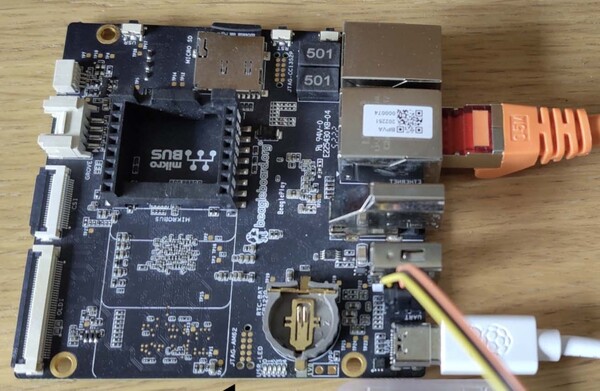
What Is an Android SBC?
An Android SBC is a single-board computer designed to run Android or an AOSP-based system. It is normally based on an ARM SoC from vendors such as Rockchip, Amlogic, Qualcomm, MediaTek, or other embedded processor suppliers. The board may include RAM, eMMC storage, display output, touch input, Wi-Fi, Bluetooth, Ethernet, USB, camera interfaces, audio, GPIO, UART, I2C, SPI, and other expansion interfaces.
From a product perspective, an Android SBC often behaves like a tablet mainboard adapted for embedded use. It has Android framework services, application lifecycle management, graphics composition, multimedia APIs, touch handling, and a familiar app development environment. This makes it attractive for display-centered products.
Many Android SBC products boot directly into a dedicated application. The system may hide the navigation bar, disable the status bar, restrict access to settings, and run in kiosk mode. The user does not need to know that Android is running underneath. They only see a smart panel, kiosk, medical interface, or control terminal.
Where Android SBCs Work Best
Android is strongest when the user interface is a major part of the product. It was designed for touchscreens, high-density displays, gesture interaction, smooth animation, and multimedia playback. These are exactly the requirements found in many smart terminals and customer-facing devices.
A smart home control panel may need room pages, icons, scenes, sliders, device lists, weather information, and animated transitions. A retail kiosk may need product images, videos, QR codes, payment guidance, and user account screens. A video intercom may need camera preview, two-way audio controls, event history, and unlock buttons. Android provides a mature foundation for these functions.
Android also gives application developers a familiar workflow. Java, Kotlin, Android Studio, Gradle, XML layouts, native libraries, WebView, and Android APIs are widely used. If a software team already has Android application experience, building a modern UI can be faster than developing a full graphical system on Linux from the beginning.
Advantages of Android SBCs
The first advantage of Android SBCs is UI efficiency. Android includes a complete application framework, input system, graphics pipeline, and multimedia stack. Developers can focus more on the application experience and less on building low-level UI infrastructure.
The second advantage is multimedia support. Android provides mature support for video playback, hardware decoding, audio routing, camera preview, and display composition. Products such as video doorbells, smart displays, infotainment terminals, interactive kiosks, and digital signage players can benefit from this.
The third advantage is touch interaction. Android was designed for touch devices, so gestures, screen rotation, soft keyboards, multi-language UI, high-DPI scaling, and responsive screen layouts are natural parts of the ecosystem.
The fourth advantage is application development speed. If the product mainly needs a full-screen application with a polished interface, Android can reduce development time. This is especially true when the hardware is close to the vendor’s reference design and the BSP already supports the display, touch panel, camera, audio, and wireless modules.
Limitations of Android SBCs
Android is powerful, but it is also a relatively heavy system. It requires more RAM, more storage, and more startup time than a minimal embedded Linux image. Even after the kernel starts, Android still needs to initialize framework services, graphics services, media services, input services, and the application environment.
Another limitation is framework complexity. Android hardware integration often depends on vendor-specific HAL layers, system services, and BSP modifications. If the product uses hardware that is already supported by the vendor, development can be smooth. If the product requires a different camera sensor, custom LCD timing, special touch controller, or unusual peripheral, the integration work may involve multiple software layers.
Android is also less natural for hardware-driven systems. It can communicate with GPIO, UART, RS485, CAN, I2C, or SPI devices, but these are not the main design focus of Android. Exposing such hardware cleanly to an Android application may require native services, HAL work, permissions, or custom APIs.
Long-term maintenance should also be evaluated carefully. Android versions change quickly, and many SoC vendors only maintain specific Android releases for a limited period. For industrial products expected to stay in the field for many years, BSP support and security update planning are important.
What Is a Linux SBC?
A Linux SBC is a single-board computer running a traditional Linux system. This may be Debian, Ubuntu, Yocto, Buildroot, or a vendor-customized embedded Linux distribution. The same hardware platform may sometimes support both Android and Linux, but the development model is very different.
Linux gives engineers direct access to system components. Developers can work with device trees, kernel drivers, systemd services, shell scripts, daemons, filesystems, networking tools, and standard POSIX APIs. This makes Linux highly flexible for embedded products that need direct hardware control or continuous background operation.
A Linux SBC may run a full graphical HMI, a headless gateway service, a factory test program, a data logger, a web server, or a machine communication daemon. It does not force one application model. Engineers decide how the system is structured.
Where Linux SBCs Work Best
Linux is strongest when the product is hardware-oriented, service-oriented, or industrial-control-oriented. It is often used in gateways, machine controllers, robotics systems, laboratory instruments, automated test equipment, edge monitoring devices, and industrial communication terminals.
These products may not need a tablet-like interface. Instead, they need stable processes, reliable communication, fast boot, custom drivers, industrial protocols, and transparent debugging. Linux fits this type of product well.
For example, an industrial gateway may need to collect data from RS485 devices, convert Modbus RTU to MQTT, store logs locally, and reconnect automatically after network failure. A machine controller may need to monitor GPIO, communicate with a PLC, write event logs, and provide a simple HMI. A test instrument may need to run measurement scripts, control relays, and upload reports. These tasks are often easier to implement and debug on Linux.
Advantages of Linux SBCs
The main advantage of Linux is control. Engineers can decide exactly which services start, which processes run, how applications are supervised, how logs are stored, and how the system recovers from failure. This is important for industrial products that must operate predictably.
Linux is also strong for hardware integration. Engineers can modify the device tree, enable kernel drivers, write user-space daemons, access device files, and use standard APIs for serial ports, GPIO, I2C, SPI, CAN, and USB. This makes Linux practical for products with custom sensors, industrial buses, relays, meters, and control modules.
Another advantage is startup control. A minimal Buildroot or Yocto system can boot quickly and launch the main application early. For equipment that must recover after power loss, this can be a major benefit.
Linux also supports many programming languages and development tools. C, C++, Python, Go, Rust, shell scripts, and web technologies can all be used depending on the application. Debugging tools such as dmesg, journalctl, strace, gdb, tcpdump, and SSH are familiar to embedded engineers.
Limitations of Linux SBCs
Linux is flexible, but that flexibility requires engineering decisions. A polished touch interface is not provided automatically. Developers need to choose a graphics framework such as Qt, GTK, LVGL, Wayland, Weston, DRM/KMS, or a browser-based UI.
UI quality depends on the selected framework, GPU driver support, display configuration, input handling, and application design. A Linux HMI can look professional, but it usually requires more deliberate development than an Android UI.
Multimedia integration can also require more effort. Camera, video playback, hardware decoding, audio routing, and streaming may involve V4L2, GStreamer, FFmpeg, ALSA, PipeWire, or vendor-specific APIs. These tools are powerful, but they require engineering experience.
Linux may also require more low-level knowledge. Device tree, kernel configuration, bootloader behavior, system services, file systems, and permissions are part of normal development. For teams without embedded Linux experience, this can increase the learning curve.
Architecture Difference
Although Android and Linux both use the Linux kernel, their user-space architectures are very different.
Android places a large application framework above the kernel. Services such as ActivityManager, SurfaceFlinger, MediaCodec, InputManager, and Android hardware abstraction layers define how applications interact with the system. This creates a consistent environment for UI and multimedia applications, but it also means that many hardware behaviors must fit Android’s framework model.
Traditional Linux has no single required application framework. A product may run systemd services, shell scripts, a Qt application, a web server, a Python daemon, or a custom C++ process. Engineers can choose the structure that best fits the product.
This difference matters. Android is application-centered. Linux is system-centered. Android is usually better when the product is mainly a touch application. Linux is usually better when the product is mainly a collection of services controlling hardware and communication.
Boot Time and Recovery Behavior
Boot behavior is an important difference between the two platforms.
Android has a heavier boot process. After the kernel starts, the Android framework must initialize before the main application can fully run. This is acceptable for products where a startup delay is not critical, such as kiosks, smart displays, and many indoor terminals.
Linux can be much faster when it is built as a minimal system. With Buildroot or Yocto, unnecessary services can be removed, and the main application can start early. This is useful for machine controllers, gateways, test tools, and field devices that must recover quickly after power interruption.
The practical question is not only how fast the OS boots. The real question is how soon the product becomes useful. A Linux system can start a hardware monitoring service or control application very early. An Android system usually needs more framework initialization before it can provide its normal interface.
User Interface Comparison
Android is usually the easier option for rich touchscreen interfaces. It provides mature tools for layouts, gestures, animations, WebView, media display, high-DPI rendering, and input handling. If the product should feel like a consumer smart device, Android has a clear advantage.
Linux provides more UI choices. Qt is commonly used for industrial HMI applications. LVGL is useful for lightweight embedded interfaces. GTK can be used for traditional Linux-style applications. Browser-based interfaces are useful when the same UI should be available locally and remotely.
The trade-off is that Linux UI development requires more system design. Engineers need to choose the compositor or rendering method, configure touch input, handle rotation, optimize startup, and test graphics performance. Android provides more of this structure by default.
Peripheral and Driver Integration
For custom hardware, Linux often provides a more direct development path. Device tree changes, kernel modules, user-space drivers, and standard Linux interfaces make it practical to support sensors, relays, serial ports, CAN, RS485, SPI devices, I2C peripherals, GPIO expanders, and custom modules.
Android can support the same hardware at the kernel level, but making it available cleanly to Android applications may require additional framework work. Engineers may need to create native services, adjust permissions, build HAL components, or provide custom Java APIs.
For display, touch, camera, Wi-Fi, and audio that are already supported by the Android BSP, Android can be efficient. For unusual industrial peripherals, Linux is usually easier to control and debug.
Runtime Behavior
Android is optimized for interactive responsiveness. Its system design gives priority to UI rendering, touch handling, media playback, and application lifecycle behavior. This is why Android often feels smooth in screen-based products.
Linux is often better for continuous background tasks, hardware polling, data logging, protocol conversion, and long-running services. Engineers can manage process priorities, restart policies, resource limits, and logging behavior directly.
For strict real-time control, neither standard Android nor standard Linux should be treated as a hard real-time system. Linux can be improved with PREEMPT_RT for some use cases, or paired with a microcontroller, PLC, or real-time co-processor. Android is generally not the preferred platform for deterministic machine control.
Power Management
Android inherits many power management concepts from mobile devices. It includes application lifecycle control, display sleep behavior, idle states, and dynamic frequency scaling. For portable or battery-powered smart devices, this can be helpful if the vendor BSP is well tuned.
Linux also supports power management, but engineers often configure it more directly. In industrial systems, aggressive sleep behavior may be disabled because predictable response and stable communication are more important than minimum power draw.
For wall-powered HMI panels and industrial terminals, thermal management and backlight control may matter more than deep sleep. For battery devices, Android may have an advantage if the hardware platform and BSP are designed for mobile-style power behavior.
Development Workflow
Android development normally uses Android Studio, Java, Kotlin, Gradle, APK packaging, and Android APIs. Native code can be added through the NDK, but most applications still run within the Android framework.
Linux development is more open. Developers can use CMake, Makefiles, Python tools, Go modules, Rust cargo, shell scripts, Docker-based workflows, package managers, or Yocto and Buildroot recipes. Software can be deployed through SSH during development or integrated into firmware images for production.
Android is comfortable for application teams building a screen experience. Linux is comfortable for embedded teams working on drivers, services, communication, hardware testing, and system integration.
Maintenance and Lifecycle
Embedded products often need support for many years. Lifecycle planning should be part of the platform decision.
Linux is often easier to maintain in industrial projects because kernel patches, Yocto layers, Buildroot configurations, and long-term distributions can be managed over time. Many industrial processor vendors provide Linux support for long product lifecycles.
Android maintenance depends more heavily on the SoC vendor and BSP provider. If the vendor supports only one Android version, future upgrades may be difficult. Security updates may also depend on vendor participation.
Android can still be used in long-term products, but engineers should confirm source availability, BSP support, update mechanisms, security patch strategy, and driver maintenance before committing to the platform.
When Android SBCs Are the Better Choice
Android SBCs are usually the right choice when the product is mainly a visual and interactive device. The more the product depends on touch UI, animation, video, camera preview, and app-like behavior, the more attractive Android becomes.
Android is suitable for:
- Smart home control panels
- Interactive kiosks
- Retail terminals
- Video intercom screens
- Digital signage players
- Smart appliances
- Medical touch terminals
- Customer-facing display products
Android is also suitable when the software team already has Android experience and the required display, touch, camera, audio, and network functions are supported by the vendor BSP.
When Linux SBCs Are the Better Choice
Linux SBCs are usually the better choice when the product is mainly a control, communication, monitoring, or hardware integration system. Linux provides more direct access to hardware and more control over background services.
Linux is suitable for:
- Industrial gateways
- Machine controllers
- Robotics systems
- Laboratory instruments
- Automated test equipment
- Data acquisition devices
- Edge monitoring terminals
- Products using RS485, CAN, GPIO, SPI, I2C, or custom sensors
Linux is especially useful when the product needs fast boot, predictable services, custom drivers, transparent debugging, long-term maintenance, and direct communication with industrial hardware.
A Practical Selection Method
The simplest way to choose is to define the product’s main identity. Is it primarily a smart screen, or is it primarily a hardware controller?
If the product is mainly a touch display with media, animation, camera preview, and app-like interaction, Android is usually the stronger starting point. If the product is mainly a gateway, controller, logger, test device, or machine interface with custom hardware, Linux is usually the better starting point.
Engineers should ask several questions before choosing:
- Does the product need a polished touchscreen UI?
- Does it need video playback, camera preview, or WebView content?
- Does it need fast recovery after power loss?
- Does it communicate with RS485, CAN, SPI, I2C, or GPIO devices?
- Does it run one main UI app or several background services?
- Does the team need direct access to kernel drivers and device tree?
- How long must the product be maintained?
- How mature is the vendor BSP for the target hardware?
These questions usually reveal which platform better matches the product.
Conclusion
Android SBCs and Linux SBCs share a kernel foundation, but they are optimized for different product needs. Android provides a rich application framework, strong touch UI support, smooth multimedia behavior, and a consumer-like development model. It is best for products where the screen and user experience are central.
Linux provides system transparency, hardware flexibility, service control, faster boot potential, and long-term maintainability. It is best for products where hardware communication, background operation, industrial reliability, and direct system control matter more than app-like behavior.
The correct choice is not about which operating system is universally better. It is about the role of the final device. A smart display usually benefits from Android. A machine gateway usually benefits from Linux. A successful SBC product starts by matching the software platform to the real behavior expected from the device.
下一則: RK3576 SBC with Buildroot for Industrial and Embedded Applications
- Building a Custom ARM SoC Single-Board Computer: Practical Engineering Notes
- Linux SBC for Embedded Products: Practical Notes Before Moving Toward Production
- RK3576 SBC with Buildroot for Industrial and Embedded Applications
- Industrial Display Panels: What They Are, Where They’re Used, and How to Select
限會員,要發表迴響,請先登入


