精選
[Xplova E5 Lecture] Altitude Calibration
2012/11/23 12:20
瀏覽216
迴響0
推薦0
引用0
Once the altitude of starting point of activity record have error value, the cloud tour.xplova.com will remind the difference value.
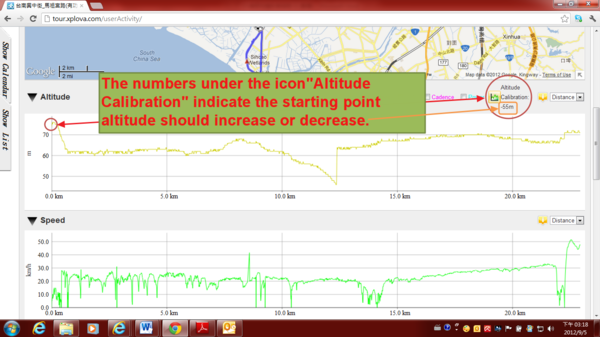
If the user is willing to replace the system recommends starting point altitude, select the icon "Altitude Calibration”.
1) Altitude Calibration: The numbers under the icon "Altitude Calibration" indicate the starting point altitude should increase or decrease
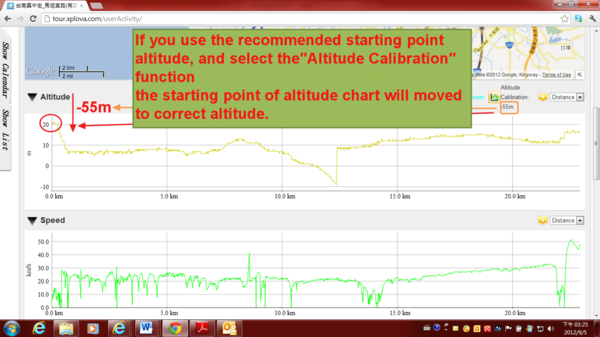
2) If you use the recommended starting point altitude, and select the "Altitude Calibration" function
the starting point of altitude chart will moved to correct altitude, as shown
自訂分類:Xplova E5 Classroom
上一則: [Xplova E5 Lecture] Crop Function下一則: [Xplova E5 Lecture] Activity Pie Chart Analysis
你可能會有興趣的文章:
限會員,要發表迴響,請先登入


