Power Meter
--------------------------------------------------------------------------------------------------
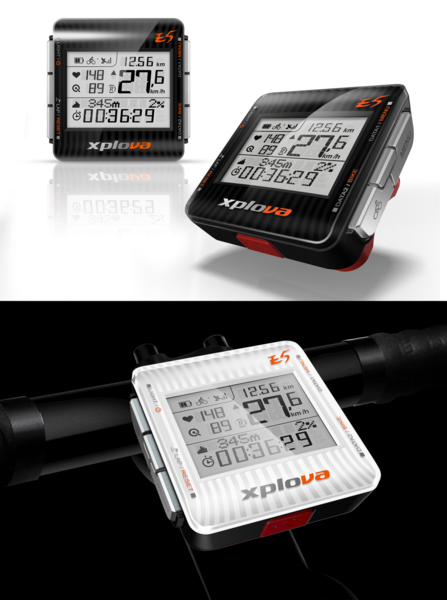
The following power meter devices are compatible to your Xplova E5:
SRM, Quarq, Power2Max and Power Tap.
NOTE: For the most updated compatible ANT+ power meter information, visit www.xplova.com
A) Pairing with the Power Meter
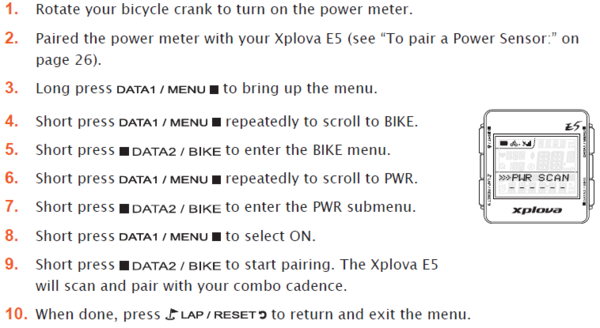
While E5 successfully paired successfully with a Power Meter,
below the PWR SCAN successful will display numeric on Lower Screen of E5.
The significance of the numeric is the ID of PWR.
(Note: all PWR ID are different)
After Power Meter complete to pair with E5, you have to short press the button “LAP/RESET” twice. Confirm to save the pairing information and return to the previous screen.
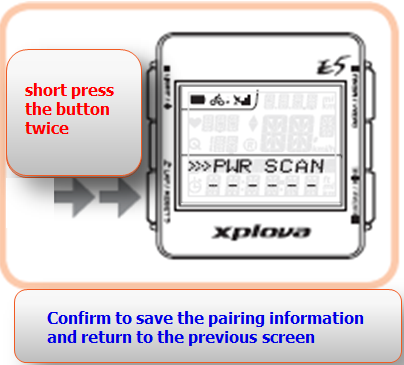
If you want to know more clearly, you can refer to the following pairing videos.
B) Calibrating the Power Meter
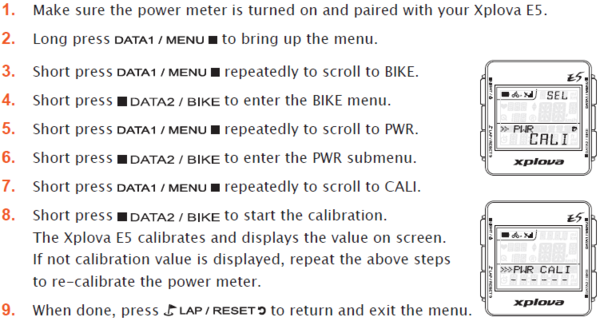
While starting to calibrate, you should follow the principle of factory calibration and make sure not to rotate the wheel
While power meter calibrated successfully with E5,
below the PWR CALI successful will display numeric on Lower Screen of E5.
The significance of the numeric is the ID of PWR CALI.
(Note: all PWR CALI ID are different)
After Power Meter complete to calibrate with E5, you have to short press the button “LAP/RESET” three times. Confirm to save the calibrating information and return to the previous screen.
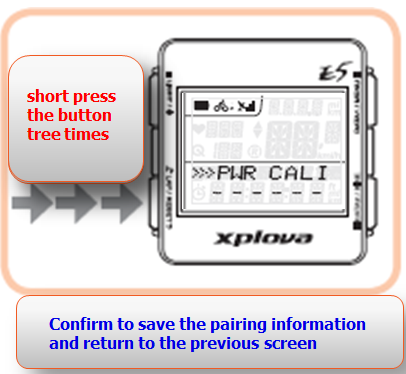
If you want to know more clearly, you can refer to the following pairing videos.
C) If you would like to use a good power meter analysis software, recommended that you can refer to a free software developed by Golden Cheetah (http://goldencheetah.org), you can try to use it, and realize their software technology. The Power meter analysis software supports Linux, Mac OS X, and Windows systems.
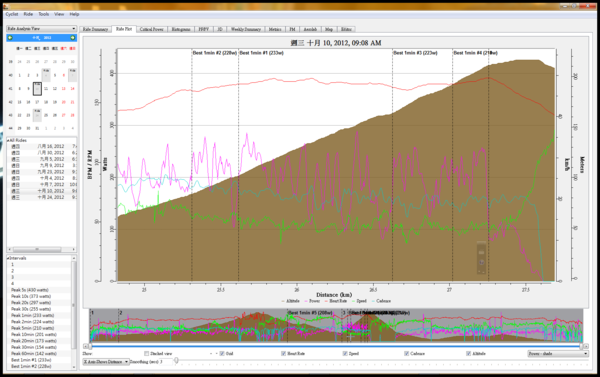
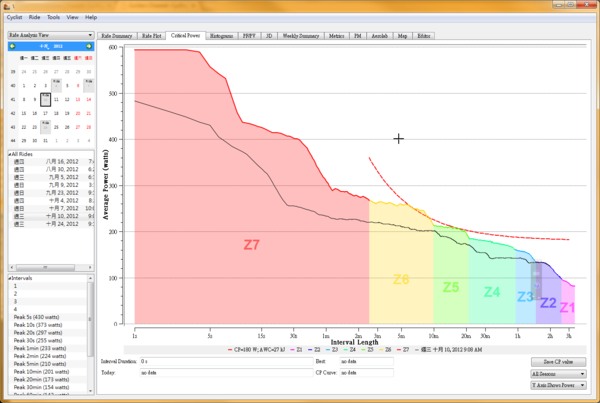
D)Or use the hotkeys to "export activities", the exported file format can suit for Peaksware data exchange format (*. Pwx). The Format is available for WKO (Power Meter) analysis.
下一則: [Xplova E5 Lecture] Combo Cadence Sensor Pairing
限會員,要發表迴響,請先登入


