How to connect 8 in 1 Adblue Emulator NOx Sensor with truck
2015/05/14 18:02
瀏覽285
迴響0
推薦0
引用0
8 in 1 Truck Adblue Emulator with programming adapter and NOX Sensor Emulation is designed to disable AdBlue system used in trucks, buses and other heavy vehicles with EURO 4 and 5 exhaust emission rates made by Mercedes, MAN, Scania, Iveco, DAF, Volvo, Renault and Ford.
How to use the truck adblue emulator 8 in 1 removal tool?
1) Install truck adblue emulator 8 in 1 programming software follow the video instruction
2) Connect 8 in 1 adblue emulator OBD2 emulation adapter with truck
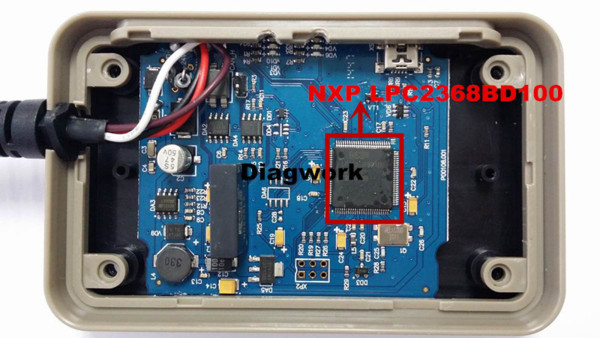
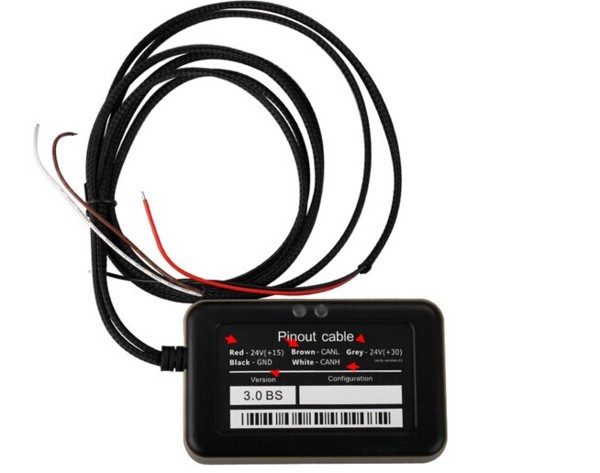
Check the Pinout cable in our QC Mark and connect the cables with vehicle follow the QC instructions:
Red-24(+15)
Brown- CANL
Grey-24(+20)
Black-GND (Han-Ground)
White-CANH
1) RED (+15). To be connected to a 24V source enabled when the engine key is in the ON position. This connection will supply power to the minusble Module when the engine key is on (dashboard on).
2) BLACK(GND 0V). To be connected to an earth/gound.
3) GREY (+20). To be connected to a 24V supply always available to the Existing adblue system (F4 protection fuse and the adblue system).
4) WHITE(CAN H). To be connected to CAN H of the system.
5) BROWN(CAN L). To be connected to CAN L of the system. The connections must be made under the box of the connectors located under the protection cover of the radiator (passenger side). The conductor of the ground of the adblue has the number 0000, but it is possible to use another ground conductor found by a multimeter.
Document Reference:
Truck Adblue Emulator 8 in 1 software installation and connection, truck adblue system diagram
Detail user manual, please check the software CD in the package.
If you need Adblue Emulator for one specific truck maker(MAN, VOLVO, Renault, Iveco, Scania, DAF, Mercedes-Benz),please check here:
自訂分類:不分類
上一則: Can u read your CN1 chip with TM100 Transponder Key Programmer?下一則: (Solved) Passat 2.0 P2563 error code and coil engine light on
你可能會有興趣的文章:
- FAQ and solution of Renault CAN CLIP v157 Diagnostic Tool
- Truck Version KESS V2 v4.036 and V4.024,which the better?
- YanHua Digimaster 3 Updated to 1.8.1604.20
- Autel Maxidas DS708 Software update Instructions
- How to do Mercedes W221 W204 all key lost with VVDI MB BGA Tool
- Braking system maintenance and troubleshooting
限會員,要發表迴響,請先登入


