Tell you how to install JLR SDD V139 software
2015/04/10 16:27
瀏覽372
迴響0
推薦0
引用0
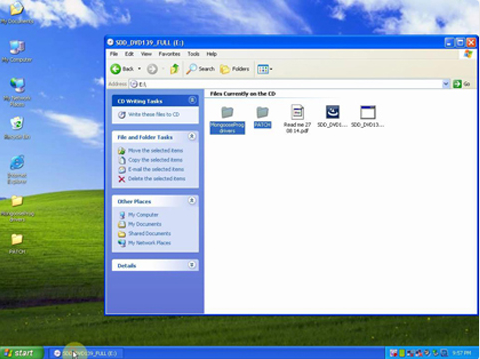
1) Insert JLR Mangoose Pro CD into your laptop, go to My Computer and open disk named "SDD_DVD139_FULL (E :)".
2) Inside the disk you will find two files "MongoosePro drivers" and "PATCH", copy and paste them to the desktop.
1) Open "MongoosePro drivers" file on the desktop and right click on "drivers for MongoosePro JLR" and select "Install". The installation of its driver will start.
2) Click "Next", select "I accept" and then click "Next".
3) Click "Next", click "Install", click "OK", click "Finish".
4) Open "SDD_DVD137_FULL (E :)"
5) Select language and then click "Next".
6) Click "Yes" to restart the computer.
7) Click "OK", click "Next", select "I accept", click "Next", select "I have read", click "Next", click "install"
8) Installing KB932823 and a window will pop up, click "Yes" to restart the computer.
9) Welcome to the InstallShield Wizard for SDD, click "OK", click "Next".
10) Select "I accept ..."
11) Select "I have read and understand ..."
12) Select Drive "C"
13) Click "Next", click "Install".
14) Now you will get a window "Would you like ActivateCGM to be the default TIF viewer?" Select "Yes" and then click "Finish".
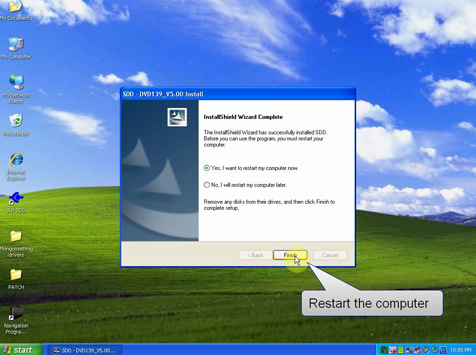
15) Open SDD_DVD139_FULL (E :) "disk.
16) Double click "SDD_DVD139.01", click "OK".
17) Click "Finish".
18) Open "VDF_J_DVD139_V5 (E :)" disk.
19) Double click "VDF_J_DVD139_V5".
20) Select the language for installation and click "Next".
21) Click "Finish".
22) Open "SDD_SPA_LDVD139 (E :)", double click "SPA_DVD139_V1", click "OK", wait for a few minutes, click "Finish".
23) Double click "VDF_L_DVD139_V5", click "Next", click "Finish".
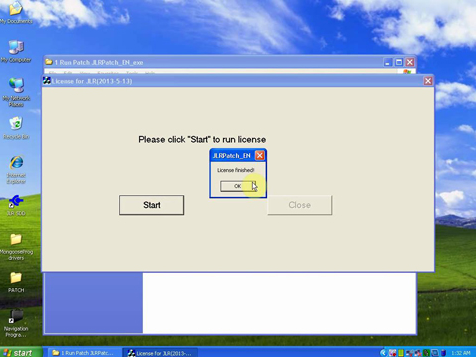
24) Open the PATCH file, then the "1 Run Patch", double click "JLRPatch_EN", click "Start", click "OK".
25) Connect JLR Mangoose V139 hardware to the laptop and you will get a "Found New Hardware Wizard" window.
26) Click "Next", click "Finish".
27) Open "Computer Management" and check for "MangoosePro JLR J2534 Interface" to make sure the IDS JLR driver is installed.
28) Open "JLR SDD".
29) Click the start icon to login.
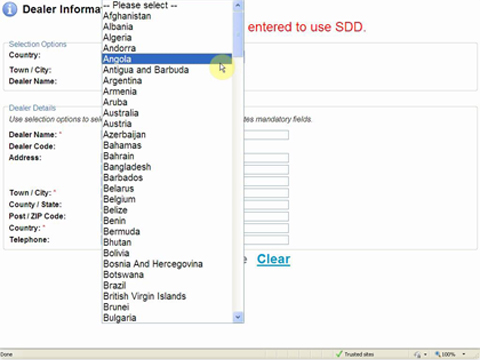
30) Select language, town / city and dealer name, and then click "Continue".
31) Click "Continue" and then "Manual VIN Read".
32) Restart the laptop.
33) Open JLR SDD software, click to login, and click "Continue", "Manual VIN Read" and then "Read" to automatically read the VIN.
34) Click "Identify Vehicle", select instrument cluster, click "Save".
35) The JLR SDD V139 installation is finished.
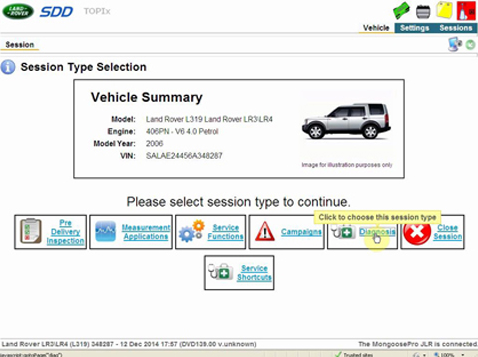
Video tutorial is more vivid: https://youtu.be/cMyrDytsJxE
V139 JLR Mangoose Pro for Jaguar and Land Rover Support Cars till 2014: http://www.obd2express.co.uk/wholesale/jlr-mongoose-jaguar-pro-land-rover.html
自訂分類:不分類
上一則: MB SD Connect Compact 4 Star Diagnosis Installtion Guide下一則: Ford VCM IDS "3 day tries" problem explanation
你可能會有興趣的文章:
- YanHua Digimaster 3 Updated to 1.8.1604.20
- Braking system maintenance and troubleshooting
- Installtion Instructions for Porsche Piwis OBD-ii cables Software and USB driver
- Solution for 2002 Mercedes Benz CLK 430 Conv Top Issue
- Mercedes-Benz S600 an acceleration of the engine fault light will light
- Mercedes-Benz R350 vehicle power system troubleshooting
限會員,要發表迴響,請先登入


