精選
[Xplova E5 Lecture] LAP Function
2012/11/23 14:35
瀏覽214
迴響0
推薦0
引用0
LAP Function
-------------------------------------------------------------------------------------------------------
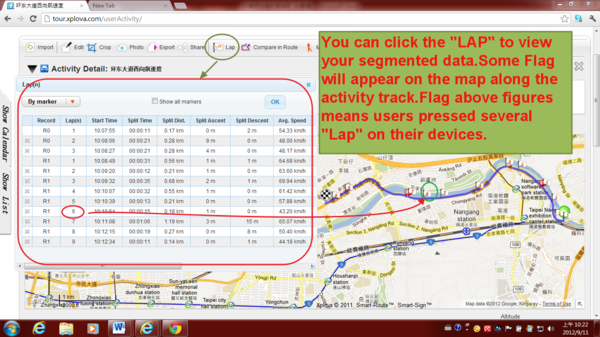
1) You can click the "LAP" to view your segmented data.Some Flag will appear on the map along the activity track.Flag above figures means users pressed several "Lap" on their devices.
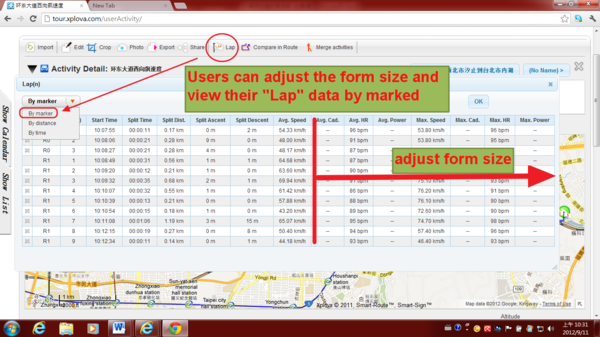
2) Users can adjust the form size and view their "Lap" data by marked
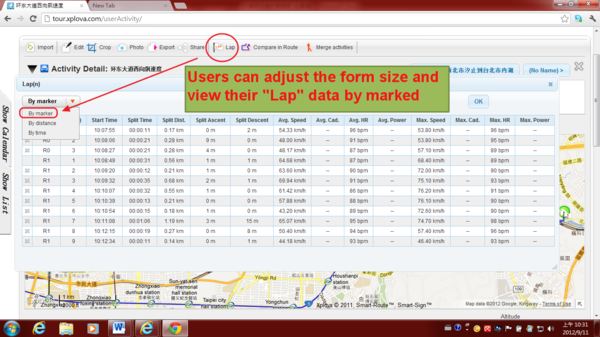
3) Users can adjust the form size and view their "Lap" data by marked
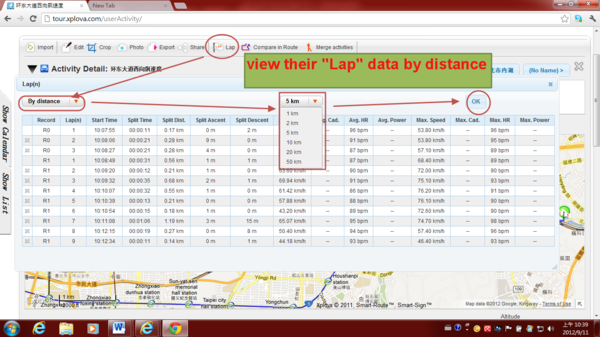
4) Or view their "Lap" data by distance
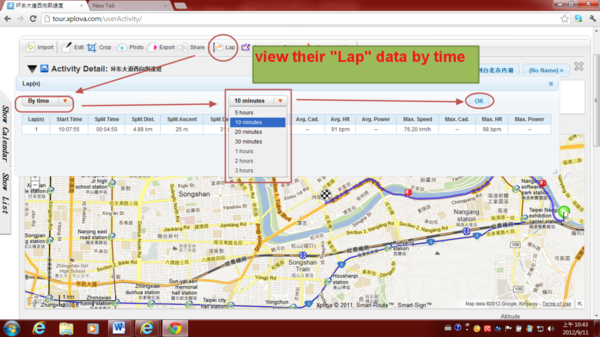
5) Or view their "Lap" data by time.
自訂分類:Xplova E5 Classroom
上一則: [Xplova E5 Lecture] Compare in Route (Related Routes) Function下一則: [Xplova E5 Lecture] Embed your map (activities and photos) into your own website
你可能會有興趣的文章:
限會員,要發表迴響,請先登入


