Advanced Settings(Quickly completed through the Internet)
--------------------------------------------------------------------------------------------------------------------
While you have a new E5 Cycling computer, you will find many icons and English Abbreviation. Do not worry. Once you connect E5 to the web cloud, you can complete 90% basic settings via the web cloud. The web cloud have multinational language version. If you only understand Japanese, Spanish, Italian, German , Simplified Chinese , or Traditional Chinese, you can select your language to complete Xplova E5's related updates and settings.
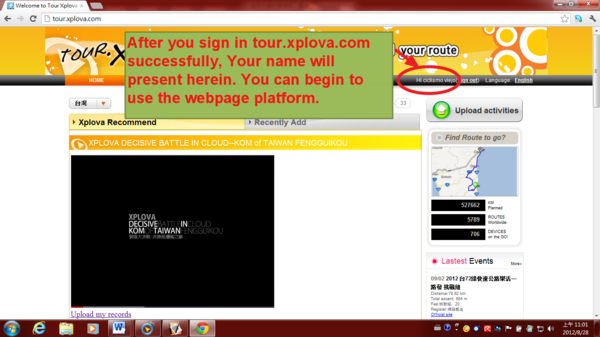
1)please sign in your ID account to the web in advance.
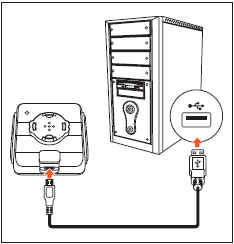
2) Connect your Xplova E5 to your computer using the USB cable (E5 must be turned off)
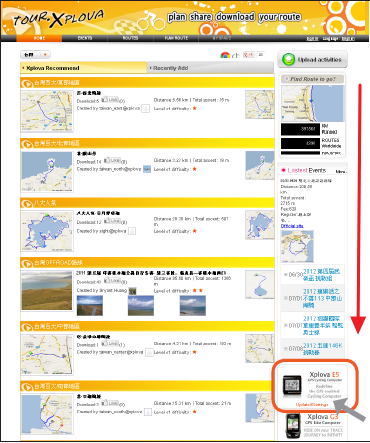
3) Pull down the webpage screen on the right of the reel, and then Click Update & Settings.
4)You can get Device information, include device S/N and Software version.
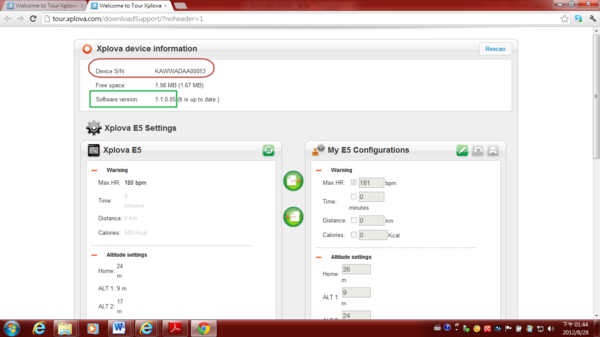
5)Left side is the setting on your device. last arrangement by content
Right side is the setting on the web cloud.
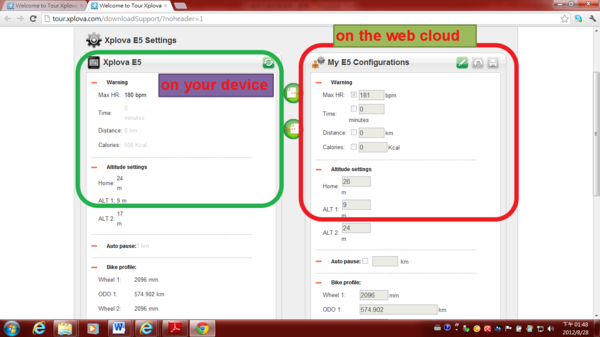
6) Users can complete the setting on the right side web cloud, and then written to the left side E5 device.
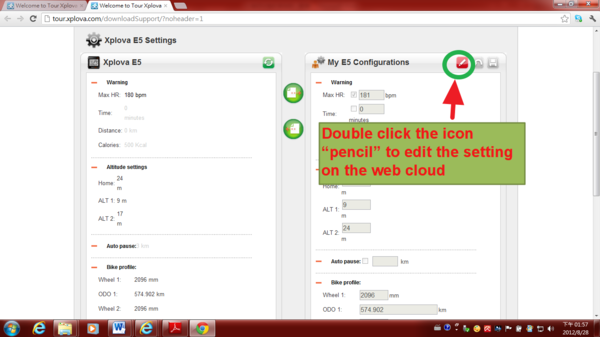
7)Double click the icon “pencil” to edit the setting on the web cloud
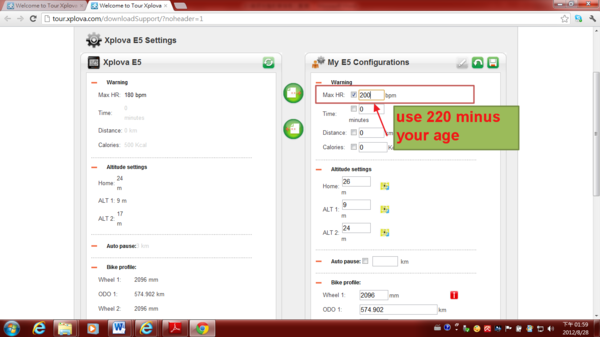
8)MAX HR(Maximum Heart Rate): suggest that use 220 minus your age
If I am 20 years old MAX HR: 220-20 =200
9)Altitude Settings:
Enter the altitude of the three commonly used
(For example, Home altitude)
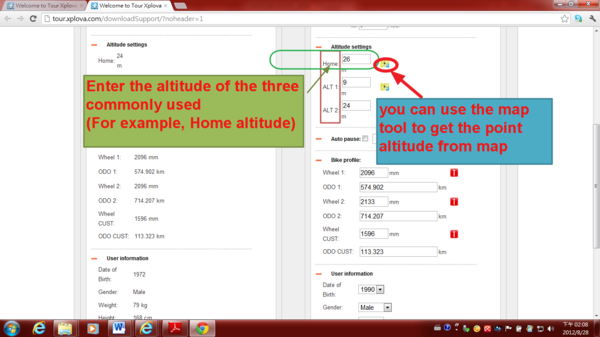
How to get the any point altitude from map? you can consult following film (get altitude from map: you can search any location altitude via the map tool in the world)
10)Auto Pause (Smart Pause): If you are riding speed is less than 2 kilometers, E5 will be treated as a pause state
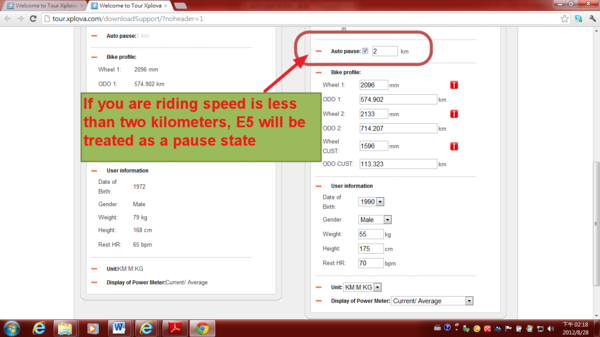
11)Bike Profile: you can set up three bicycles
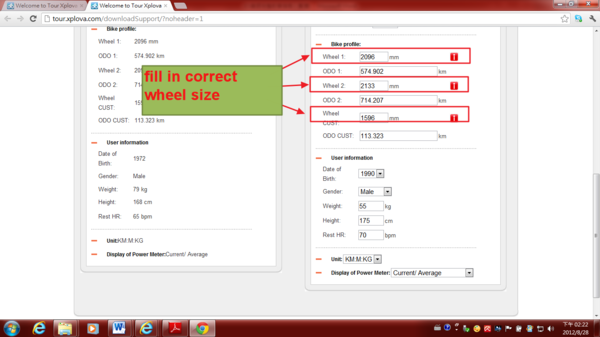
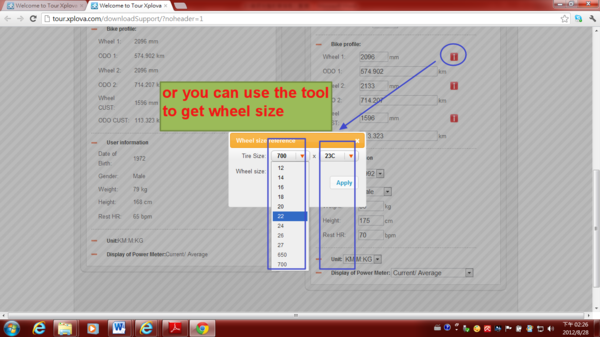
You can reference the tool to get your wheel size
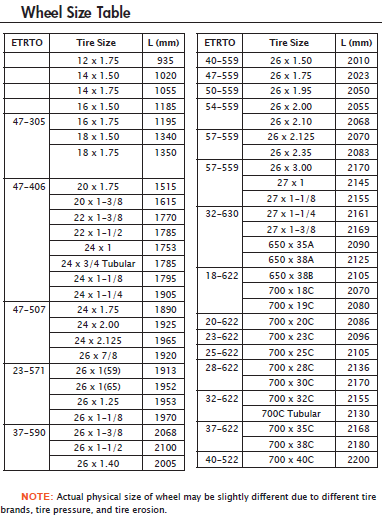
If not found, please ask your original tire supplier to get correct wheel size
or consult the following information.
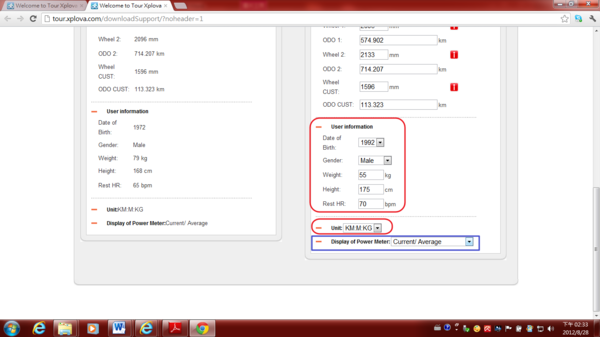
12)User information, Unit setting, the Display of Power Meter, please fill in by yourself
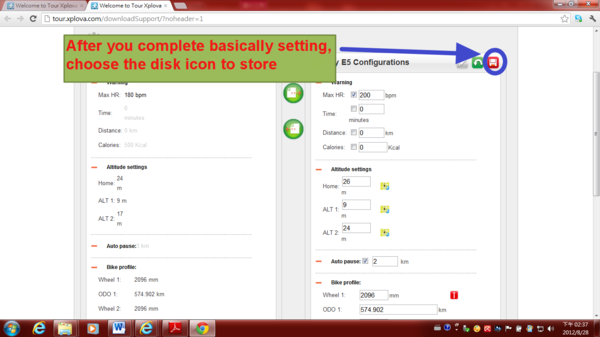
13)After you complete basically setting, choose the disk icon to store.
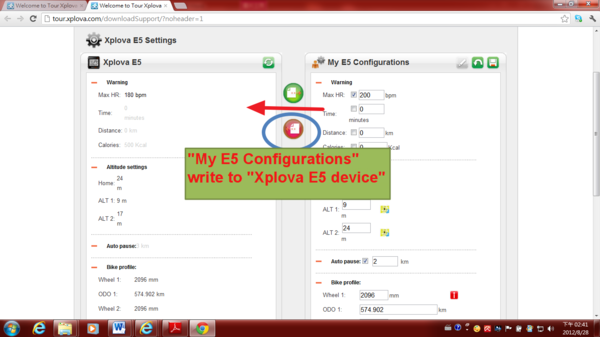
14) "My E5 Configurations" write to "Xplova E5 device"
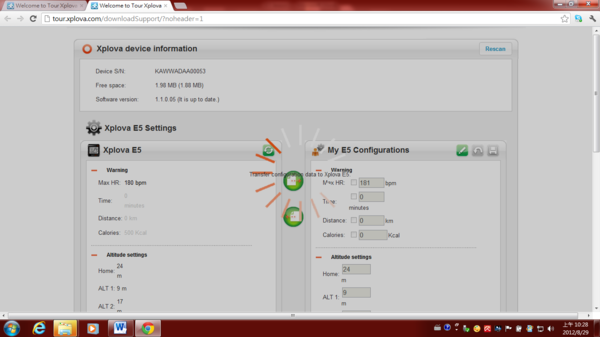
After you write the setting into XPLOVA E5 device, please remove the USB data cable from the computer.
You can also download the Xplova E5 Cycling computer English user manual .
If you just want to manually set up E5 cycling computer, you can refer to the English user manual from page 22 to page 29
下一則: You will be an expert for Xplova E5 Cycling computer right now!!!
限會員,要發表迴響,請先登入


