5 Amazing Settings You May Not Know about iPhone SE 2020
2020/06/27 14:19
瀏覽142
迴響0
推薦0
引用0
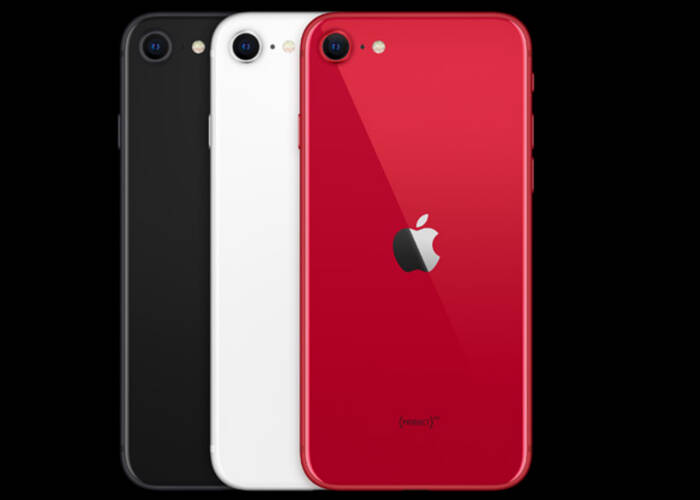
The iPhone SE 2020 has been launched in
March this year. This is the newest iPhone model presently and it brings us
some amazing functional features. We all know the latest iOS version has made
our iPhones more and more powerful. Here we would like to tell you 5 useful
settings of iPhone SE 2020, and we are sure you will be glad to learn these
settings and make your iPhone SE great to you.
1. Add two or more fingerprint touch IDs
We know that the former iPhone generations only allow us with one fingerprint touch ID for screen unlocked. This time iPhone SE gets us two or more touch IDs on settings, which means, we can unlock one device with two or more fingerprints by setting. Just go to settings and enter passcodes to access to Touch ID & Passcode, you can add two or more fingerprints touch IDs on your iPhone SE.
2. Hide notification message when the phone is locked
We all know that Apple is making the best
efforts to protect our users’ privacy. This has been clear on this setting for
iPhone SE. We can hide the pop-up notification messages from our iPhone locked
screen. Same as the previous setting, we go to Settings and enter passcode to
access to Touch ID & Passcode. Here we can see all the applications on the
list, select the items to switch it off if you don’t want to see the
notifications on the screen.
3. Hide and disable apps from others
Just like we say, Apple has made the best
for the security of users’ privacy. This setting enables us to hide our private
apps from the screen or disable the delete item from the apps. With this special
setting, we can download any application we like to our iPhone SE with no
worries about being watched or deleted by our close friends or family. Go to
Settings >> Screen Time >> Tap continue and “This is My iPhone”
>> Content & Privacy Restriction. Turn off the apps you would like to
disable on setting.
4. Low battery mode for battery extension
The low battery mode of iPhone SE enables
us to extend our iPhone SE battery life in some way. Go to Settings >> Control Center >> Customize
Control. Here we can enable the low battery mode on our iPhone SE.
5. Raise to wake up setting
The Raise to Wake Up setting is one of the
special features on iPhone SE. When we enable this function, our iPhone SE
would turn off the screen automatically when we lay it down on the able. It
will turn on the screen automatically when we pick it up. It’s very
interesting. You can also turn off this function. It’s up to you.
So these are the 5 settings we would like
to share with you. We hope you could try these setting and make your iPhone SE
more convenient for use. Besides, you could also learn something about iPhone maintenance
and repair. Etrade Supply offers iPhone
SE replacement parts for wholesale. Just come to our shop if you have
interests.
Article refers to Etrade blog of First
10 Things You Need to Do on You iPhone SE 2020
自訂分類:不分類
上一則: 5 Most Important Things You Should Care About on iPhone Repair下一則: 5 iPhone Apps You Wish You Could Download Earlier
你可能會有興趣的文章:
- What Cause the iPad LCD Screen Backlight dim and How to Fix it
- Huawei Nova 3 Disassembly Teardown – What Components are Inside?
- How to Tear Down Huawei P30 Pro for Rear Cameras Replacement
- How to Change an iPhone 11 to iPhone 12 by Replacing the Back Housing
- How to Fix the iPhone 11 Face ID Issue by Replacing the Dot Projector Flex
- Simple Tips to Disappear the iPhone Non-Genuine Battery Warning


