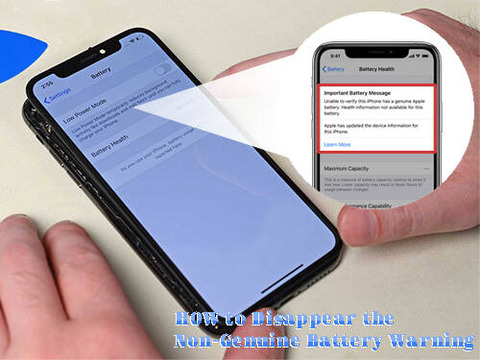
When we swap our iPhone battery with the
third-party battery, there will be message of non-genuine battery warning pop-up
on screen when we turn on the phone. This make the awkwardness and frustration
to our customers, although the new replaced battery is good. Here Etrade Supply
would like to show you tricks on how to make the warning message disappear for
a month, without tearing down the iPhone and the battery.
>> Step 1: Turn on the phone, switch off the Wi-Fi WLAN and Bluetooth. Open Airplane mode.
>> Step 2: Go to General > Date & Time, adjust the time to a month later
>> Step 3: Turn off the iPhone and then restart, go to Settings > General > Date & Time, swipe on Set Automatically
>> Step 4: Turn off Airplane mode, Swipe on Wi-Fi WLAN and Bluetooth, power off the iPhone
>> Step
5: Restart the phone again, the pop-up warning message disappears. We don’t
have to tear down the new
iPhone 11 battery.
Notice: The procedure will be successful
disappear the pop-up warning message for a month, but the non-genuine warning
is still on Settings of the battery health. If you want to erase the warning
permanently, you will have to tear down the battery and swap the battery
management system board. Specific steps refer to Etrade Supply blog of: How
to Erase the Non-Genuine Battery Warning on iPhone . You may also go to
Etrade Supply for new iPhone swap parts such as iPhone
LCD display screen and small parts if you have interests.
下一則: 5 Useful Tips and Tricks You Wish You Should Know it Earlier About You iPhone


