Here is a tutorial of how to do it: use SD connect C4 mux to enable tank info & L/100KM into KM/L mercedes W211 (W203) (w221) and more
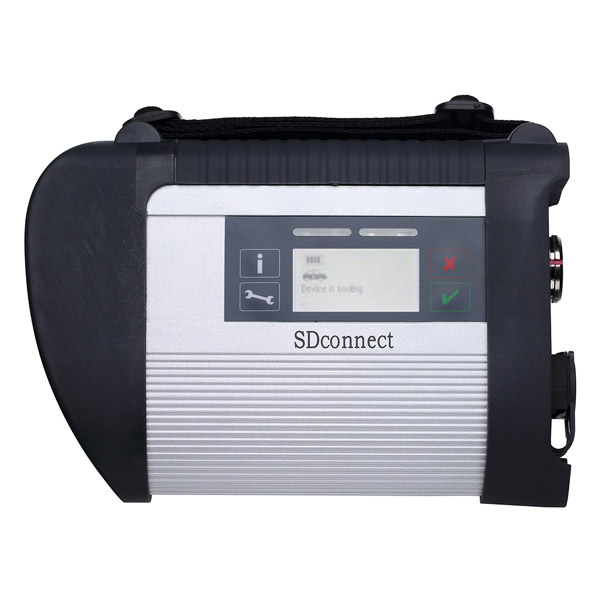
In DAS Developer mode :
Kombiinstrument -> Diagnose nach Werkangabe -> Steuergerate-Anpassungen ->
Steuergerate-Anpassungen (Variantencoderierung) -> Variantkodierung Werkeinstellungen ->
In the menu that shows , you scroll down untill you read the line : Tankinfo im Reichweitebild
enable this option
now you have tankinfo in the screen that otherwise only showed range
If you allso wanna adjust the way fuel consumtion is showed
you scroll a little more down untill you read the line : Verbrauchanzeige km
you can change it from L/100km into km/l
Scroll down and confirm Coding by pressingF3
if you watch your Instrument Cluster , you notice that scrolling through the menu , nothing changed .
For this , the “Kombiinstrument” needs a reboot.
to do this in Developer mode we go back by hitting F1 -> 3 times
then choose Ansteuerungen -> Gesamstliste aller Ansteuerungen ->
Scroll down untill you see the line : Steuergeraet Resetten (PowerON-Modus) (FN_Reset_SG_Power_ON)
Press F3 and confirm again with F3
Now you will see the “Kombiinstrument” reboots
Source from the mbstartool tech blog:
下一則: DAS Developer mode add Cruice control to Vito viano W639
- BENZ Diagnostic Tool Comparison: Super MB Pro M6 vs. C4 vs. C6
- Tips to update SD Connect C4 firmware no batteries
- Vident iAuto700 No Software and White Screen Solution
- How to use Vident iEasy310 scan Toyota Camry
- Four-System Scanners: Vident iLink440 vs. Foxwell NT414 vs. MD802 vs. CRP129
- Clone Xentry Connect C5- Good & Bad Things
限會員,要發表迴響,請先登入


