How to use Xtool X100 Pad 3 to read EEPROM Data 93c46?
2020/08/20 14:37
瀏覽245
迴響0
推薦0
引用0
To read out the eeprom data is one of the capabilities of Xtool X100 Pad 3 (when connecting with the eeprom adapter), let's have a look at the operation procedure.
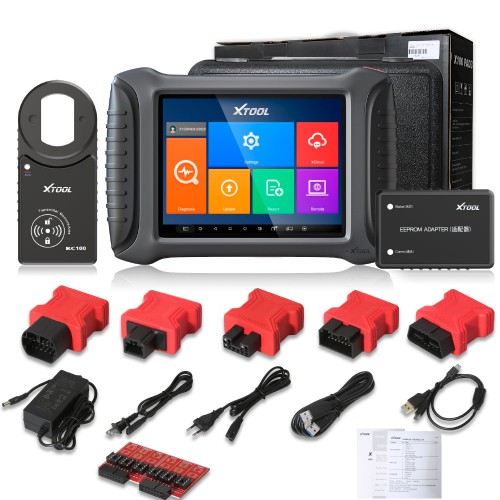
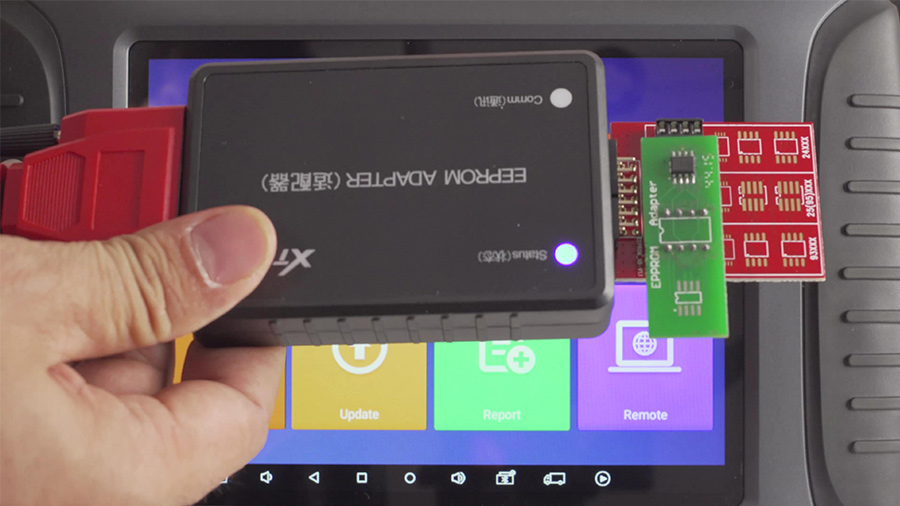
How does Xtool X100 Pad 3 read EEPROM Data?
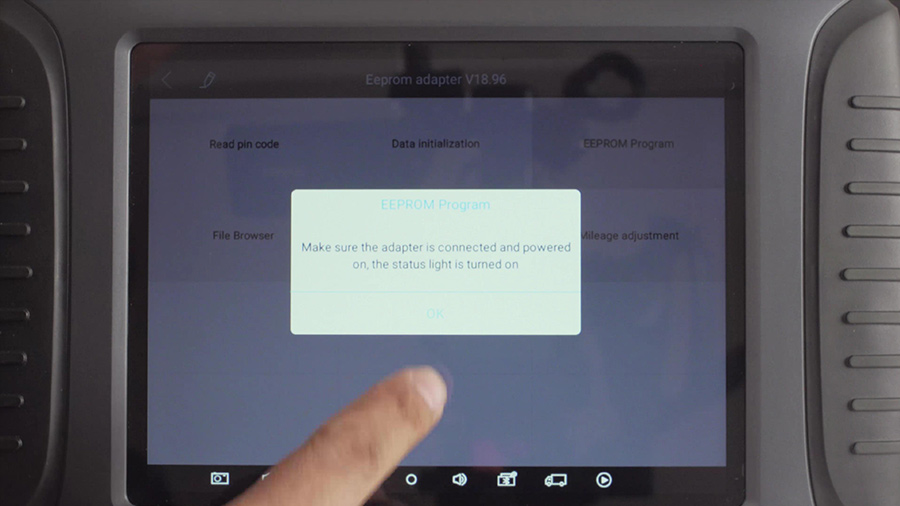
Plug the Eeprom chip into the eeprom adapter, then to connect the main cable and the power supply. Note: be sure to connect the power supply adapter before operating.
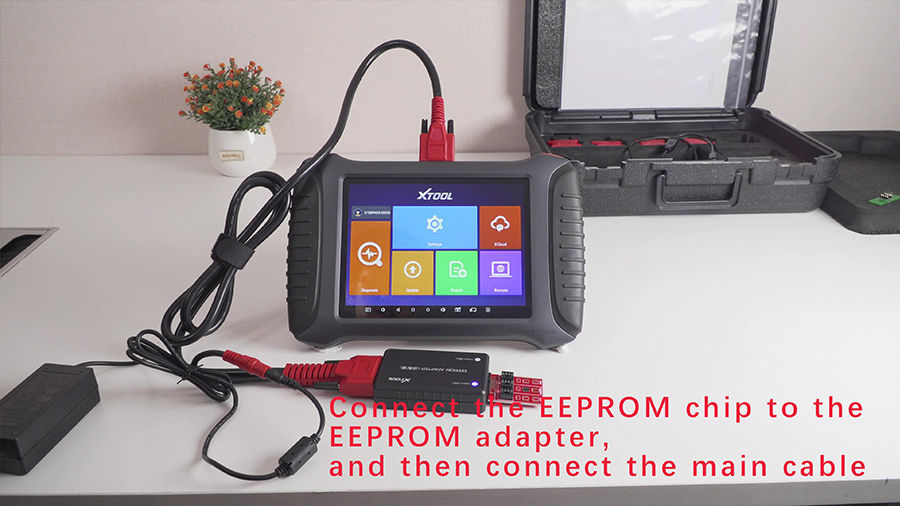
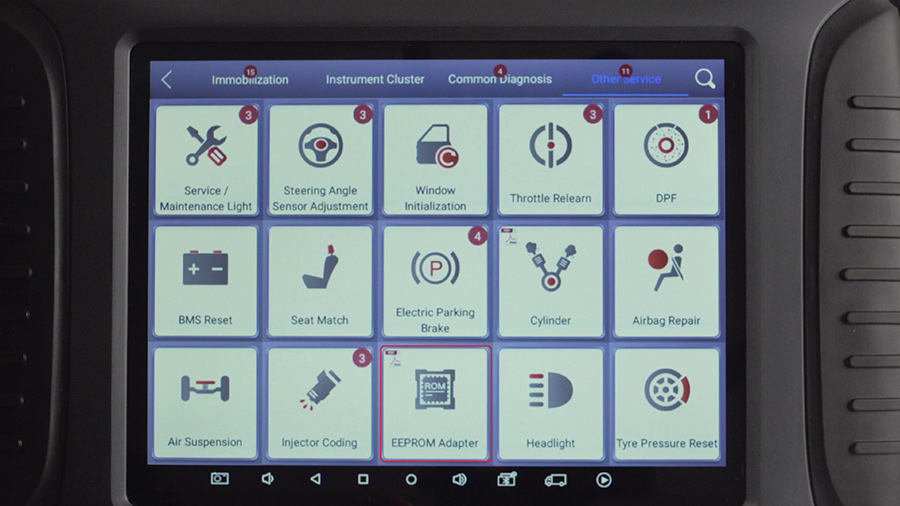
Look at the Xtool X100 Pad3 main interface, tap "diagnosis" then "other service" then "eeprom adapter".
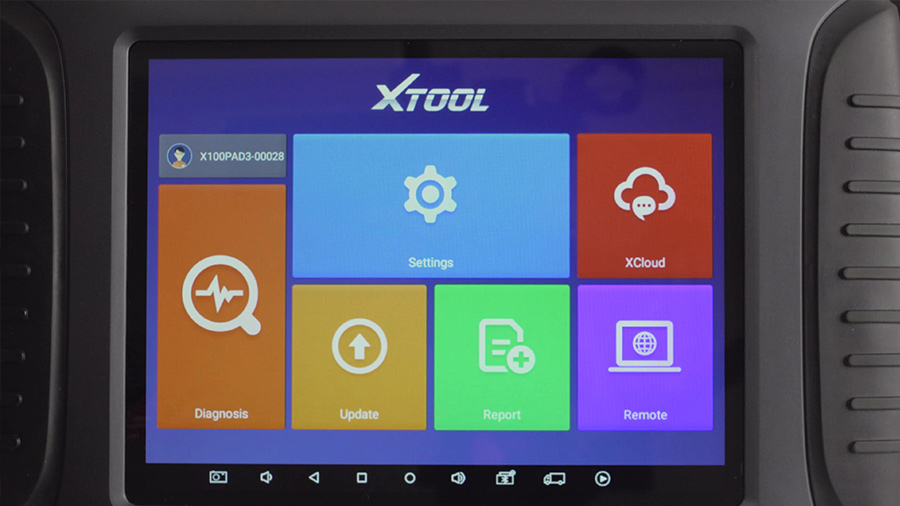
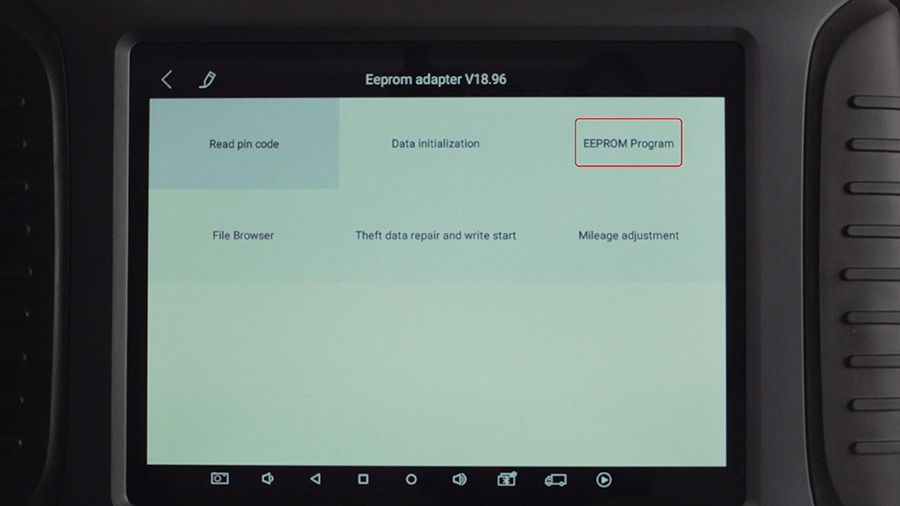
Tap "eeprom program".
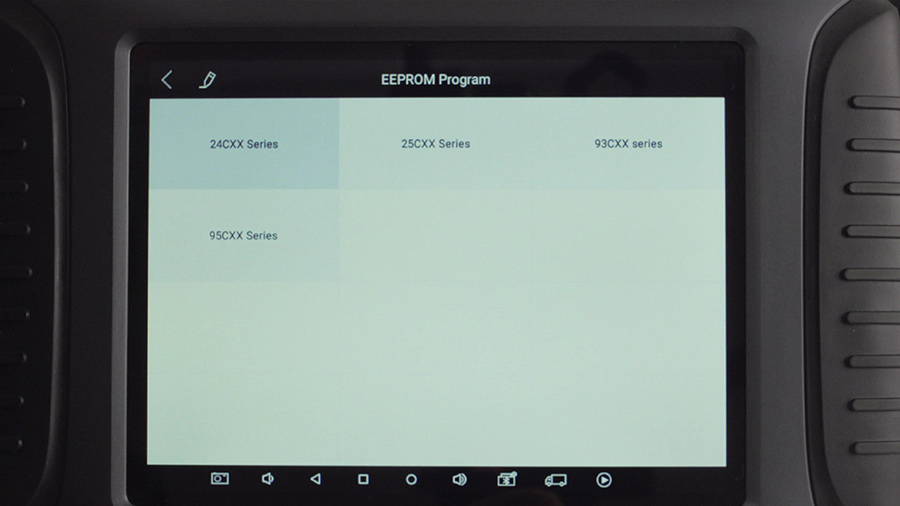
Select the eeprom chip model (24Cxx Series -> 93c46 for example), then read eeprom data.
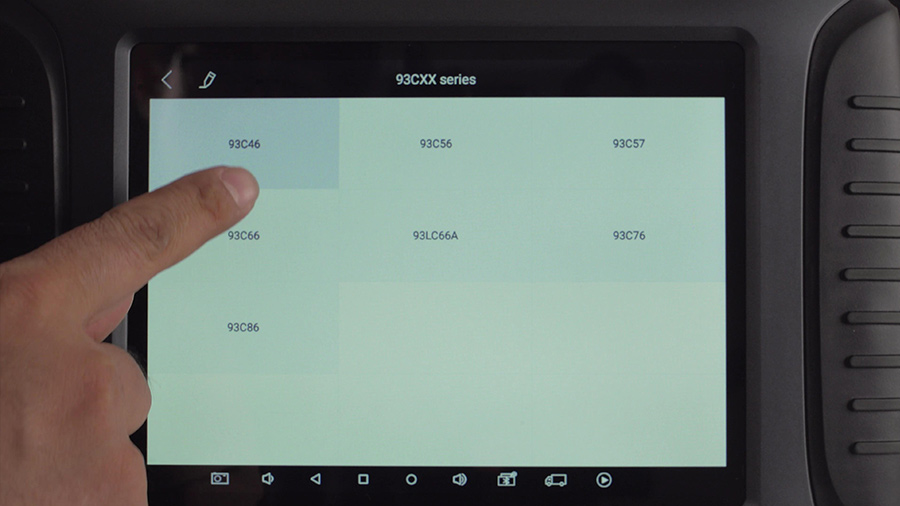
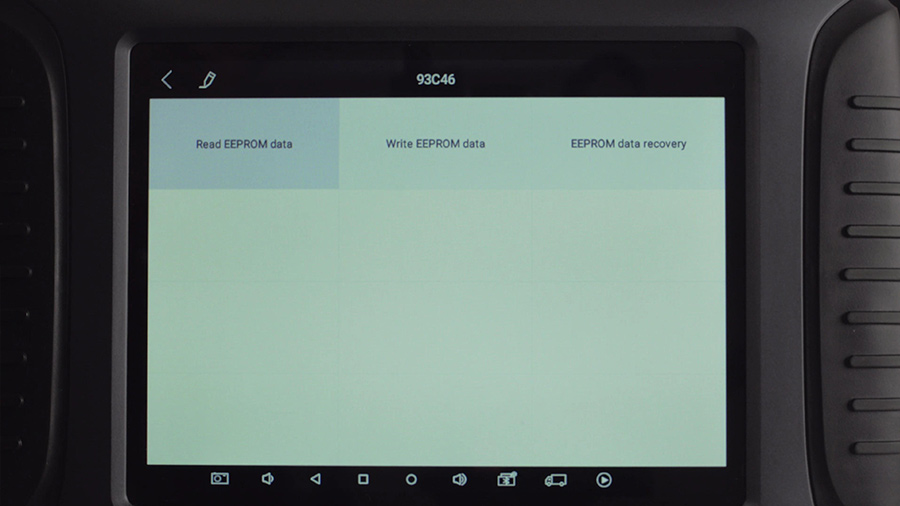
Name the data file and save it.

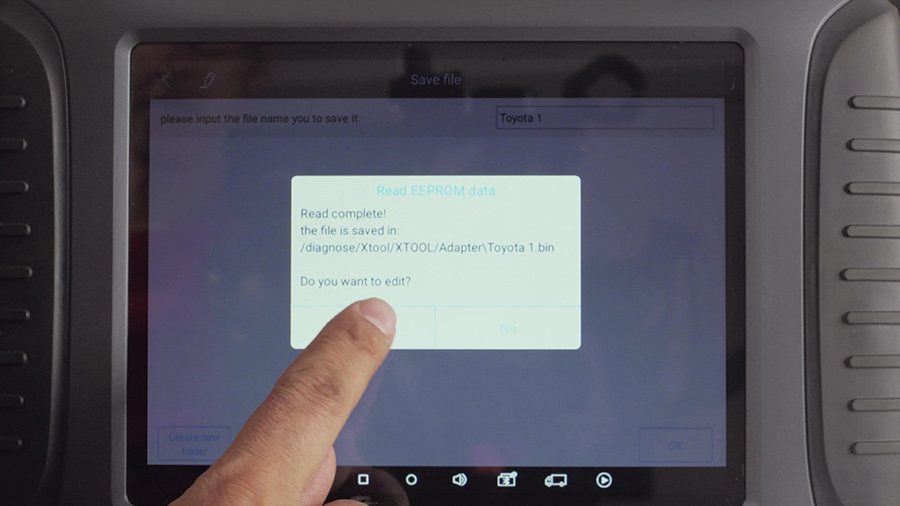
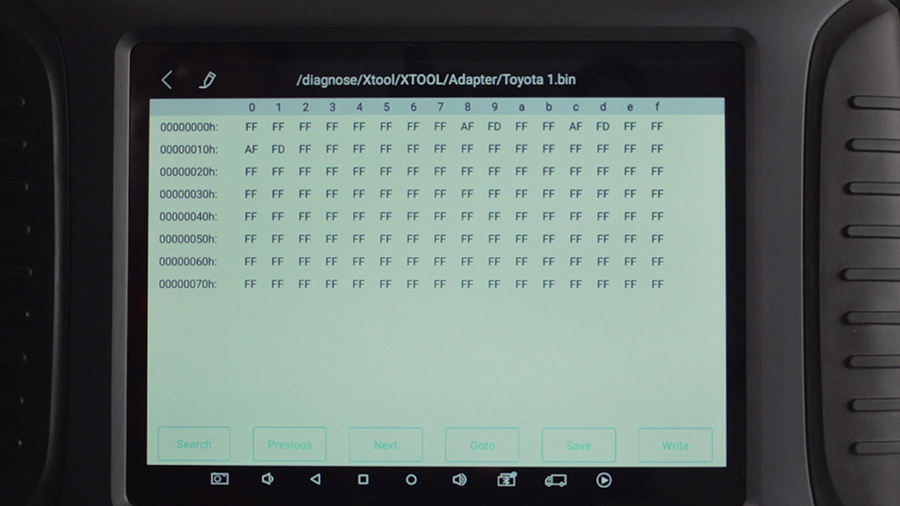
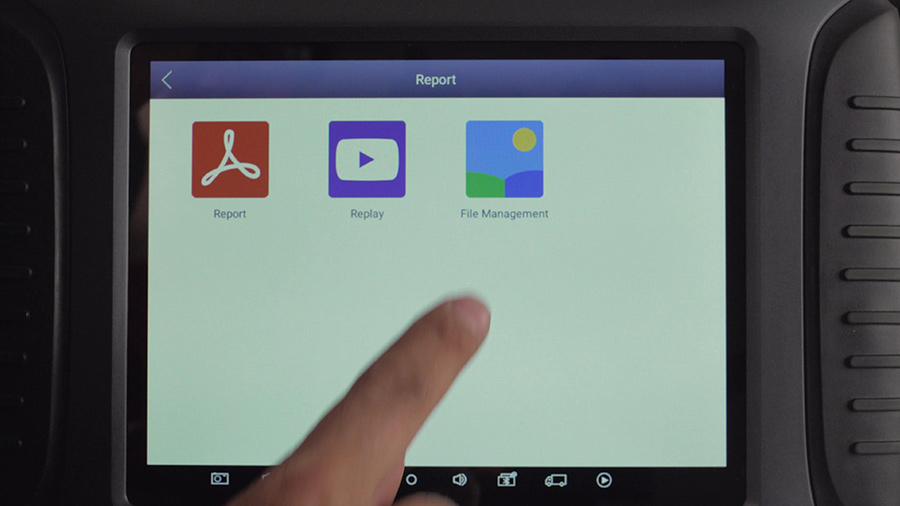
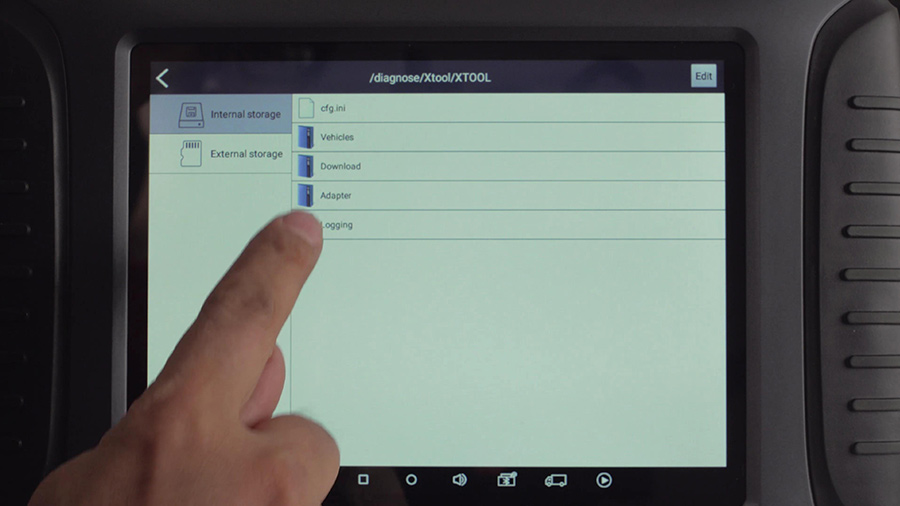
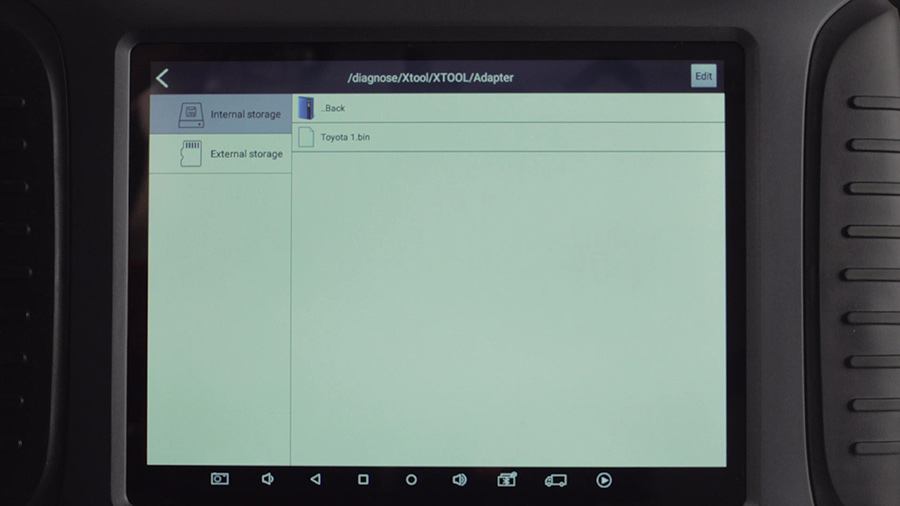
Return to Xtool X100 Pad3 main interface to check the file in Report---File management---adapter.
Enjoy!
上一則: Autel AP200 Reviews: Small But Powerful
下一則: Foxwell NT510 Elite Vs NT530 Scanner - foxwellstore.com
下一則: Foxwell NT510 Elite Vs NT530 Scanner - foxwellstore.com
限會員,要發表迴響,請先登入


