Solved! Launch X431 PAD III: only "All" & "Common" software display
2020/07/29 10:00
瀏覽104
迴響0
推薦0
引用0
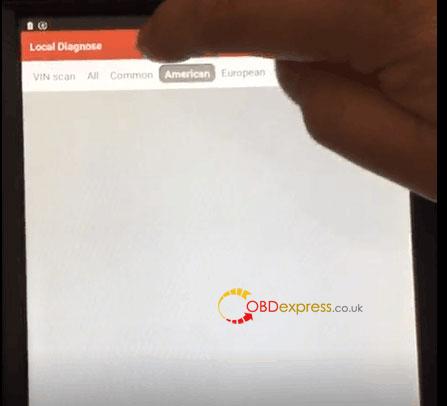
Question: After downloading Launch X431 PAD iii software, I tried to tap “Local Diagnose”, then “ALL”, “Common”, “American”, “European”, “Asian”, “Chinese”, “HD” etc, and found only “ALL”, “Common” and “HD” has software. Is it normal?


This is machine serial number:

Launch engineer replied:
This is Heavy Duty version, after updating, please choose ” HD” or “All”, the other options contain the gasoline cars, the heavy duty machine does not come with the gasoline car software.
Under any of “American”, “European”, “Asian” and “Chinese”, there are gasoline cars, the heavy duty software is not listed there, they are all in “HD” option, you don’t need to buy additionally, it’s normal.

Enjoy!
自訂分類:Car Diagnostic Tools
上一則: Will Piwis 2 Enable/disable Cayenne 958 locking sound?下一則: Top 3 Best OBD2 Scanners for Porsche Panamera
你可能會有興趣的文章:
- Program Jeep Compass ID4A Smart Key by VVDI Key Tool Plus
- How to use Xhorse VVDI2 generate TOY.T XM remote
- How to Update Autel MaxiVCI Mini VCI FIRMWARE
- How to use Autel MK808 Reset BMW ABS/DSC Warning Light
- How to Reset BMW X3 F25 Battery with XTOOL PS90
- VXDIAG VCX SE For Benz diagnstic tool reviews
限會員,要發表迴響,請先登入


