Problem: When I connect iProg+ Pro clone to pcf79xx adapter, and run v82 software, a message suddenly pops up “Programmer not connected” is shown as below.
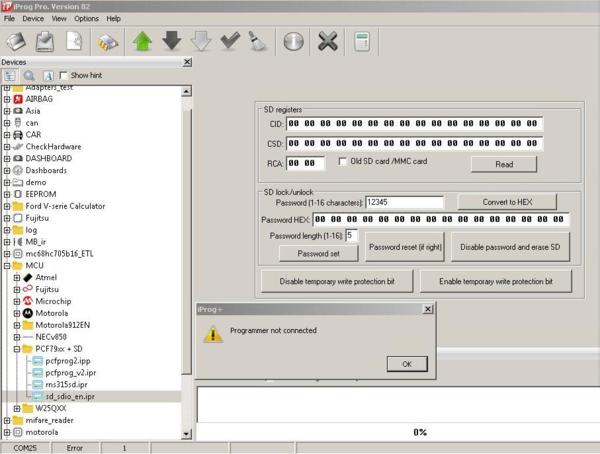
The possible causes:
1.The connection between iprog pro and computer or adapter is incorrect.
2.The device drive doesn’t be installed successfully
The solution:
1.Please check whether the device connection refer to the following correct connection diagram
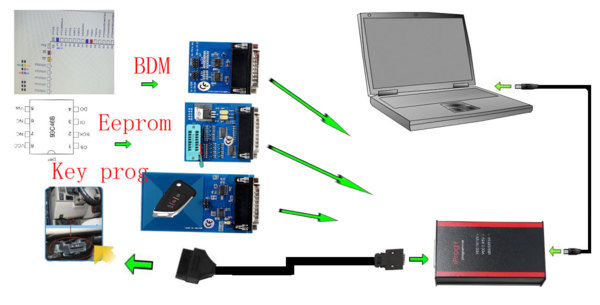
2.Install iprog+ pro software again
Free download link: https://share.weiyun.com/5vusgt9
Password: 2nhra8
O.S: WinXP/ vista/ 7/8
Main steps to install v82 iprog+:
1.Create a new folder in any convenient place on the disk. For example [iProgProSoftware]
2Unpack the archive into the created folder
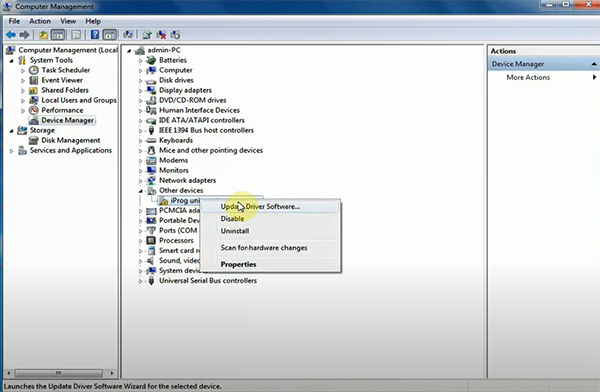
3.Go to “Computer Manager” -> “Device Manager”-> “Network adapters”-> “Other devices” ->“iProg universal programmer” -> “Update Driver software”
4.Select “Browse my computer for driver software”
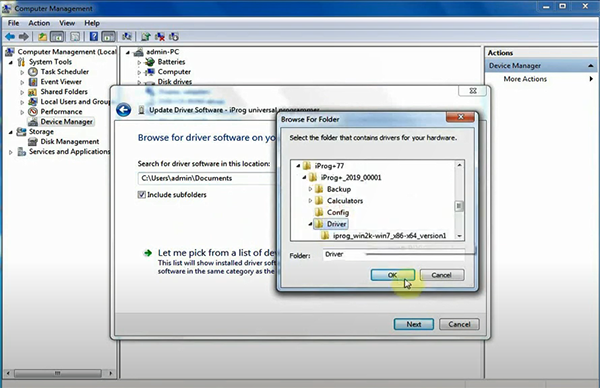
5.Click “Browse” to select “Driver” in the iprog+ software download kit, then Next
6.Select “Install this driver software anyway”
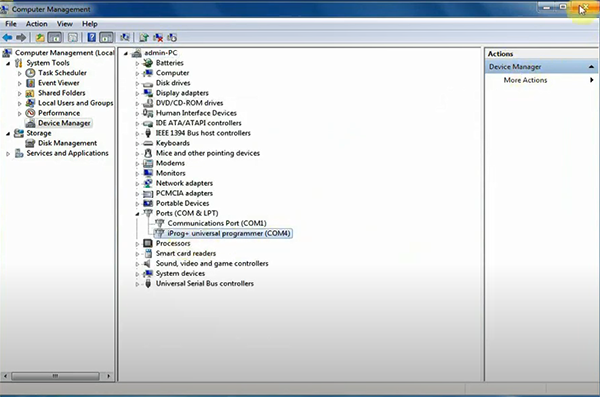
When the device drive has been installed successfully, the iprog + universal programmer (COM4) will display as below.
Video reference:https://www.youtube.com/watch?v=qscy8NnZKbE&t=22s
下一則: About BMW Creator C110+ Update, Car List, FAQ, Reviews
- Solution to Xhorse Key Tool Plus AKL Fabia 2008 Learn Key Not Accept Immobilizer
- How to Download & Update Software on Autel MaxiLink AL319
- Xhorse VVDI Key Tool Plus matches VVDI Toyota 8A Smart Card
- Renew/clone EIS on w906 with VVDI MB BGA
- Read EEPROM MCU ( Airbag IMMO BCM Dash ), VVDI PROG or XP400 pro or Orange5?
- How to use Autel IM608 J2534 ECU programmer with OE software?
限會員,要發表迴響,請先登入



