This post comes with the guide of how to use XTOOL X100 Pad3 to read Toyota 93C46 EEPROM data and find out the related file saved.
How to read EEPROM data by XTOOL X100 PAD3?
Connect EEPROM adapter and X100 PAD Elite main unit by main cable
Then connect the power supply adapter before operating
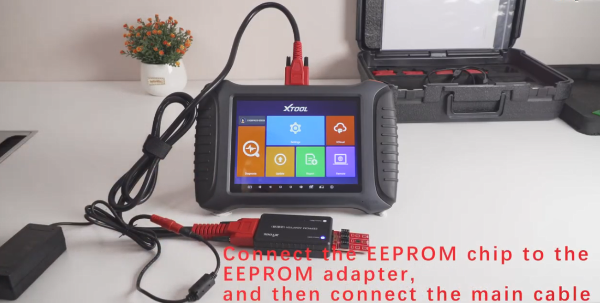
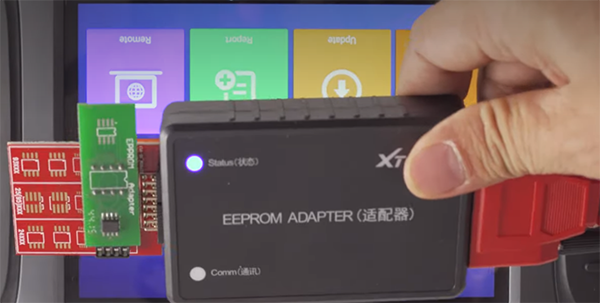
Note: when the connection is normal, the status indictor light will be on
Enter X100 pad3 main menu
Select Diagnosis-> Other service-> EEPROM Adapter-> EEPROM Program
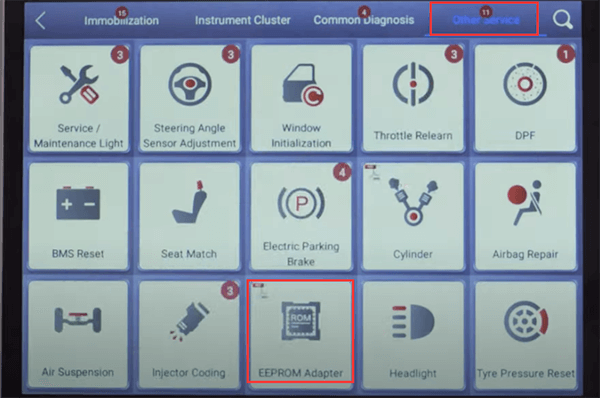
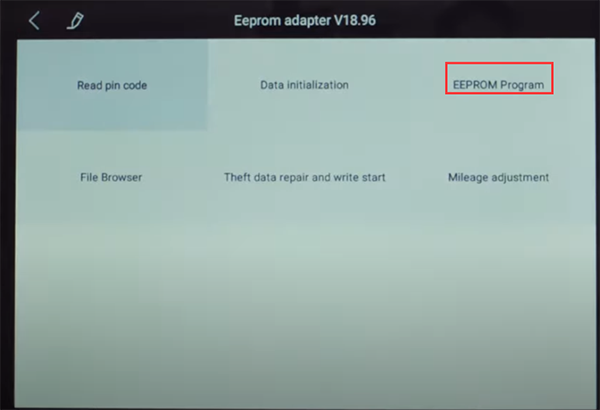
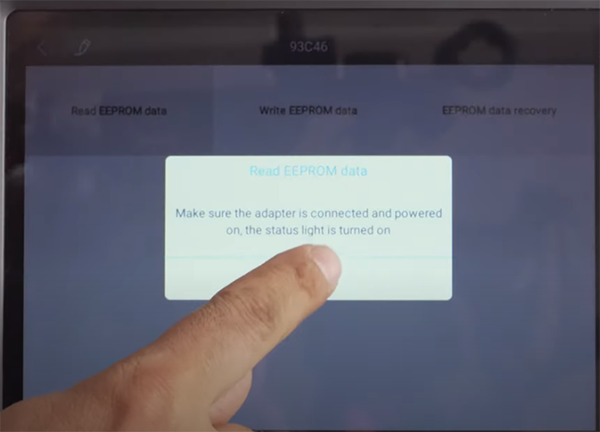
Make sure the adapter is connected and powered on, the status light is turned on
Connecting with the adapter…
Select 93CXX series->93C46-> Read EEPROM data
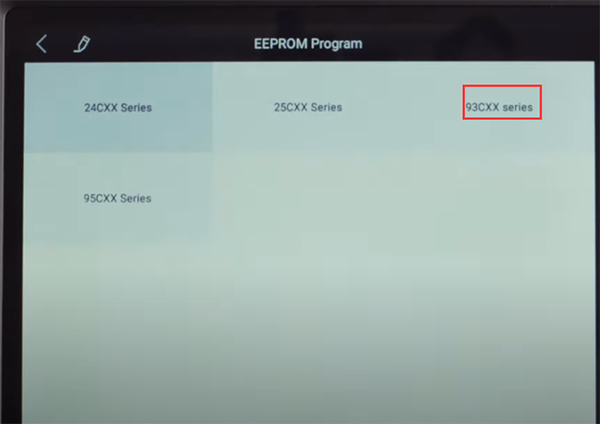
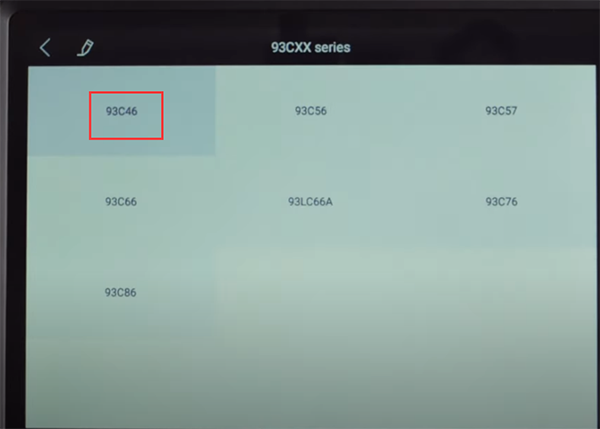
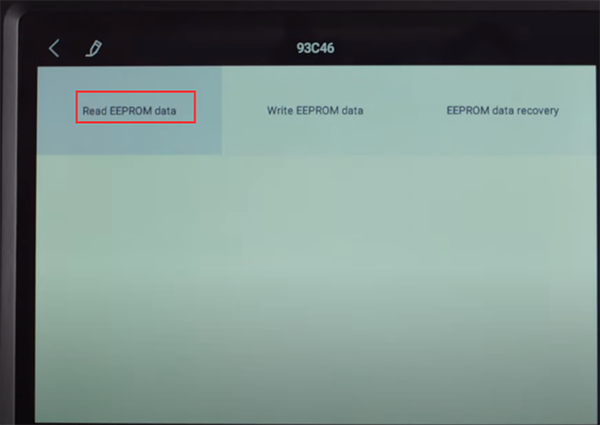
Pay attention to the prompt and click OK to continue
Input the file name to save the EEPROM data read out
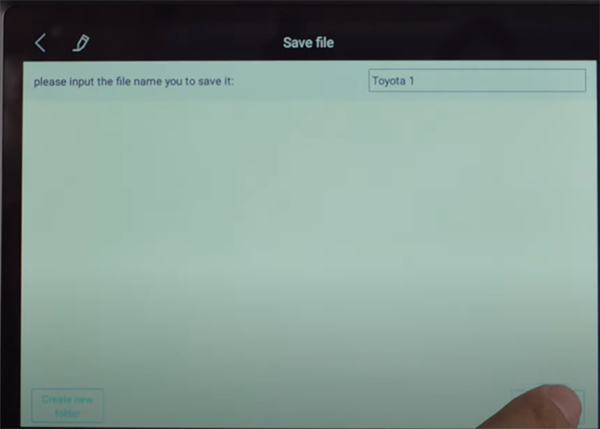
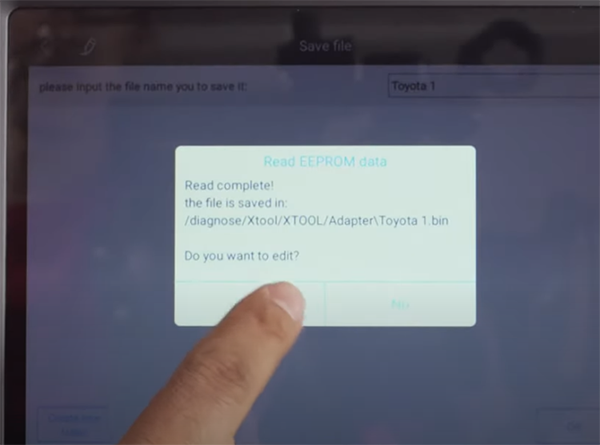
Read complete! Save the file successfully!
Click “Yes” to edit
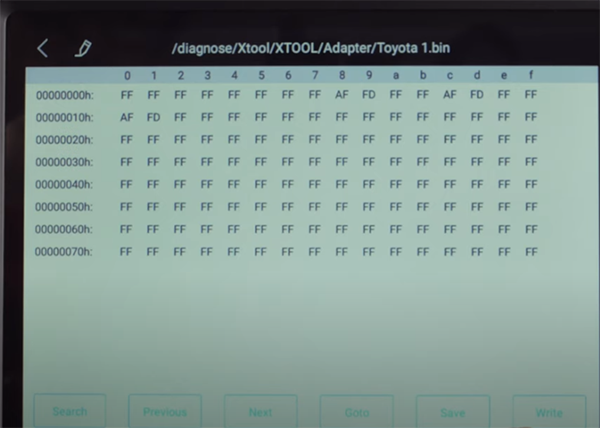
This is the data read out
How to search for EEPROM file saved on XTOOL X100 PAD3?
Back to X100 PAD3 main menu
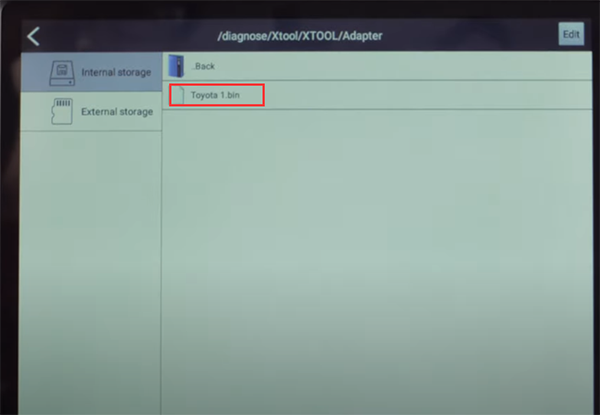
Select Report-> File Management-> Internal storage-> Adapter
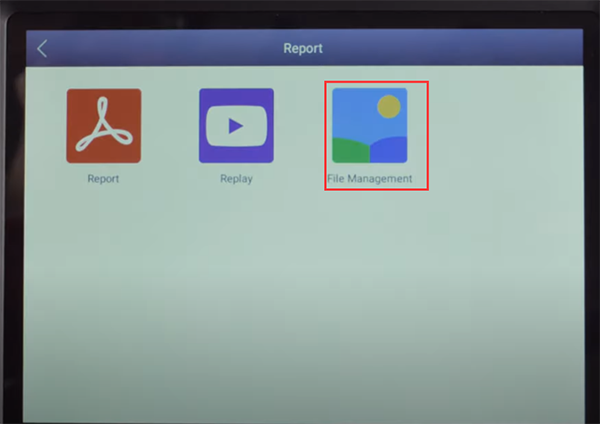
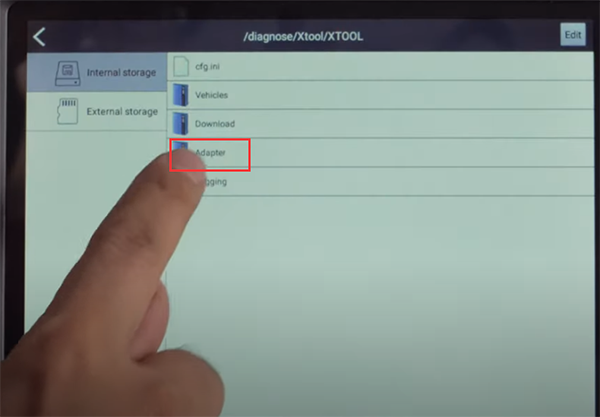
Then you can find the file you saved as shown below
Related posts:
XTOOL X100 PAD ELITE PROGRAM TOYOTA/LEXUS AKL & VW 4TH/5TH IMMO
http://blog.cardiagtool.co.uk/xtool-x100-pad-elite-program-toyotalexus-akl-vw-4th5th-immo/
COMPARISON: XTOOL X100 PAD2 PRO VS X100 PAD3
http://blog.cardiagtool.co.uk/comparison-xtool-x100-pad2-pro-vs-x100-pad3/
下一則: How to use XTOOL X100 PAD3 Read& Clear Fault Code on 2020 Benz E Class W212
- Solution to Xhorse Key Tool Plus AKL Fabia 2008 Learn Key Not Accept Immobilizer
- How to Download & Update Software on Autel MaxiLink AL319
- Xhorse VVDI Key Tool Plus matches VVDI Toyota 8A Smart Card
- Renew/clone EIS on w906 with VVDI MB BGA
- Read EEPROM MCU ( Airbag IMMO BCM Dash ), VVDI PROG or XP400 pro or Orange5?
- How to use Autel IM608 J2534 ECU programmer with OE software?
限會員,要發表迴響,請先登入



