夏肇毅知識運算網-由潛在客戶到機會的Odoo免費OpenERP銷售流程管理系統
2016/05/12 13:14
瀏覽320
迴響0
推薦2
引用0
[夏肇毅知識運算網 Mark Hsia's Knowledge Computing Web]
From Leads to Opportunities on the Sales Process
A sales process includes the stages of Prospecting, Approaching, Presenting, Closing, Following up and Referral. The first sales stage is prospecting. Normally a company will attend trade shows, conferences or seminars to meet the prospects. Sales people collect their name cards and come back to the office to analyze who will be the possible customers. How can we keep track of these leads and plan the future activities? The answer is the Sales system of the OpenERP.We can create a new lead by entering the Sales-Leads view and click the Create button. Then we input all information from the name cards of prospects.
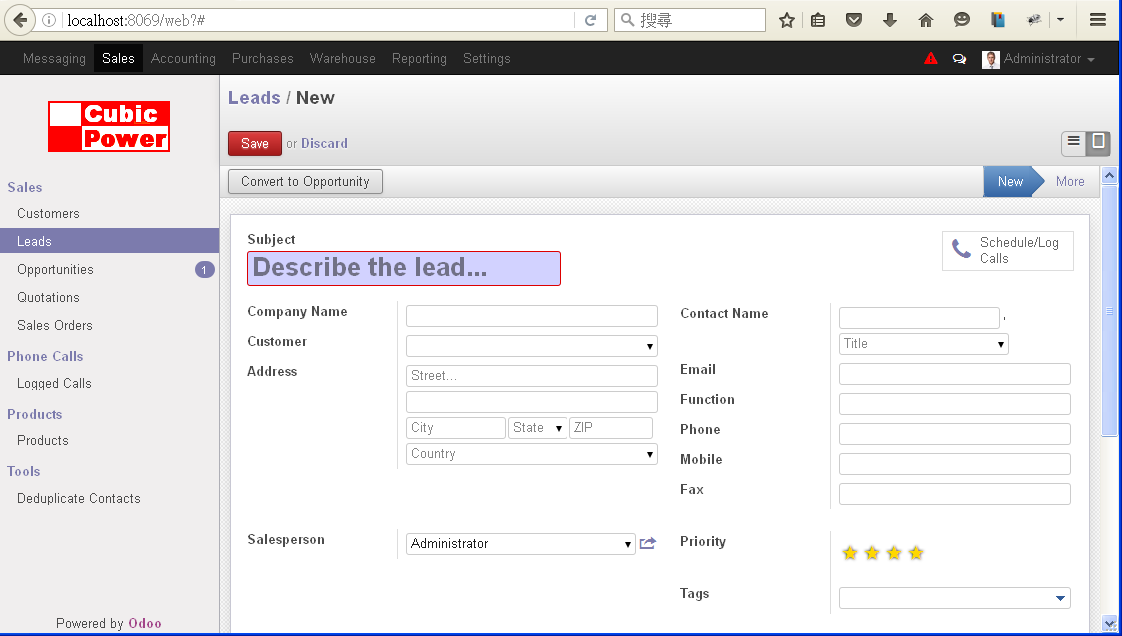
Click Save button after we finish the task. We can see the new lead has been added into the Leads view.
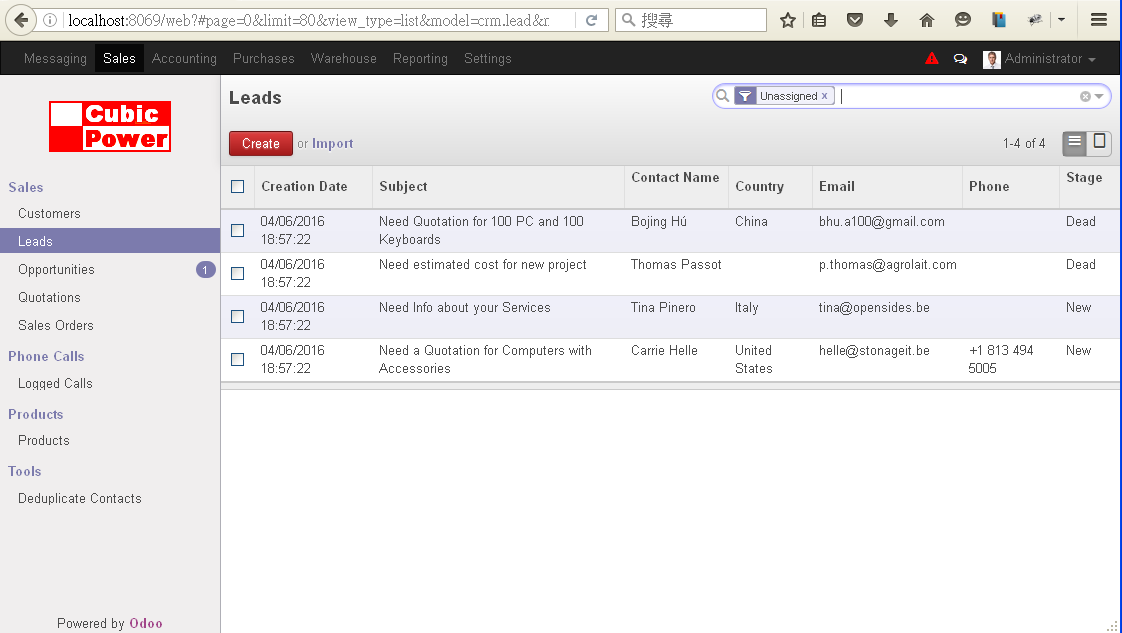
After the internal analysis process, we will filter the leads and convert them into Opportunities by clicking the Convert to Opportunity button on the Leads view.
If we select the Sales-Opportunities from the left hand side menu, we can see the form of all opportunities.
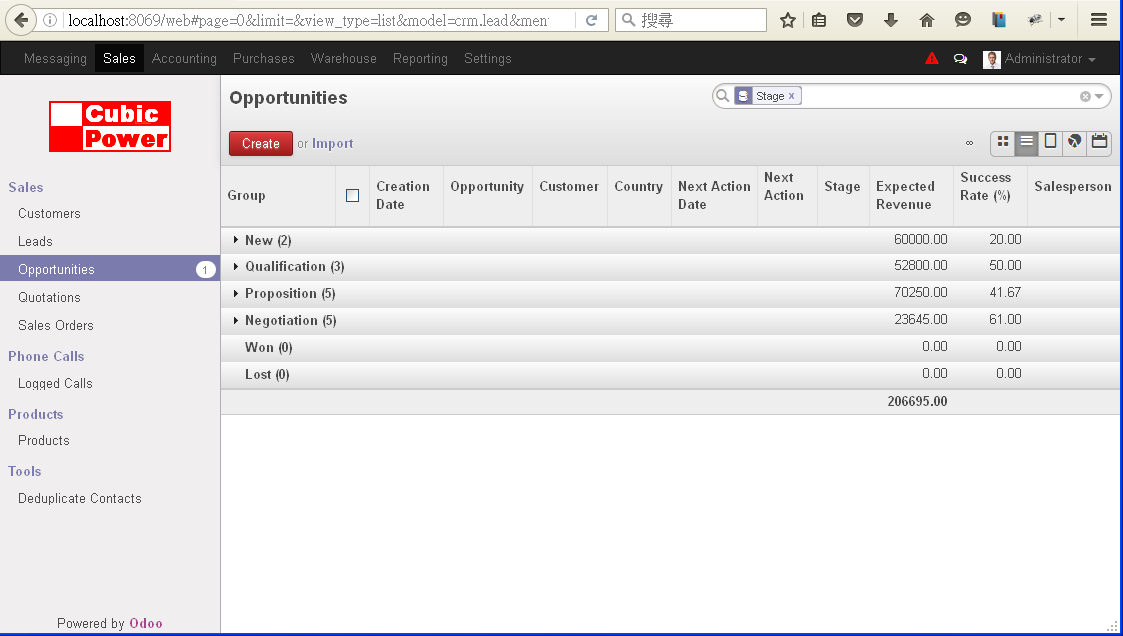
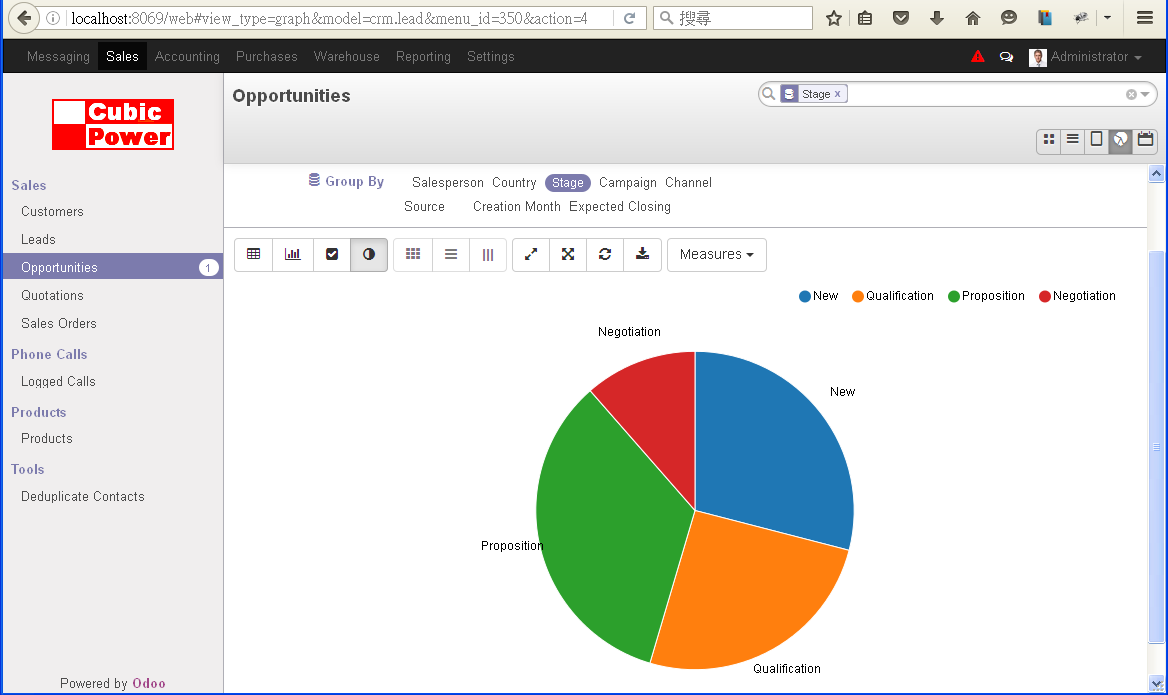
It's also possible to show the opportunities distribution of different sales stages by clicking the Graph icon on the right hand side of the screen.
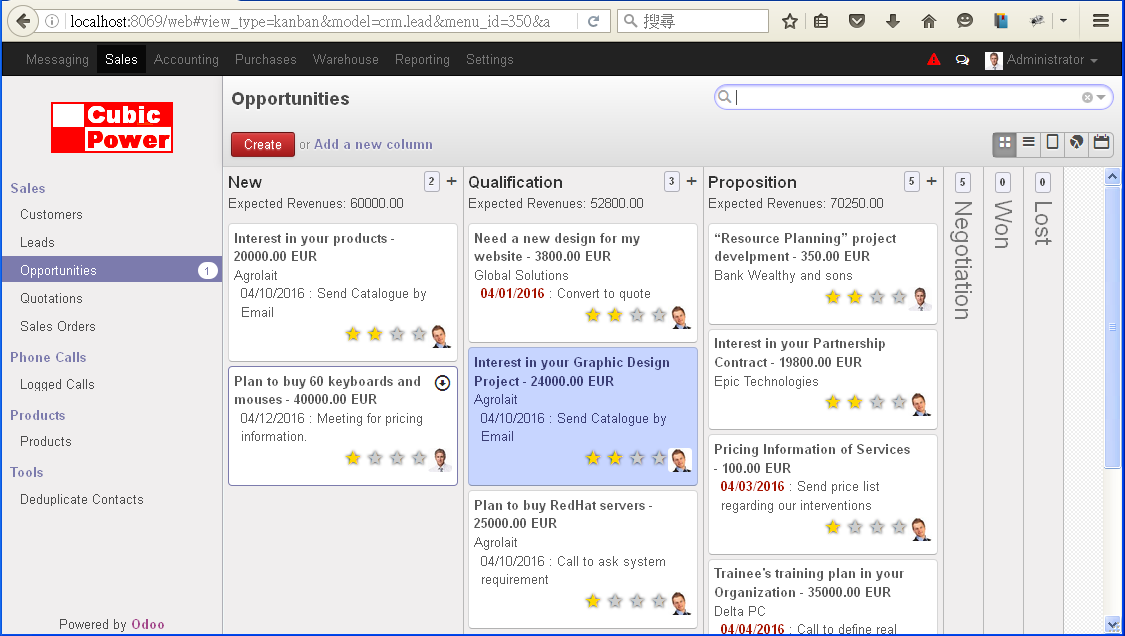
If we select the KanBan view, we can move opportunities between stages by drag-n-drop.
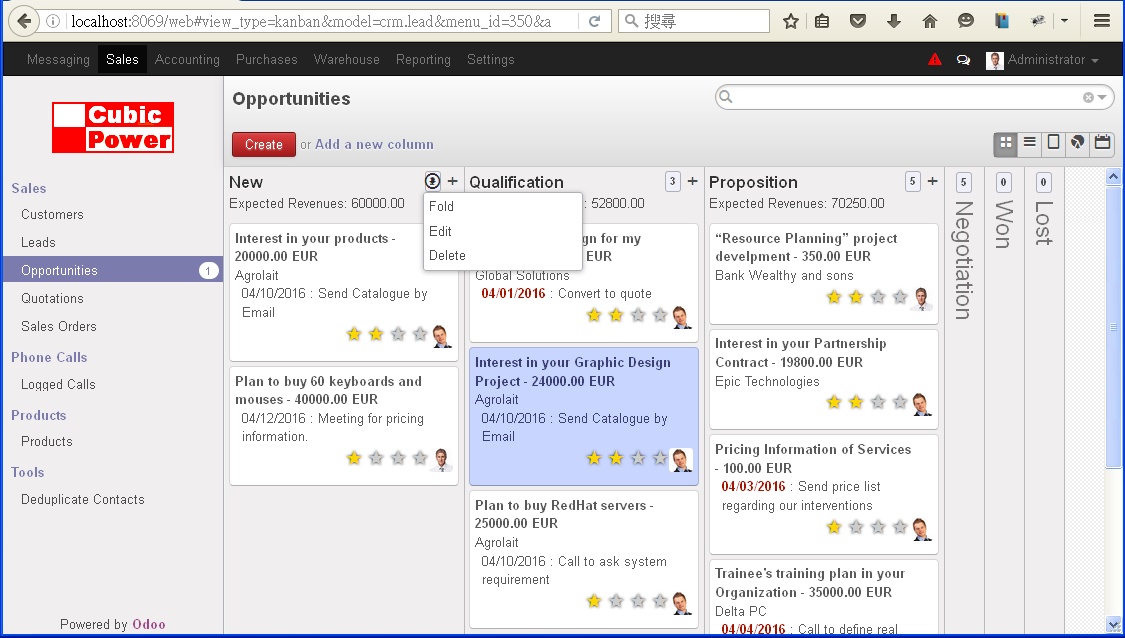
W can also fold or unfold different stage columns, or increase a new sales stage column into the view.


自訂分類:電腦與設計
上一則: 夏肇毅知識運算網: Weka Data Mining example 1- Regression with autoMpg.arff下一則: 夏肇毅知識運算網-一次學會五種程式設計語言-Part 2 For..Next
你可能會有興趣的文章:
限會員,要發表迴響,請先登入