If you had “00” icon and “Initialization of diagnosis multiplexer failed” problem when using the MB SD Connect C4 multiplexer, you need a sd c4 firmware update.
Follow steps below to update C4 firmware:
Run an Mercedes Star Diagnostic sd connect c4 firmware update:
Go to C:\Program Files\Mercedes-Benz\SDConnect Toolkit, change update_automaticx, update_manualx and update_specicalx 3 files to update_automatic, update_manual and update_specical (delete the x letter).
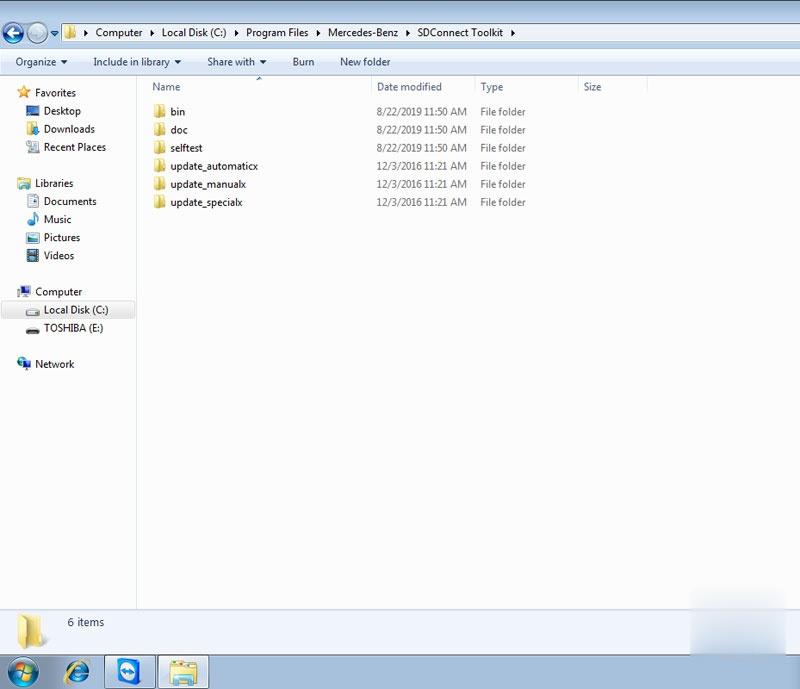
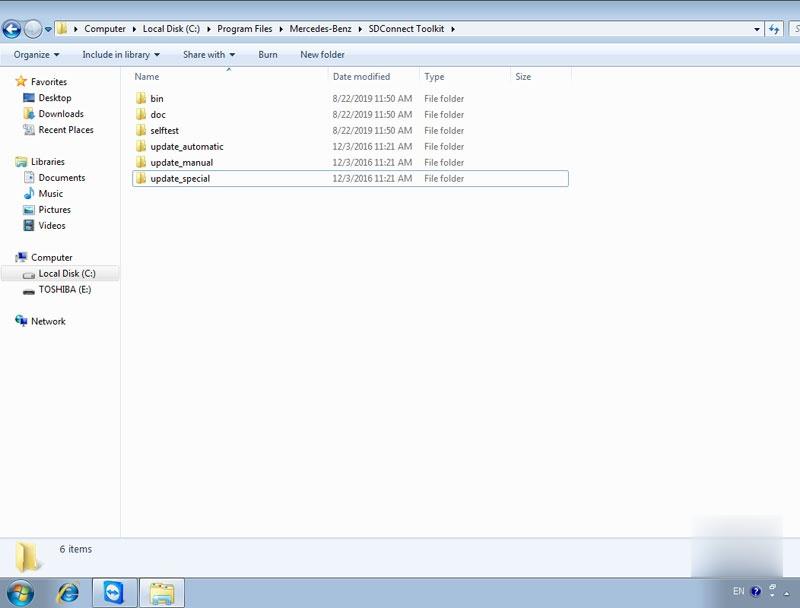
Go to C:\Program Files\Softing\Diagnostic Tool Set 8\8.03\Interfaces\DCDI_DPduApi\eCOM_Toolkit, change update_automaticx, update_manualxand update_specicalx files to update_automatic, update_manual and update_specical (delete the x letter)
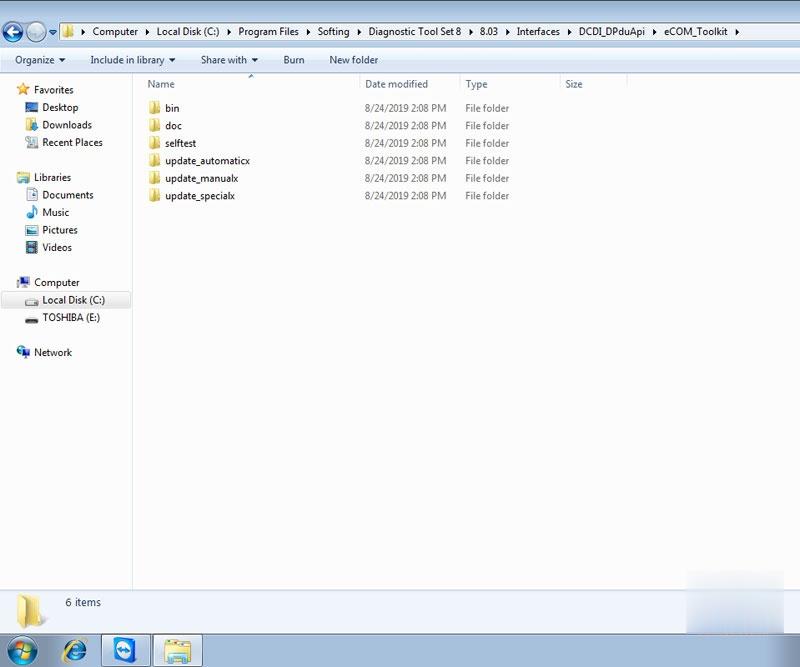
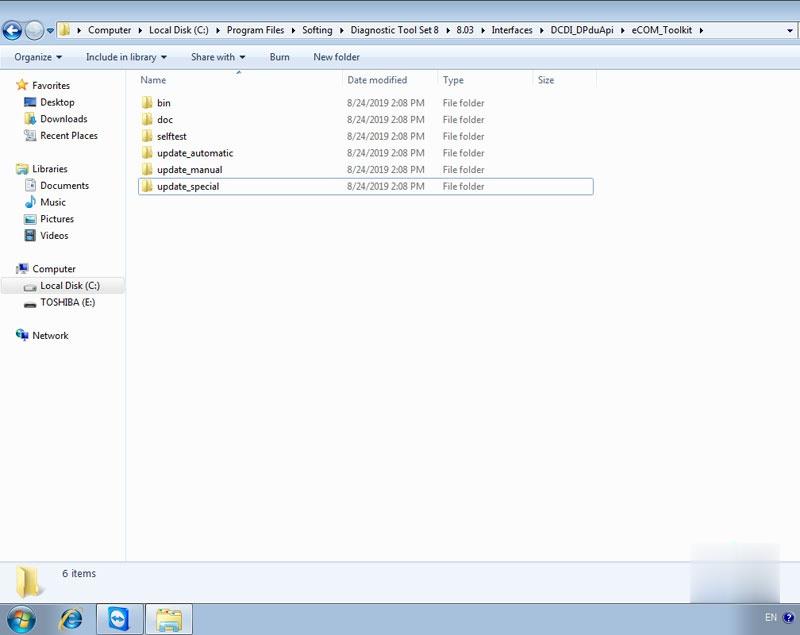
Restart computer update change the files’ name.
Install 6 AA batteries to SD C4/SD C5 main unit (* SD C4 Item No. SP100-E does not require battery installation)
Connect OBD main cable with vehicle with 12V adapter.
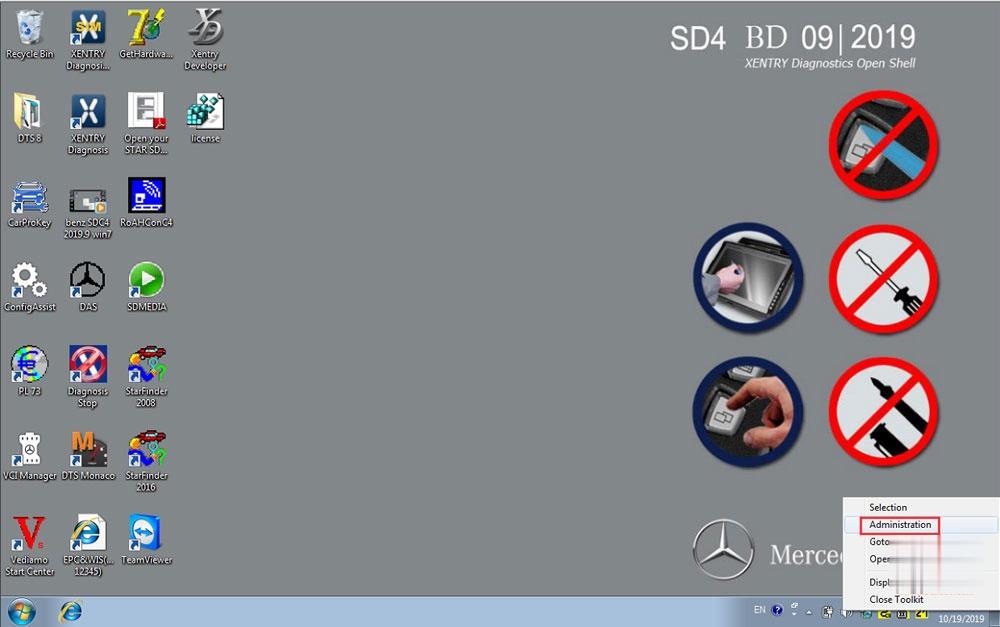
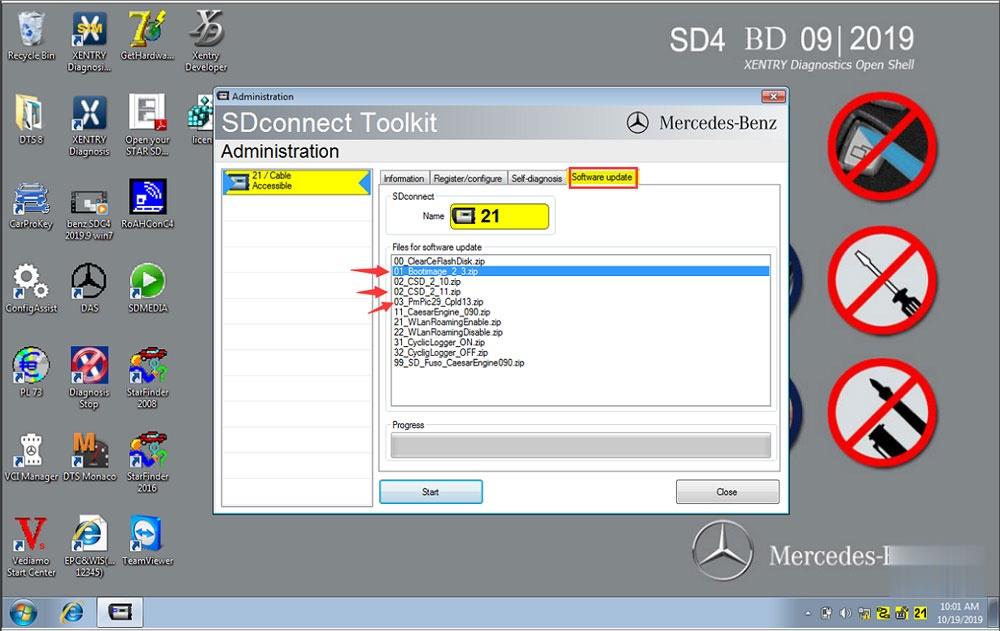
Right click on lower right corner of the computer and select Administrator, then choose Software Update
Update 01_Bootimage_2_3.zip, 02_CSD_2_10.zip and 03_PmPic29_Cpld13.zip three files one by one until succeed.
Note: The update process can be applied to SD Connect C5 clone as well.
下一則: Hyundai Accent(RB) 2017 ABS Brake Bleeding via Autel MK808
- BMW Coding & Programming
- Autocom CDP+ Diagnostic tool for trucks and cars with bluetooth
- Guide to use CG FC 200 ECU Programmer
- MINI ACDP BMW “Verify Bin file MD5 failed” on BMW F11 520D 2012 Solution
- Hyundai Accent(RB) 2017 ABS Brake Bleeding via Autel MK808
- XTOOL A80 Pro, A80 H6, and X100 PAD3, Any difference?
限會員,要發表迴響,請先登入


