One customer gave feedback that he cannot connect to the interface when using SVCI 2020 V38.1 software to read and write CS, MAC, PIN of ECU while version V18 and V24 does work.
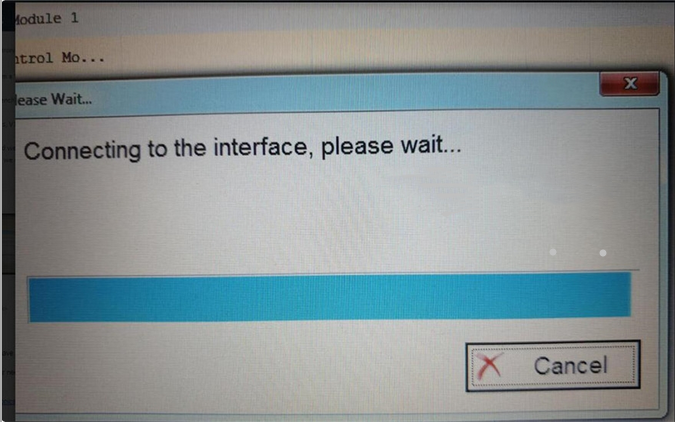
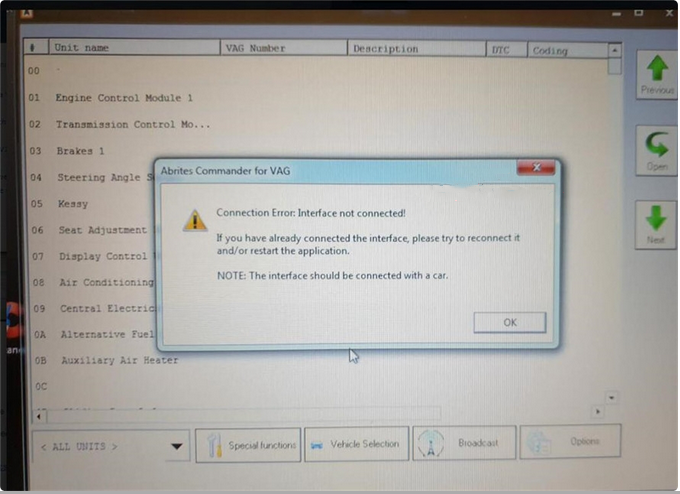
It always says “Connecting to the interface, please wait…” and “Connection Error: Interface not connected! If you have already connected the interface, please try to reconnect it and/or restart the application. NOTE: The interface should be connected with a car”.
Engineer reply:
The reason for “Connection Error” is because he didn’t upgrade the SVCI 2020 firmware to latest version.
SVCI 2020 Firmware Upgrade Steps:
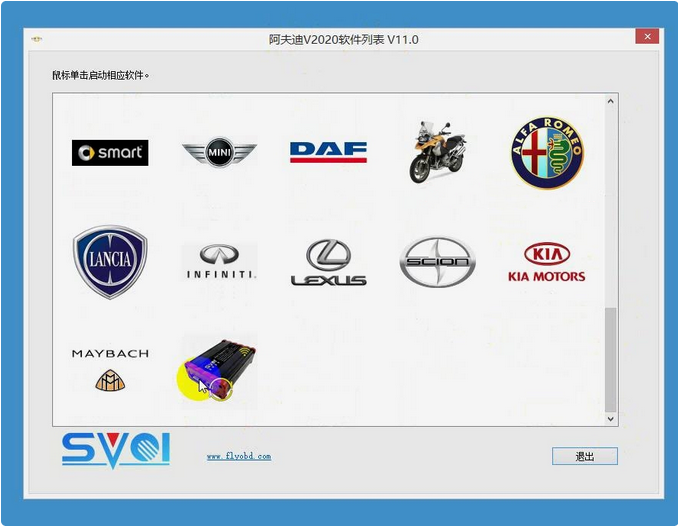
Step 1. Start SVCI 2020 software list, click SVCI 2020 icon down at the bottom.
Step 2. Wait until the firmware was downloading from server successfully, click “upgrade”.
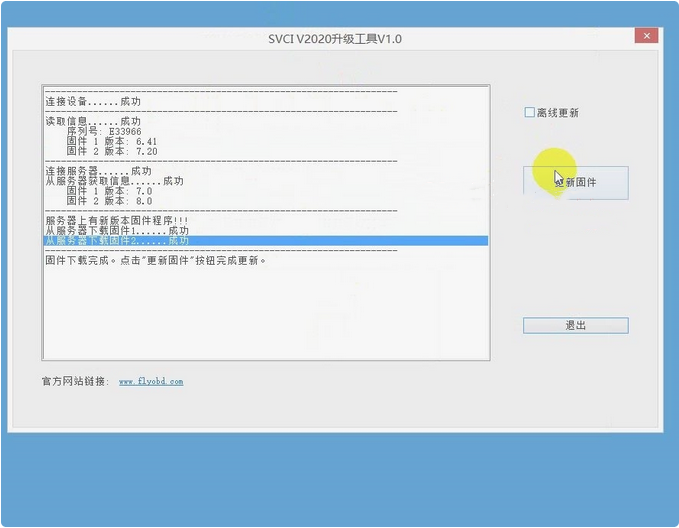
Step 3. Select firmware procedure 2 , click “Start” to update, click “OK” when finished.
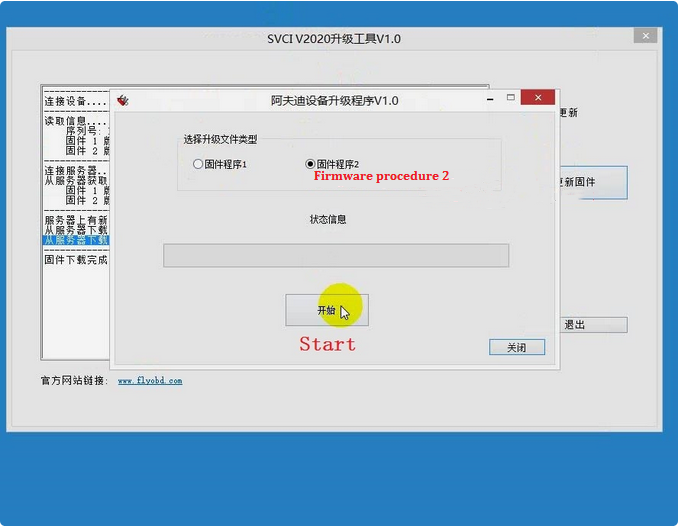
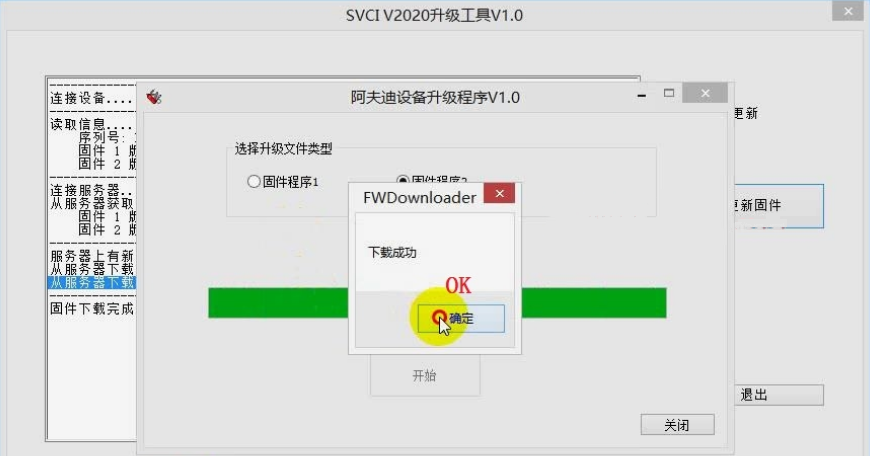
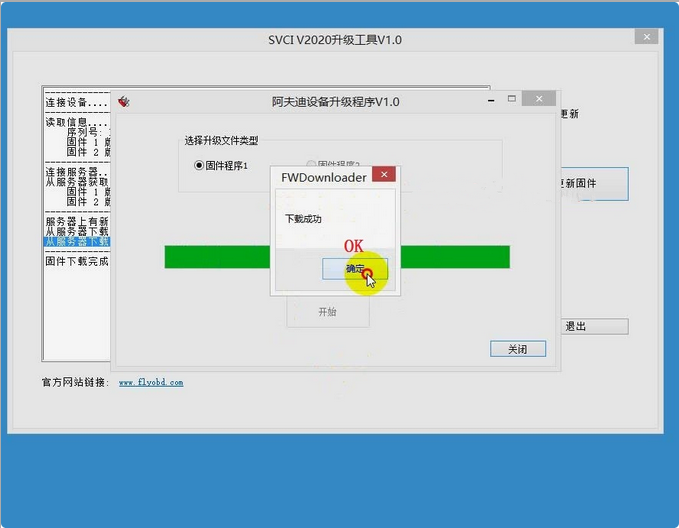
Step 4. Select firmware procedure 1, click “Start” to update again, click “OK” when finished.
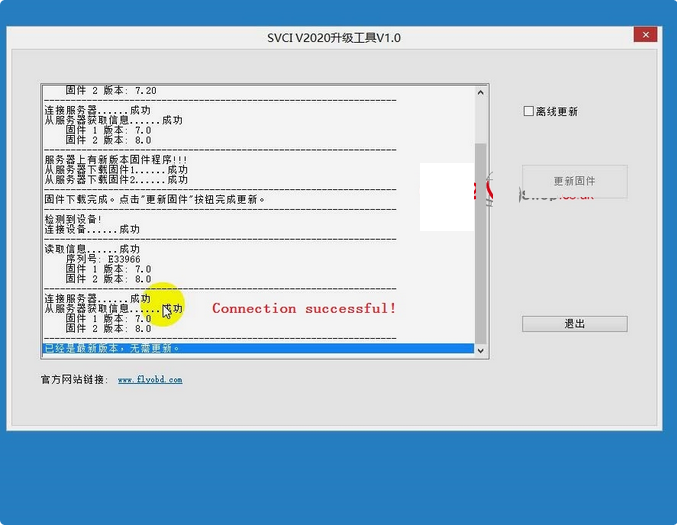
It says connecting is successful, SVCI 2020 firmware upgrade has been done!
http://obd2codes.net/2020/12/31/update-svci-2020-abrite-commander-firmware/
下一則: JLR Pathfinder Free Download and Installation
- How to configure a VOCOM to WLAN wireless mode using an access point
- Tacho Programmer Digital Tachograph Programmer CD400 TRUCK TACHO Speedometer
- Jungheinrich EJD 220 Travel Acceleration Parameter Setting by CanCode
- AUTEL OTOFIX IM1 AUTOMOTIVE KEY PROGRAMMING
- MINI ACDP BMW “Verify Bin file MD5 failed” on BMW F11 520D 2012 Solution
- HOW TO UPDATE MB SD CONNECT C4 FIRMWARE
限會員,要發表迴響,請先登入


