解決POSReady 7 Windows Features無法使用問題.
2019/11/07 08:10
瀏覽255
迴響0
推薦0
引用0
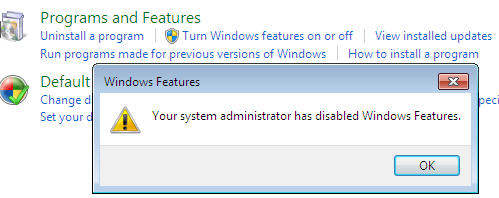
近日有人詢問在使用posReady 7 時發現一個問題,“posReady 7安裝完成後去點選 "Turn Windows features on or off" 時會出現如下圖訊息“Your system administrator has disabled Windows Features.”而無法開啟項目,其實這是因為posReady 7系統預設的Windows Features是Disable的狀態。
解決的方法如下:
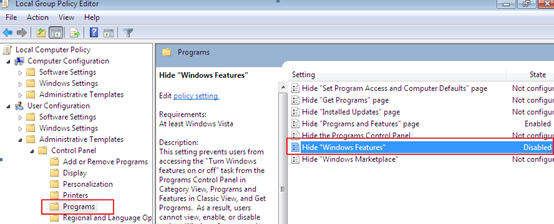
1. 執行Gpedit.msc.
2. 找到[組策略位置]:User Configuration ->Administrative Templates -> Control Panel -> Programs
pos3. 將Hide “Windows Features”設置為Disable即可.
Enjoy it~


你可能會有興趣的文章:
限會員,要發表迴響,請先登入


