A Private Photo Comparison Tool Workflow That Keeps Client Photos Local
Last spring an agent I work with pushed a folder of listing photos through a free collage site. The listing went live, the job closed, and six months later the same images showed up on a competitor's page. Nothing dramatic happened. A copy simply outlived the project.
You cannot delete a copy you never made. That sentence is the whole argument for doing comparison work inside a browser tab instead of on someone else's machine.
What follows is the workflow I use with a private photo comparison tool: two files in, one PNG out, no account, no upload queue.
What a Private Photo Comparison Tool Keeps on the Machine
The work happens in the tab. Both photos are read from your disk, drawn onto a canvas, and encoded into a file you download. Nothing is sent to a server, there is no account, and no email address is required. The export runs as fast as your laptop, not as fast as your connection.
I use BeforeAfterLab as my private photo comparison tool for an unglamorous reason: it has the five layouts I reach for. Side by side for reports, slider for the web, split for social, vertical stack for a phone screen, and overlay for checking whether two visits line up.
The overlay layout is the one nobody asks for and everybody needs. It fades one shot over the other at low opacity, so a shifted camera position shows up as a doubled doorframe instead of a vague feeling that something is off.
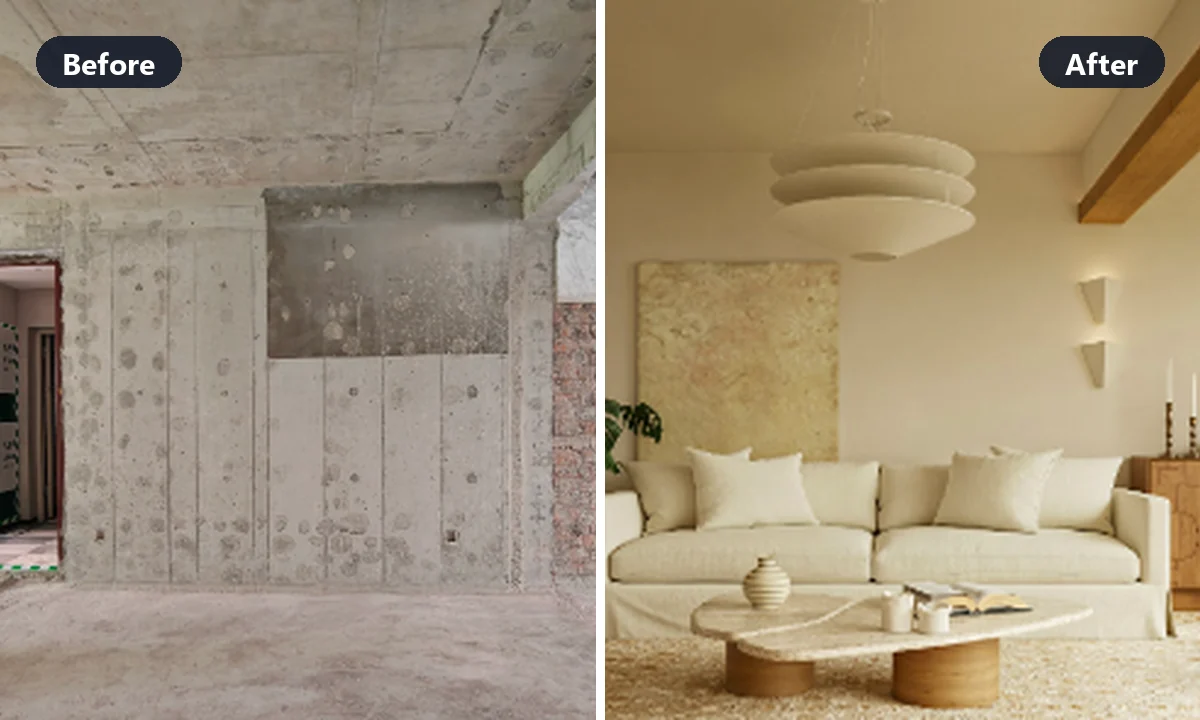 The same empty room before and after a turnover, shot from one corner.
That covers the arrangement step. It does not cover your downloads folder, your email, or the link you paste into a message at nine in the evening.
A Listing Shoot, Start to Finish
The routine below is what I run for a single room with one private photo comparison tool and no other software open. It takes about four minutes per pair once the tape is on the floor.
- Shoot both frames from one corner and mark the spot. A strip of tape beats a note in your phone, because the second visit is usually weeks later.
- Name the folder after the address, not the date. "Oak Street 14" is findable in March; "Photos 2" is not.
- Open the tool in one tab and drop in both files. No account step and no upload bar, because the file never travels.
- Check alignment in overlay before you pick a layout. If the two frames sit half a meter apart, no layout fixes it, and you want to know before the client does.
- Export one PNG at the size the report needs. Name it address_room_date so the pair is still readable inside a folder of two hundred files.
- Close the tab once the file is saved. The working copy in browser memory goes with it.
Where the Files Still Leak
The tab is the easy part. The hard part is the ten minutes after you export.
An email attachment, a shared drive link set to "anyone with the link," a text message, a group chat with the contractor. Each one is a copy, and each has its own rules about who can open it and for how long.
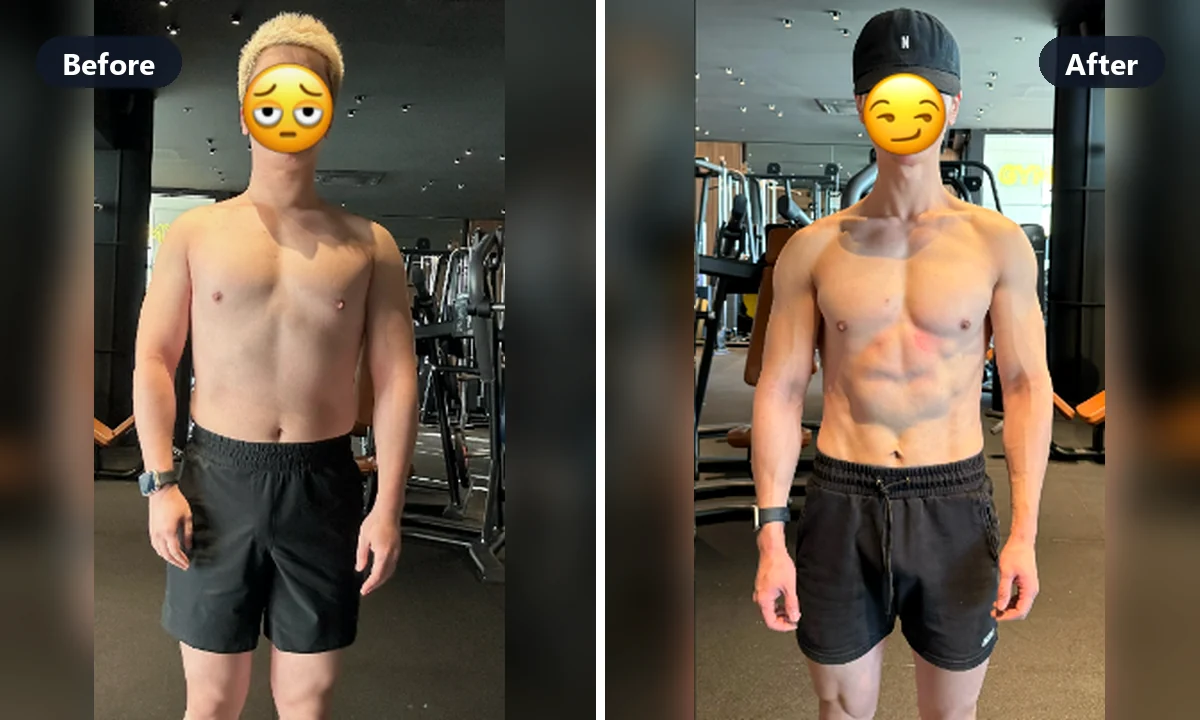 A training client before and after a program, shot from one spot in the gym.
Trainers meet a second version of this problem. A progress pair of a client's body is the most forwarded image in the building, and also the one most likely to be screenshotted. Results vary from person to person, and nothing in this workflow is medical advice.
That is why I build the pair in the browser layout tool and then treat everything after it as a separate decision: who gets the file, in what form, and for how long.
A private photo comparison tool covers the first step only, and the second step is judgment, not software.
What This Workflow Will Not Fix
It will not stop the person you send the PNG to from forwarding it. A private photo comparison tool removes the server copy you would have created. It cannot remove the one your client creates.
It will not make a bad pair usable. If the before shot is blurry or the after shot is two stops darker, the comparison will show that clearly, and clearly is the point.
It will not retouch anything. The tool arranges and exports two photos; it does not smooth skin, whiten teeth, or change the light in a room. Anyone promising that from a browser tab is describing a different product.
And it will not manage the rest of your file hygiene. A laptop that syncs its desktop to a cloud drive has already copied every export you saved there.
FAQ
Is a private photo comparison tool safe for client photos?
It is safer than anything that uploads, because the image stays in the tab and nothing is stored on a server. That covers the comparison step only. Your downloads folder, email, and messaging apps are separate systems you still have to manage yourself.
Can I compare a whole listing set at once?
You work one pair at a time, which is usually what a report needs. For forty photos, that means forty exports. Batch it by room and name files as you go, or the folder becomes unsearchable by the second day.
What happens to the images when I close the tab?
The working copy in browser memory is released, and there is no session to recover later. Save the PNG before you close anything. Losing an arrangement to a stray tab close is the most common mistake I see, and it stings least when you still have the originals.
Does this replace a consent form?
No. Consent is a separate agreement about using someone's image, and no tool can obtain it for you. Keep the release with the job file and confirm the channels the client agreed to before you post anything publicly. Where the file was processed does not answer that question.
Do I need to install anything?
No. It runs in a browser tab on a phone, tablet, or laptop with the same layouts and exports. That matters on a job site where the only device available is the phone in your pocket. Nothing to update, and nothing to uninstall when the job ends.
Two files in, one PNG out, and no copy on a server you don't control: that is the whole gain, and it takes about a minute per pair. Run the next handover through a private photo comparison tool that works inside the tab, then decide separately who receives the file. Start with the free browser version and keep the originals close.
下一則: Before and After Photo Ideas for Small Businesses
限會員,要發表迴響,請先登入


