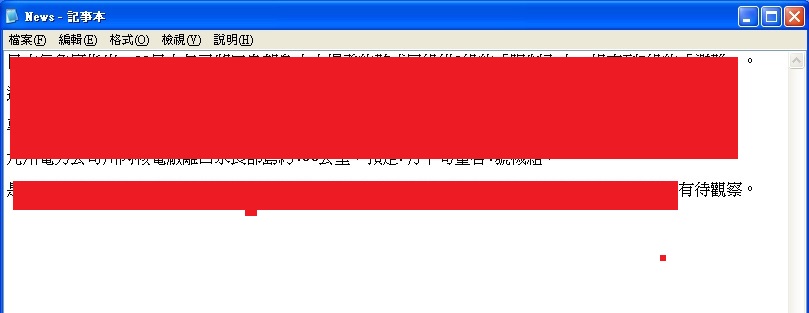
| 1. 進行質性研究訪談逐字稿分析前,需先將訪談內容整理為逐字稿。 |
|
|
|
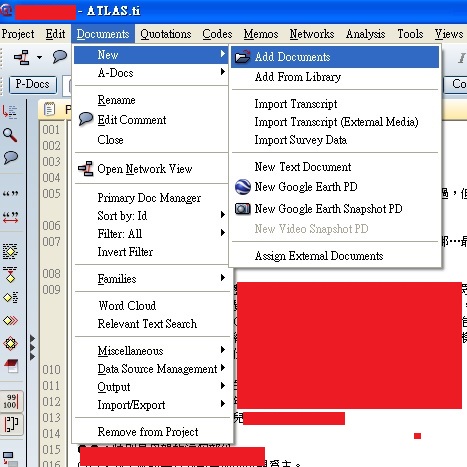
2. 將逐字稿匯入 Atlas.ti 之中:Documents --> New --> Add Documents。 |
|
|
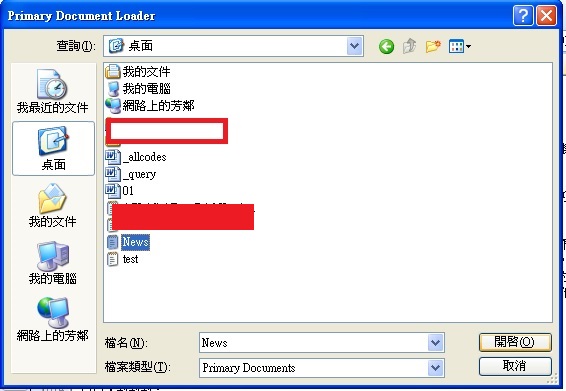
| 3. 選擇文字檔。 |
|
|
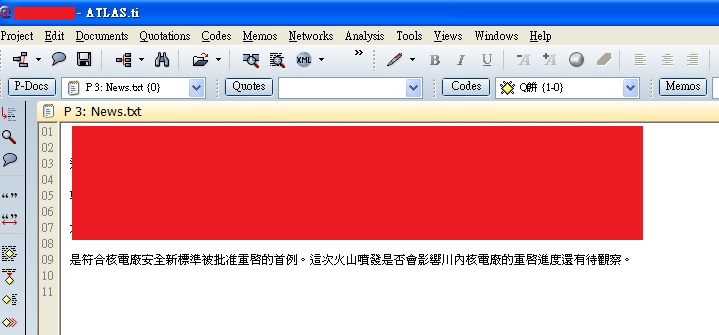
| 4. 文字檔已匯入。 |
|
|
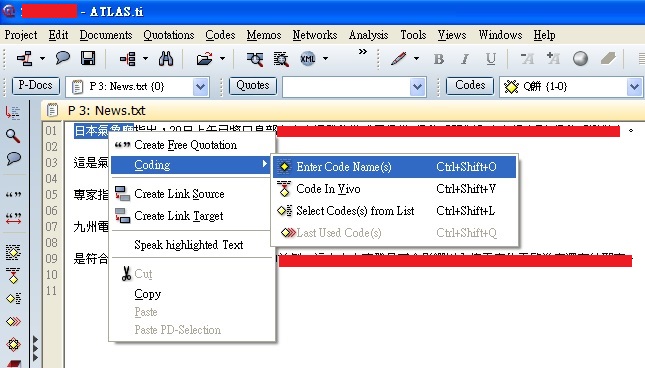
| 5. 接下來,就替逐字稿中的文字,依文意定義表設定為各種 Code。選取文字後,按滑鼠右鍵 --> Coding --> Enter Code Names。 |
|
|
| 6. Enter Code Names。 |
|
|
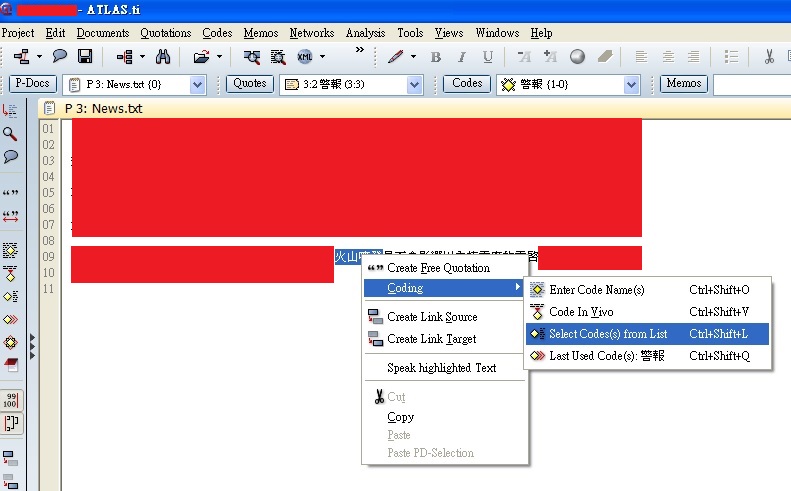
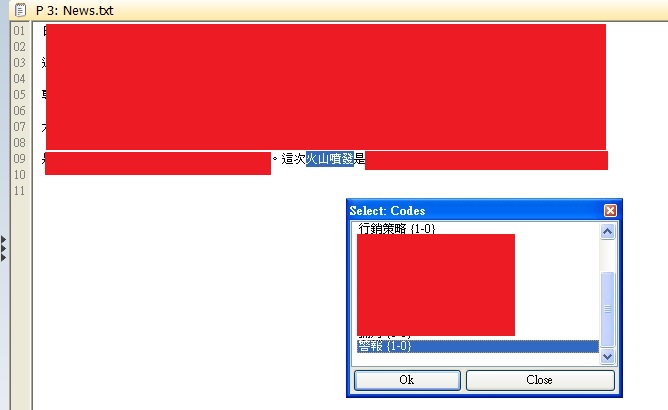
| 7. 若有重複的 Code ,則以 Select Code(s) from List 挑選。 |
|
|
| 8. 由已存在的 Codes 挑選。 |
|
|
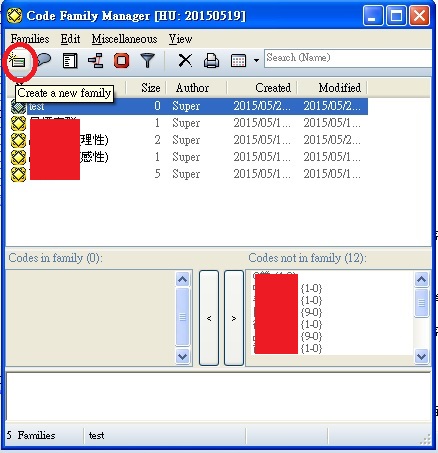
| 9. Create a new family:設定 Codes 完畢後,再將兩個或數個 Codes 設為 Family。 |
|
|
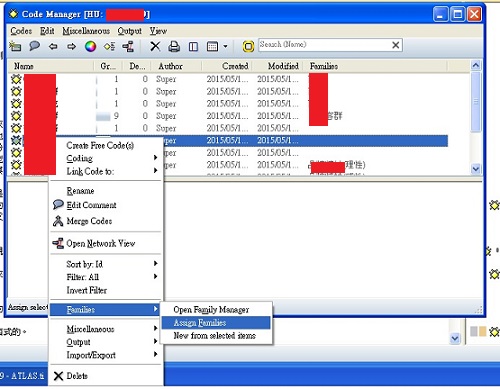
| 10. 挑選 Codes --> 滑鼠右鍵 --> Families --> Assign Families。 |
|
|
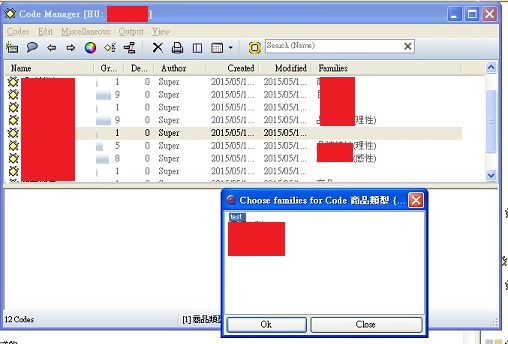
| 11. 挑選已建立的 Families。 |
|
|
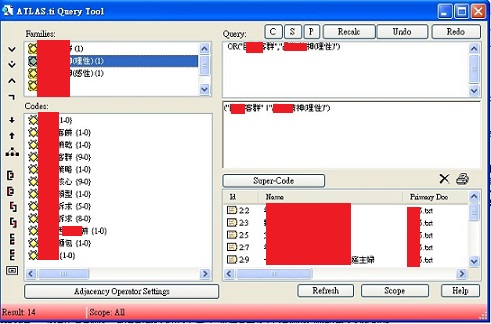
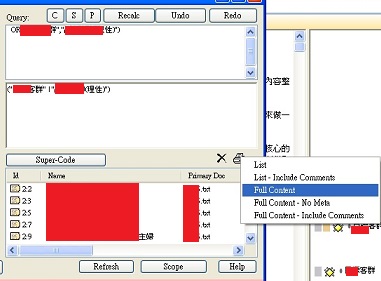
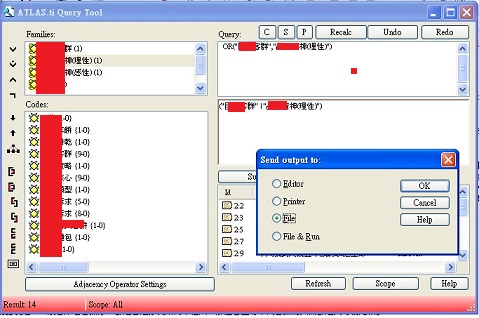
| 12. 要將分析結果內容匯出成 Word 時,選取 Query Tool,並點選要查詢的Families。 |
|
|
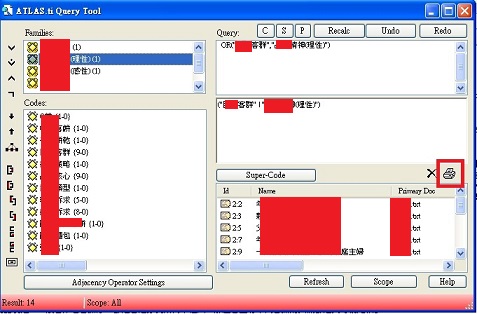
| 13. 接著點擊印表機圖示。 |
|
|
| 14. 依需求產出檔案,以 Full Content 為例。 |
|
|
| 15. 點選 File 前方的 Radio Button 後,按 OK 便可產生檔案。 |
|
|
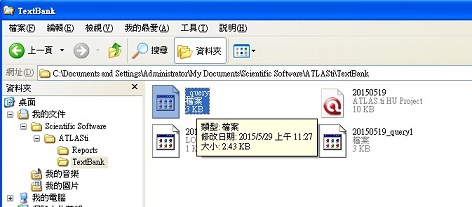
| 16. 預設檔案產出路徑為 C:\Documents and Settings\User Name\My Documents\Scientific Software\ATLASti\TextBank |
|
|
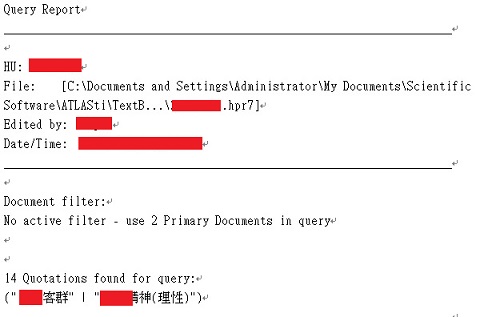
| 17. 雙擊檔案並以 WORD 或 NOTEPAD 開啟檔案後,如下圖所示。 |
|
|
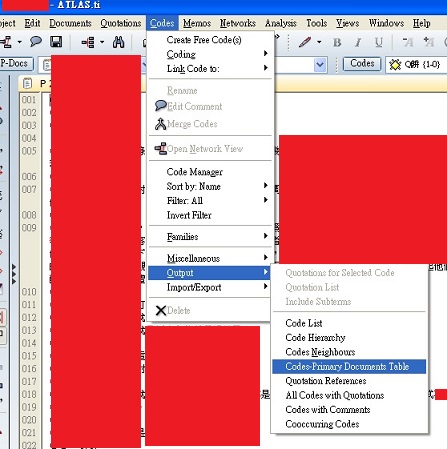
| 18. 若要輸出各項統計結果,則點選 Codes --> Output --> Codes-Primary Documents Table。 |
|
|
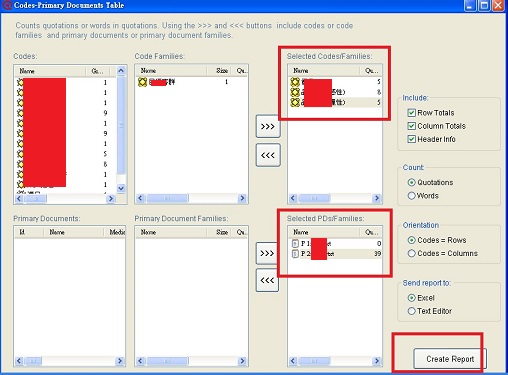
| 19. 確定 Selected Codes/Families 及 Selected PDs/Families 都有資料後,則可點下方的 Create Report 產出統計之 CSV (Excel) 檔。 |
|
|
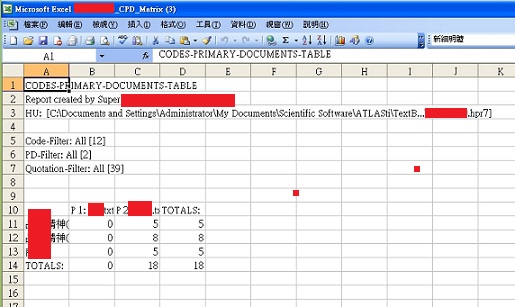
| 20. 以 Excel 開啟後如下所示。 |
|
|
| 人生,不就是由一連串的選擇所組合而成。 故事,通常可以從微小的細節中受到感動。 我是「高級水電工」,也是華語導遊/華語領隊, 就讓我們一起共同體驗人生、體驗感動。 |
【版權宣告】 版權屬瑞奇所有,歡迎非商業用途轉載,並請於轉載文章之中註明原始出處,否則即視為侵權行為!

|
|
|