網路上很多QT/儀表練習的說明, 例如
https://www.itread01.com/content/1595997673.html
png圖片在這邊
https://doc-snapshots.qt.io/qt5-5.12/qtquick-customitems-dialcontrol-example.html
但是初學時,會卡2關,
1. Dial Class怎麼出來的?
2. 圖片resource怎麼加?
1. Dial Class怎麼出來的?
這個好像只能用圖片教學 ="=
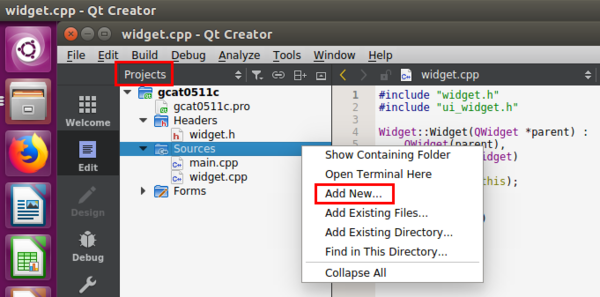
Projects browser , right-click [Sources], Add New...
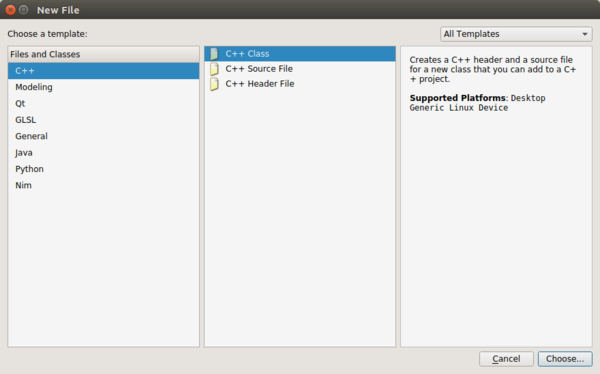
Select C++ / C++ Class
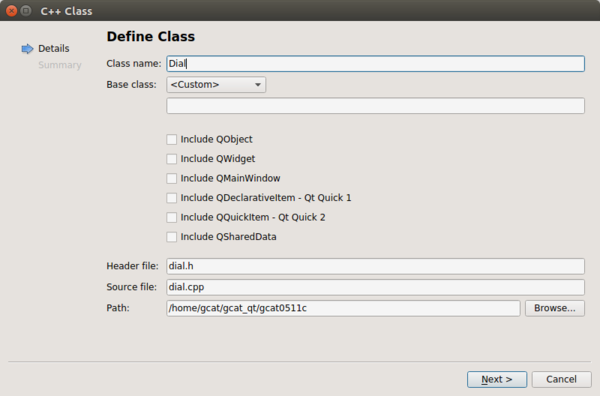
Keyin Dial
[Next >]
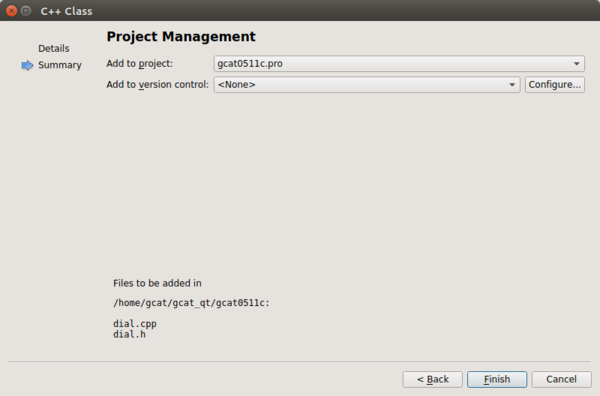
[Finish]
2. 圖片resource怎麼加?
Projects browser , right-click [Sources], Add New...
Qt / Qt Resource File
[Choose...]
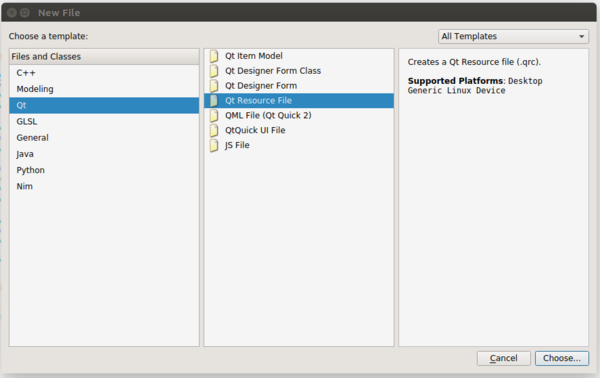
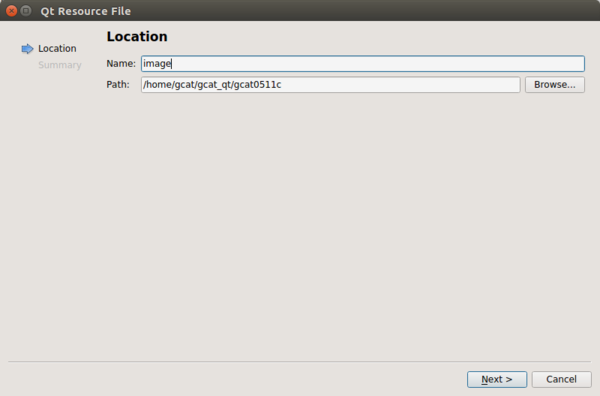
Resource name, 隨意, 不會出現在code中
[Next]
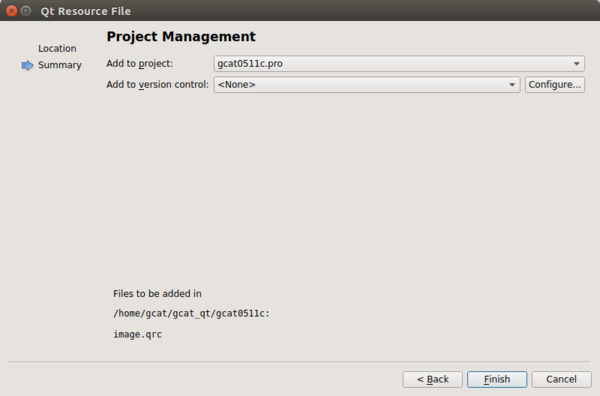
[Finish]
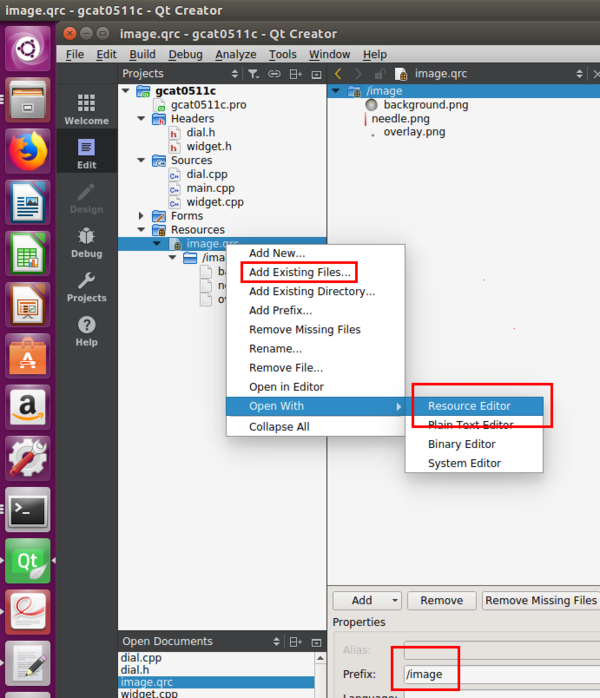
Using [Resource editor], 將Prefix設成image,
再用Add Existing Files... 把png檔加入專案內
dial.cpp程式碼中
QPixmap img = QPixmap(":/image/background.png");
image是prefix
background.png與main.cpp同資料夾
若是background.png在main.cpp資料夾內的png資料夾,
則dial.cpp程式碼
QPixmap img = QPixmap(":/image/png/background.png");
If the note helps you, buy street cats a fish can :3
限會員,要發表迴響,請先登入


