Since many users don’t know how to set up a personal Gmail account on Original Autel Tools, below we have made a quick tech tip. It’s workable for most Autel Scanners like Autel MaxiCOM MK906BT, MK908P, Autel MaxiIM IM608, etc.
Here we go, let’s show how it’s done.
Steps
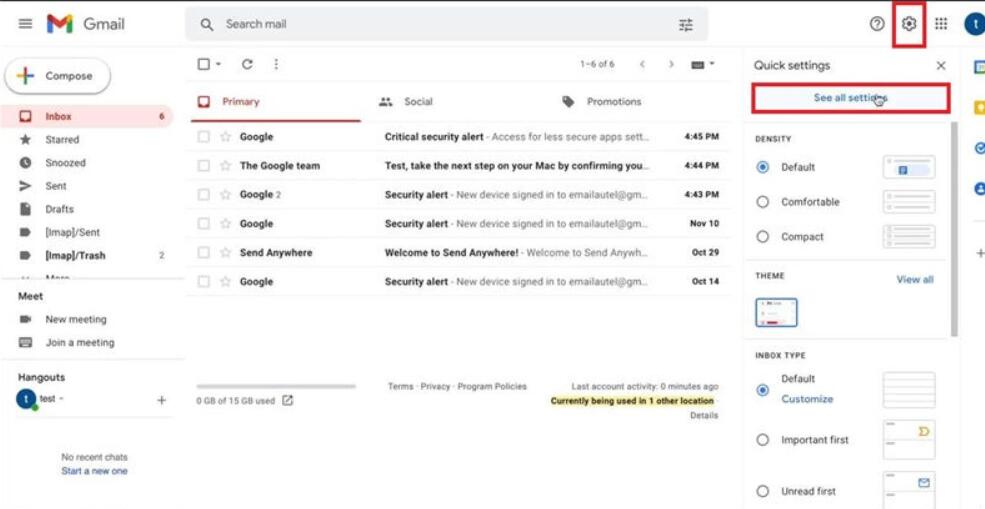
1. Go to Gmail inbox desktop version, click on Setting icon:
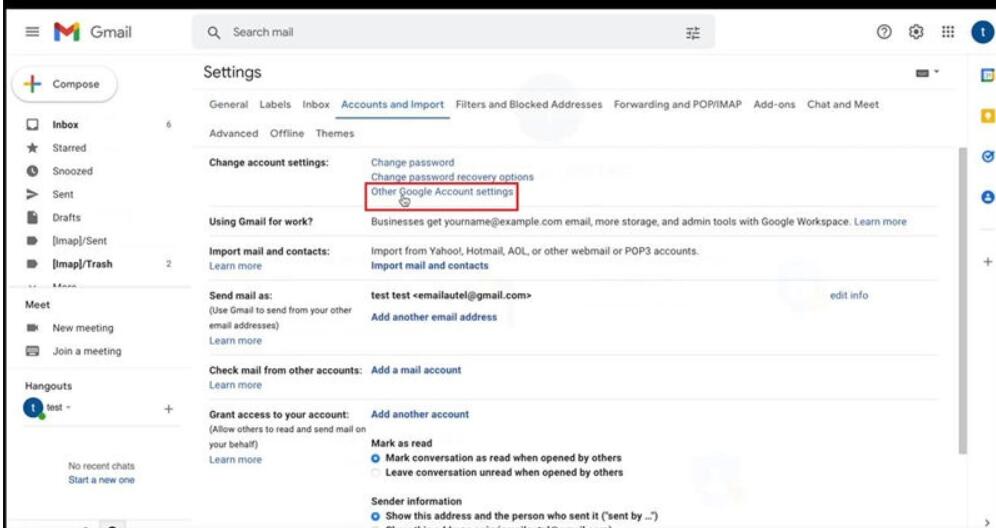
See all settings >> Accounts and import >> Other Google Account settings
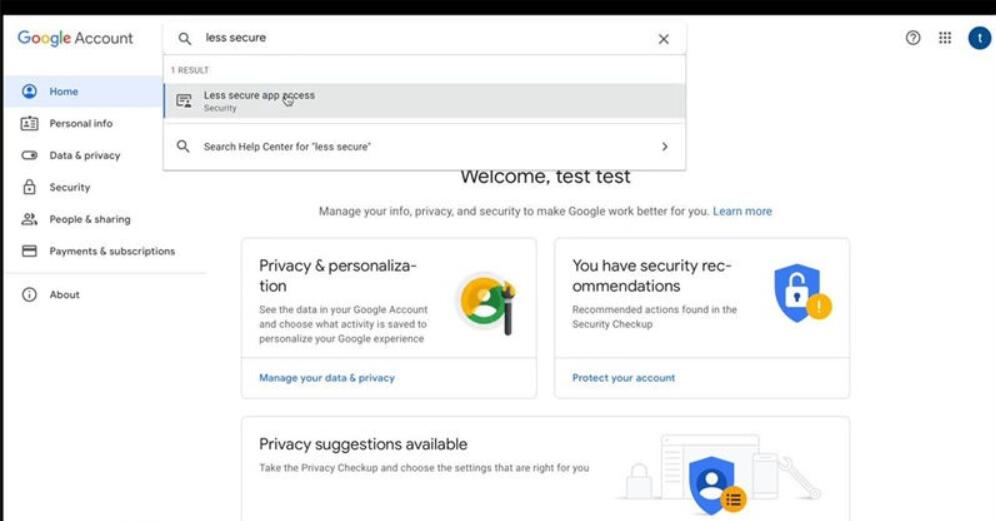
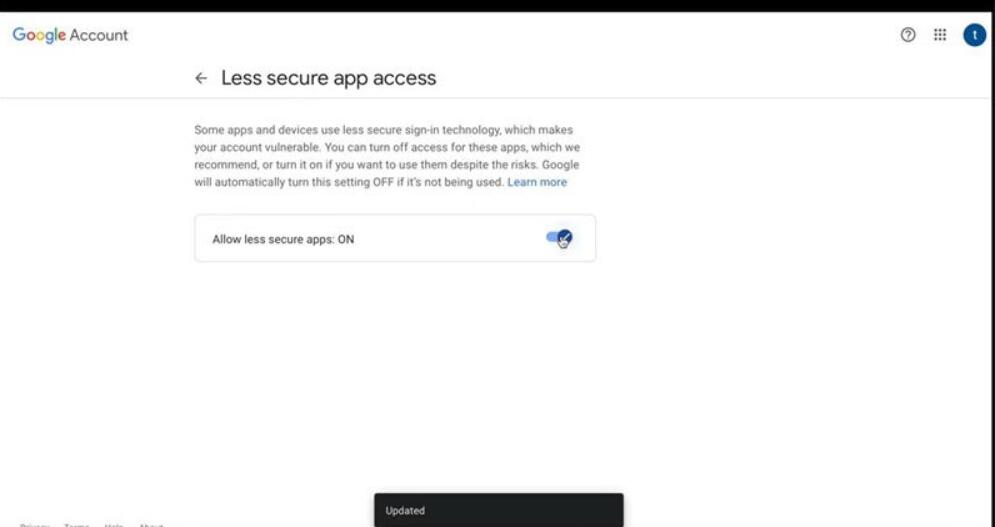
Search and access to “Less secure app access”, turn on “Allow less secure apps” button.
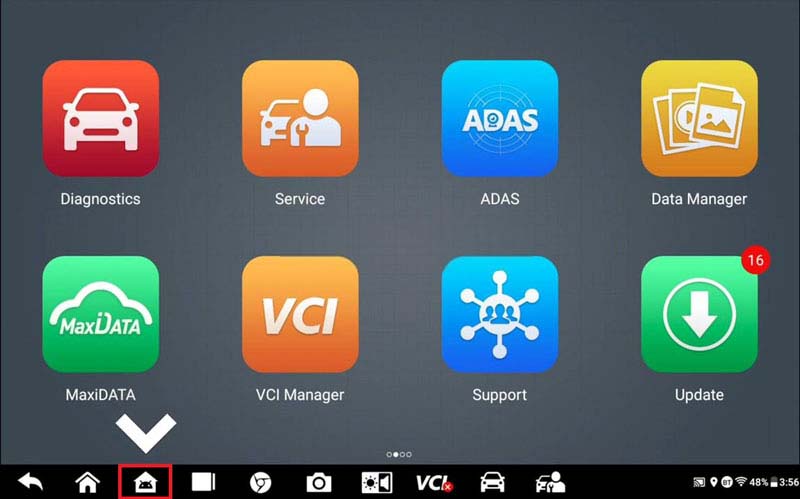
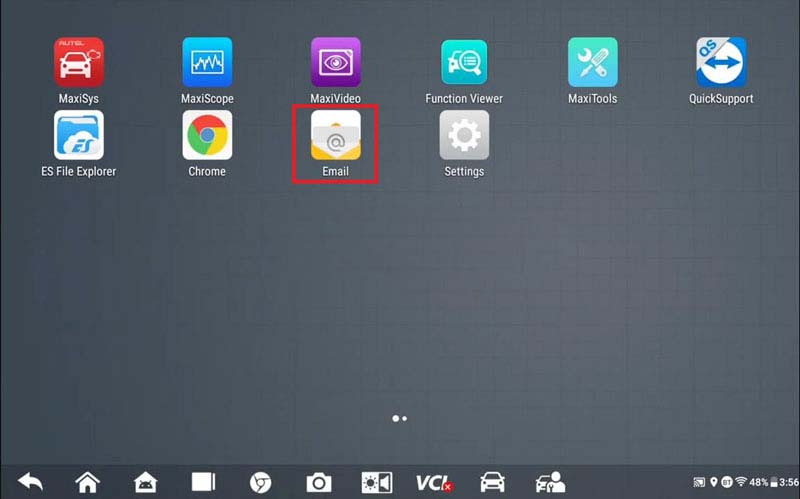
2. Return to Autel tool, select Android icon at the bottom:
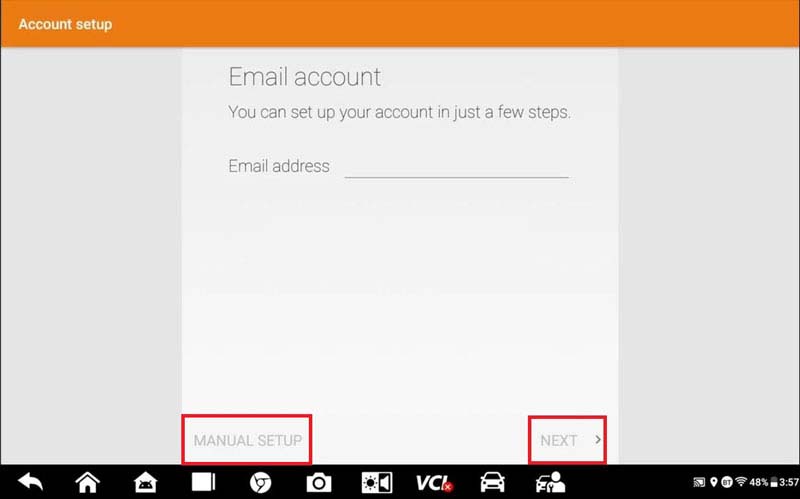
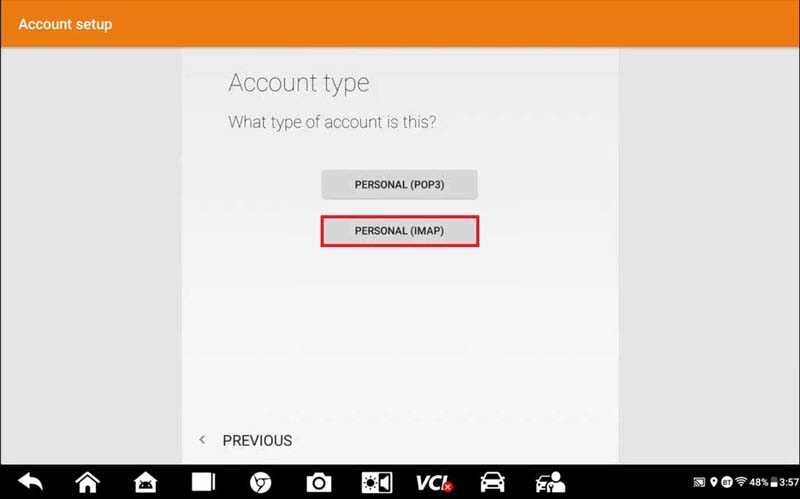
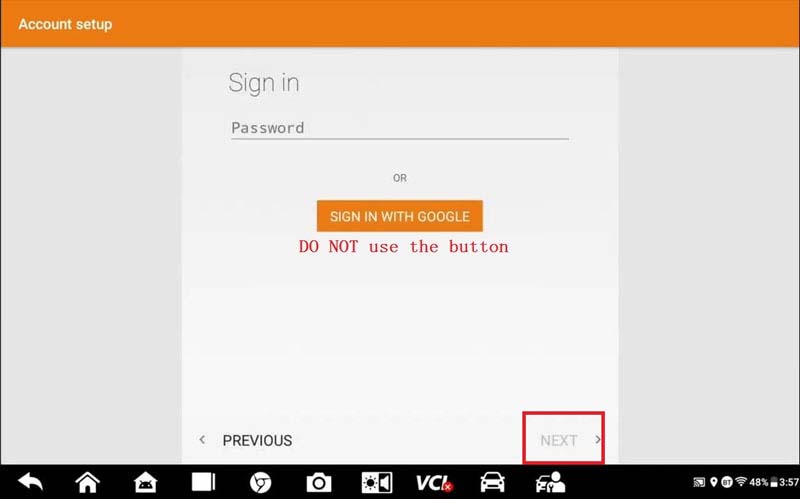
Email >> Input Gmail account >> Select manual setup, next >> Personal(IMAP) >> Input password, press Next (DON’T press “Sign in with Google” button)
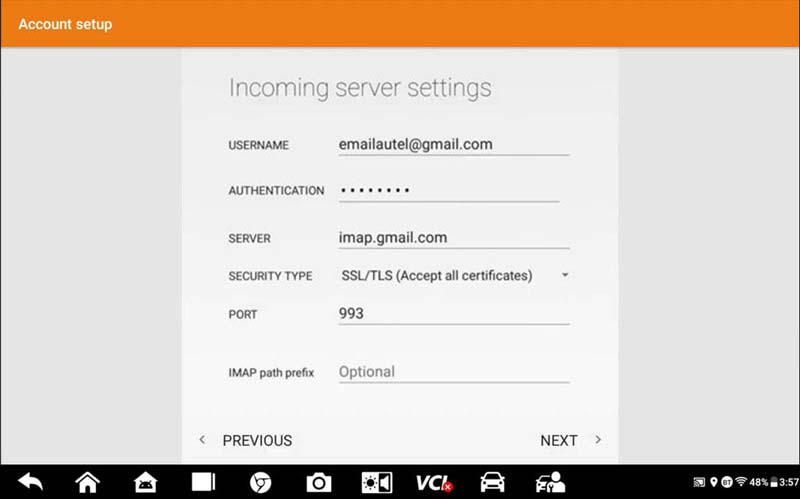
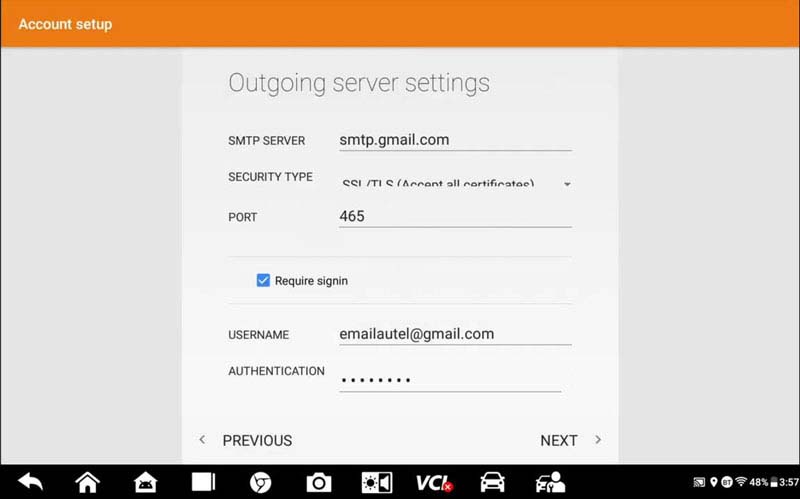
Keep all settings, press Next >> Continuous pressing “Next” until arriving inbox
You may receive a security alert from Google, just ignore it.
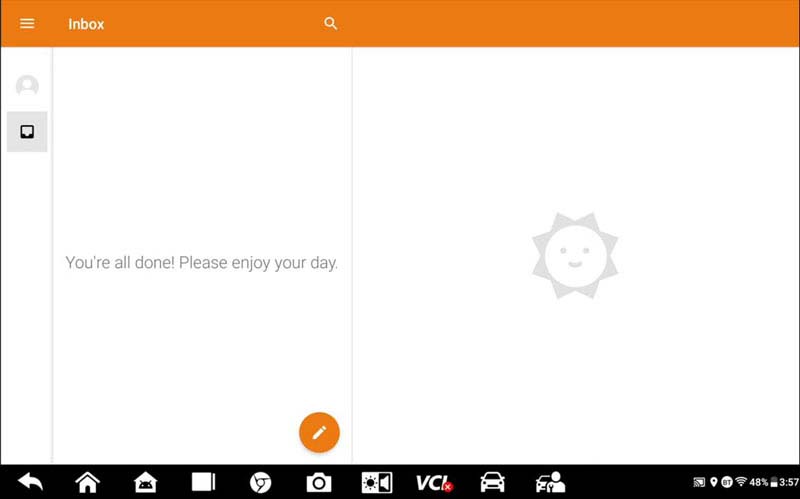
All settings were completed!
Now you’re allowed to move data from Autel tool to Gmail anytime.
- John Deere Service Advisor 5.3 Offline 2022 Construction and Forestry Equipment
- XTOOL X100 Pro2 Update Guide
- How to operate Digimaster 3
- VXDIAG VCX NANO GM SGM RDS File Verification Failed
- FREE DOWNLOAD FORD IDS & MAZDA IDS V123 FOR VXDIAG VCM2 SVCI J2534
- Launch X-431 Diagnostic Tablet Series Comparison
限會員,要發表迴響,請先登入


