This is a instruction show you guide on how to use Volvo Tech Tool diagnostic software do to fuel pressure monitor for Volvo FM4 truck.
Procedures:
Run Volvo Tech Tool software on your PC,then input user ID to login (offline)
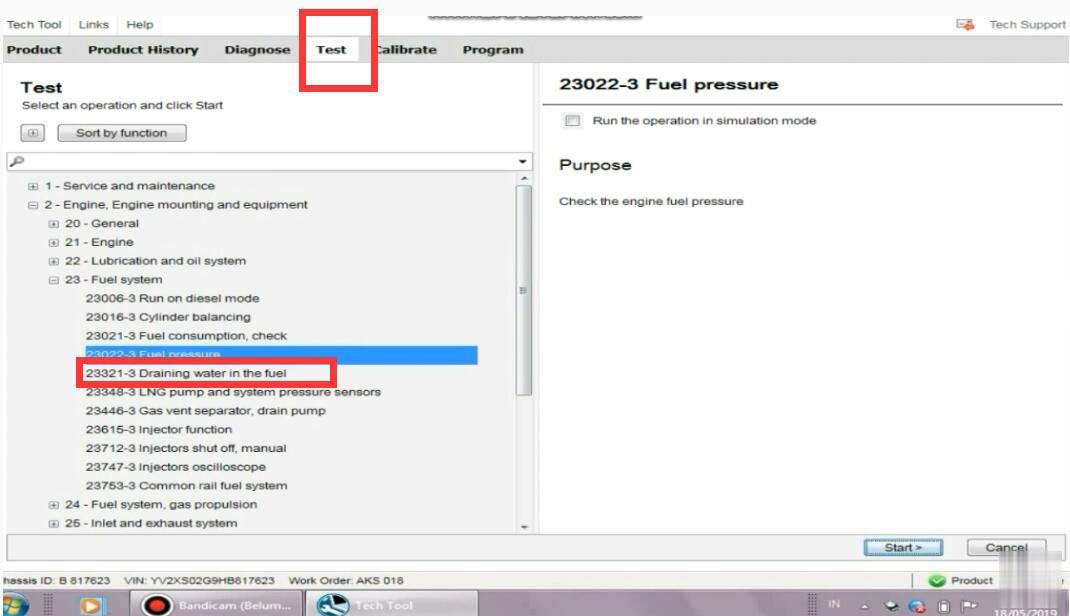
Select “Test”–>”23-Fuel system”–>”Fuel pressure”
Then click “Start” button
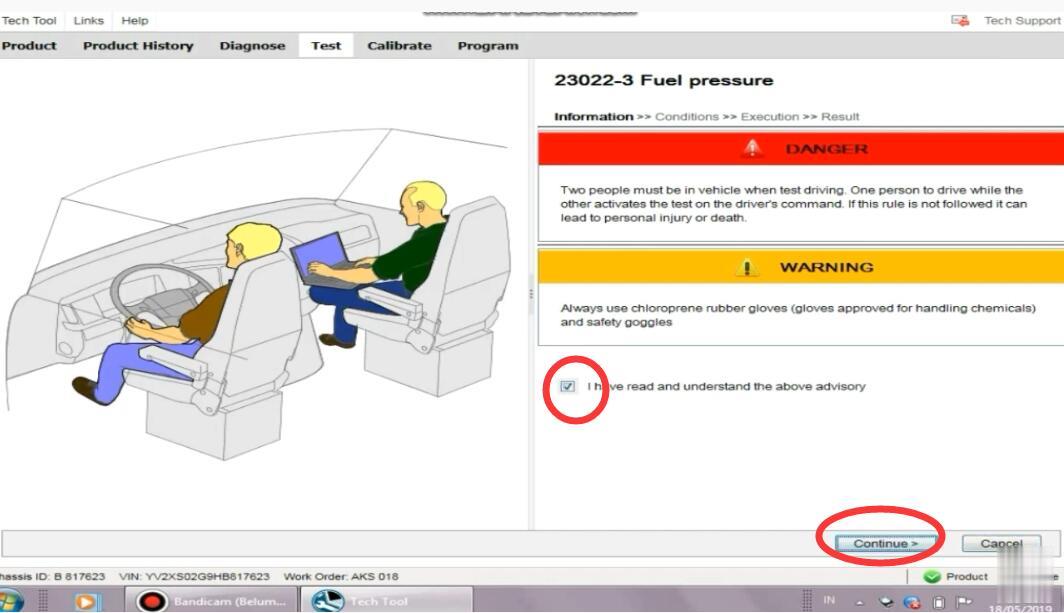
It show you warning message,select “I have read and understand the above advisory”
And click “Continue”
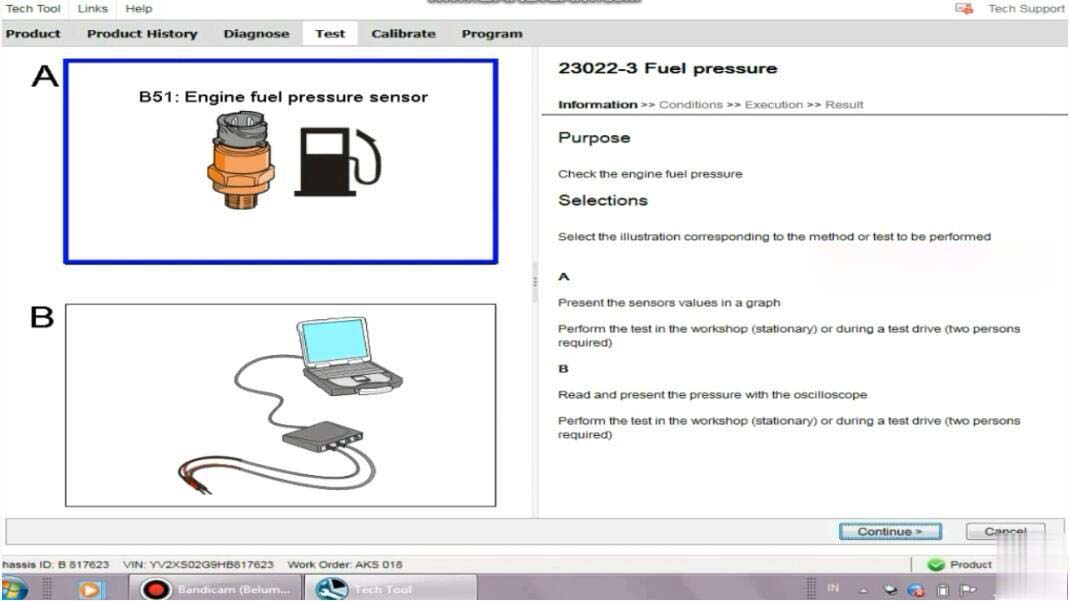
There are two options:
A:Present the sensors values in a graph
Perform the test in the workshop(stationary) or during a test drive(two persons required)
B:Read and present the pressure with the oscilloscope
Perform the test in the workshop (stationary) or during a test drive(two persons required)
Select “A” and click ”Continue”
To monitor the fuel pressure in various conditions for example during a test drive;either the oscilloscope test in this operation or a manual pressure gauge must be used.Manual fuel pressure test instructions can be found by selecting the symptom Low power in the diagnose tab.
Action:
Read out the status of the operating conditions:
1.Engine not running
2.Run the engine at 600rpm
3.Check the engine fuel pressure
4.Run the engine at 1200rpm
5.Check the engine fuel pressure
6.Engine running
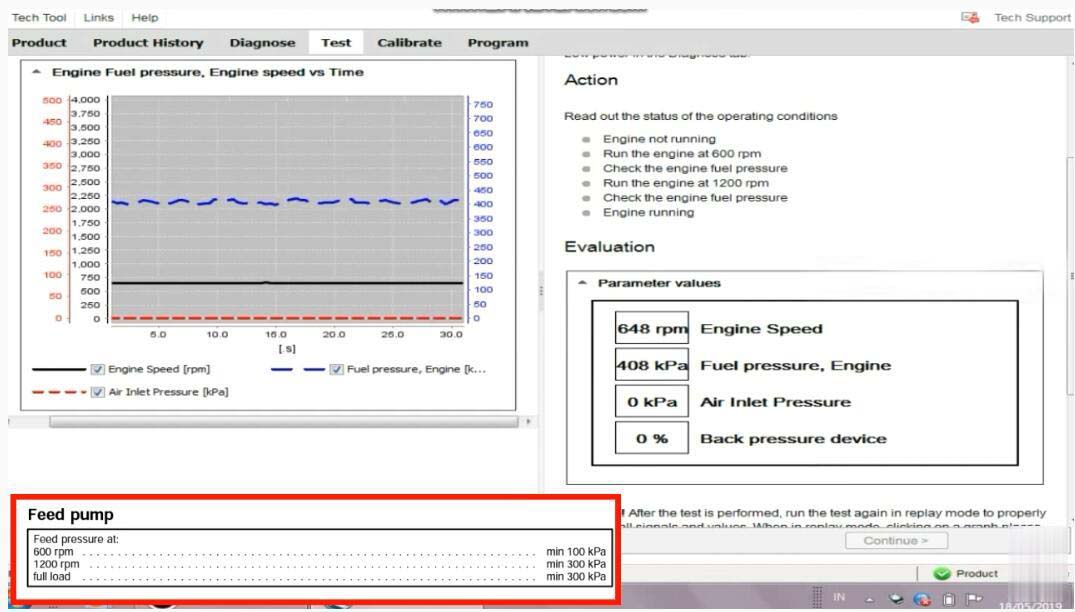
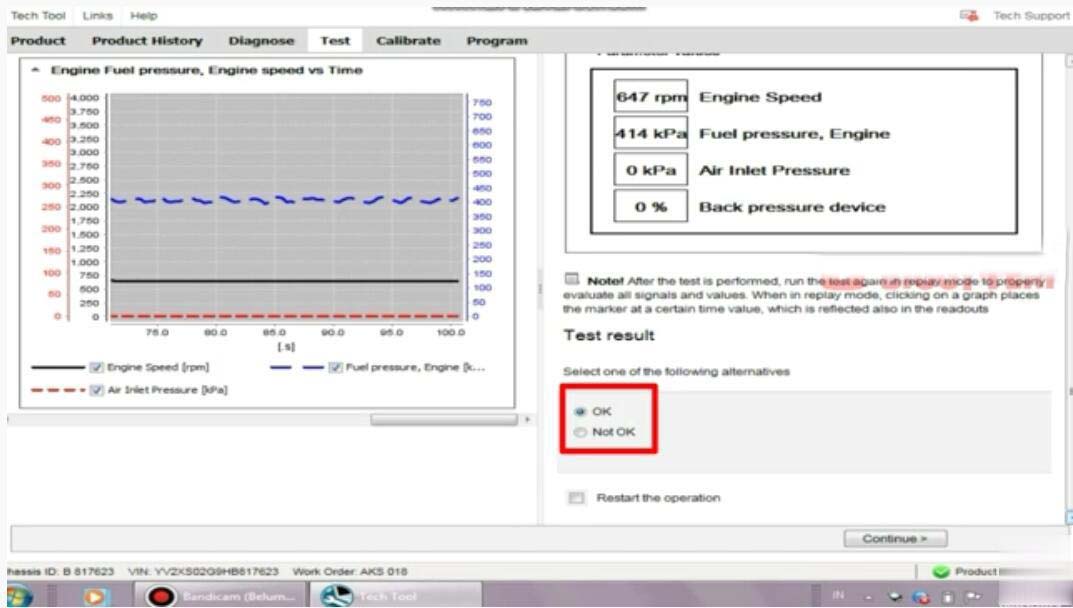
Now here you can record the fuel pressure
After then select “OK”,and click “Continue” exit Volvo fuel pressure monitor.
下一則: (Solution) GM Tech2 Can’t Recognize SAAB Card
- John Deere Service Advisor 5.3 Offline 2022 Construction and Forestry Equipment
- XTOOL X100 Pro2 Update Guide
- How to operate Digimaster 3
- VXDIAG VCX NANO GM SGM RDS File Verification Failed
- FREE DOWNLOAD FORD IDS & MAZDA IDS V123 FOR VXDIAG VCM2 SVCI J2534
- Launch X-431 Diagnostic Tablet Series Comparison
限會員,要發表迴響,請先登入


