How to Configure BMW ICOM Next WiFi Connection
2021/01/26 11:53
瀏覽196
迴響0
推薦0
引用0
How to Configure BMW ICOM Next WLAN to enable WiFi connection?
1. Run ITool Radar to detect ICOM information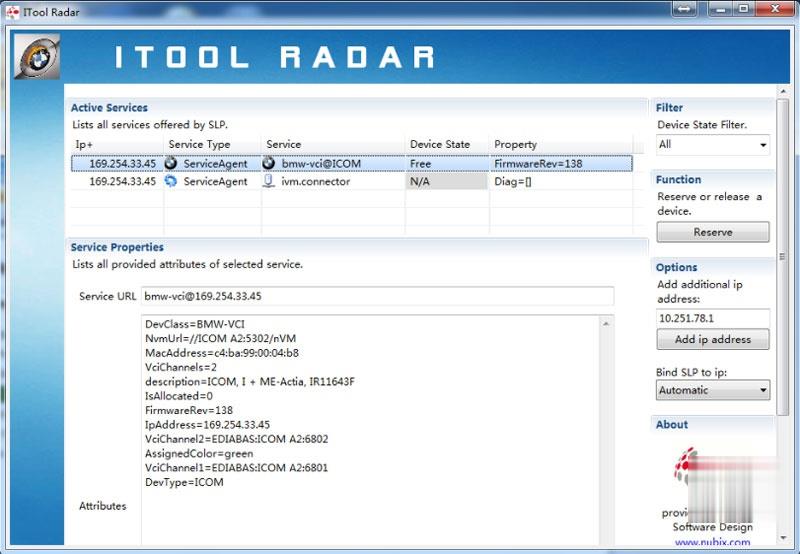
2. Open IE browser and enter ICOM configuration address (based on current real ICOM IP )
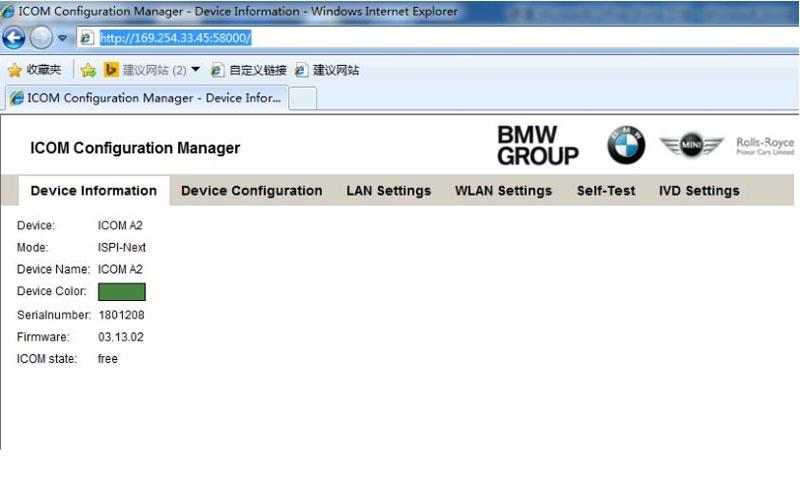
3. Select WLAN Settings
Enter WiFi settings
Save Changes.
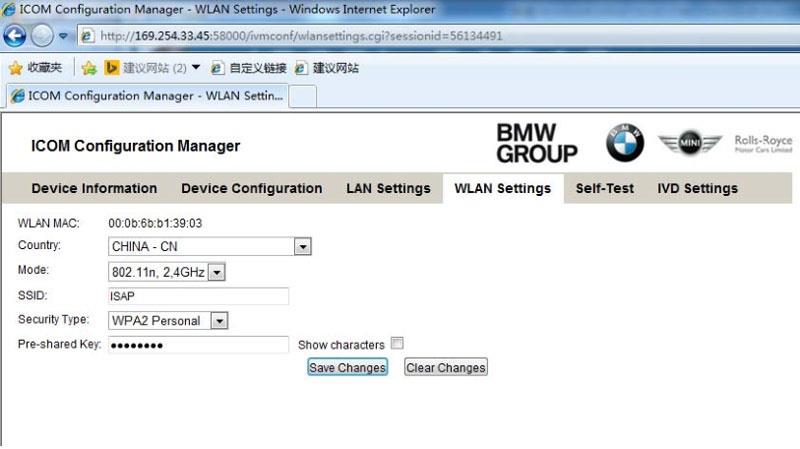
4. Disconnect LAN cable and restart BMW ICOM, then ICOM will auto connect with WiFi .
5. If using our ICOM software and USB-WIFI, enter configuration as following:
Mode:802.11n,2.4GHz
SSID:ISAP
Security Type: WPA2 Personal
Pre‐shared Key: BmwAp24h
你可能會有興趣的文章:
- John Deere Service Advisor 5.3 Offline 2022 Construction and Forestry Equipment
- XTOOL X100 Pro2 Update Guide
- How to operate Digimaster 3
- VXDIAG VCX NANO GM SGM RDS File Verification Failed
- FREE DOWNLOAD FORD IDS & MAZDA IDS V123 FOR VXDIAG VCM2 SVCI J2534
- Launch X-431 Diagnostic Tablet Series Comparison
限會員,要發表迴響,請先登入


