Solution for VVDI2 Database Keep Displaying Update Firmware Error
2018/07/07 16:00
瀏覽182
迴響0
推薦0
引用0
Xhorse VVDI2 newest version is V5.6.0,software and firmware both updated yet,but when use transponder programmer software database got error "Please update vvdi2 to lastest firmware,connect VVDI2 to PC,try again "
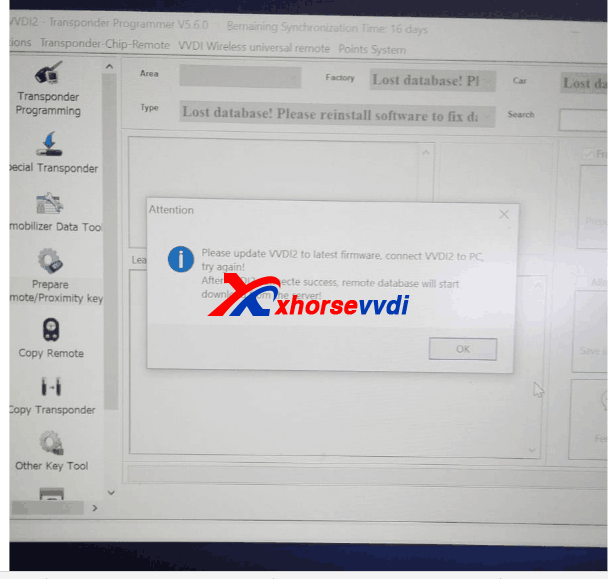
Here is solution:
1.Please download the file in database folder.Note:It is not to delete the folder,delete the bin file in the folder,just like following pic shows.
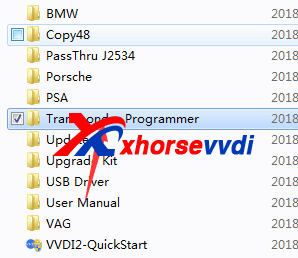
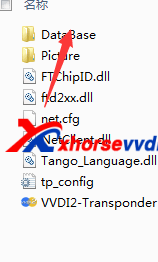
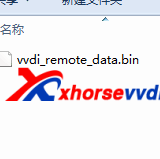
2.Then use xhorse update kit software update vvdi2 firmware again.
自訂分類:不分類
上一則: CGDI MB vs VVDI MB Tool: Vehicle, Token, PCB, Tech Support下一則: Cummins Inline 5 Test Report: ECM Connection Success!
你可能會有興趣的文章:
- How to exchange VVDI MB Tool Bonus Points to BGA Token?
- Which to choose,Nexiq 1 or 2? WiFi or Bluetooth?
- Vxdiag SUBARU SSM 3 Download FREE with Reviews: 100% Tested
- Cummins Inline 5 Test Report: ECM Connection Success!
- OBDSTAR X300 DP PLUS - You don't know yet
- lishi Two-in-one locksmith tool + SEC-E9 easily to add key
限會員,要發表迴響,請先登入


