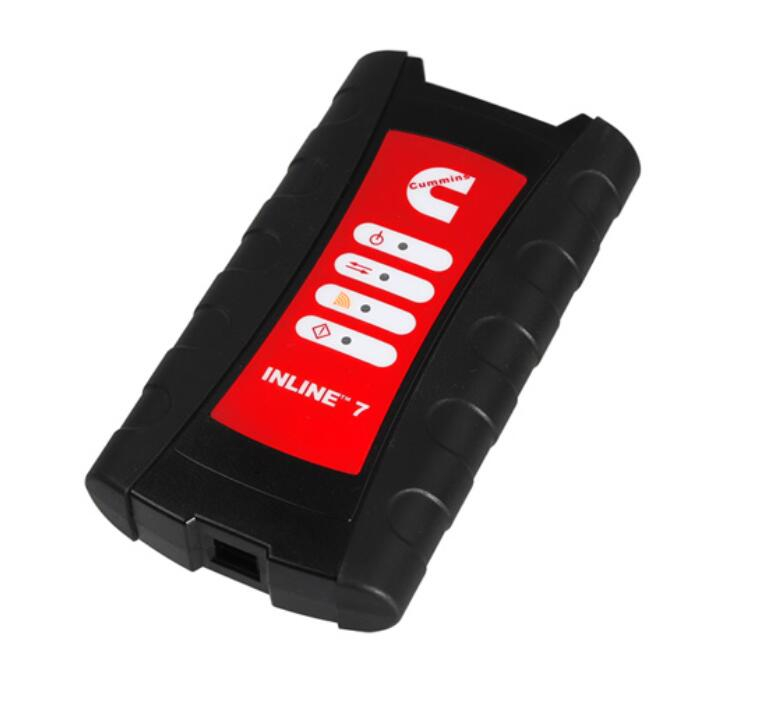
Cummins INLINE 7 Data Link Adapter description :
1.Hardware: Cummins INLINE 7 Data Link Adapter
2.Software: Cummins Insite 8.5/8.7
3.Update Method: update by CDs
4.Multi-language: English(united states)/ Chinese(simplified)/ Danish/ Dutch/ Finnish/ French/ German/ Italian/ Japanese/ Korean/ Norwegian/ Portuguese/ Russian/ Spanish/ Swedish/ Turkish
5.Suggest Operating System: Win7 32 Bit System
6.Connection Method: WIFI/ Bluetooth/ USB
You have to install the Cummins INLINE 7 Data Link Adapter drivers before using it. Cummins INSITE 8.3 software which works with Cummins INLINE 7 support Win7 and Win10.
There are 9 steps to navigate, please follow on step by step.
1. Please download software at first:
https://mega.nz/#!XnwzFTLR!MtAloZTilHTtikrwrjoNYyrUOZ3bBKovdltoOJ9f868
2. Extract zip and Double-click on the setup.exe file to run the install.
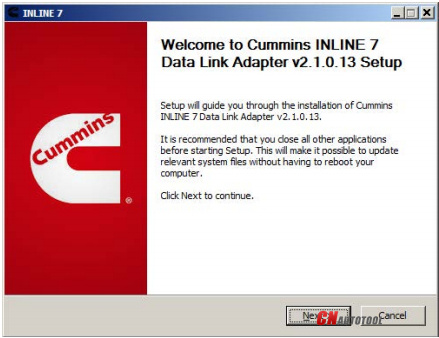
3. The Welcome to INlINE7 Setup screen is displayed and please carefully read the information to follow the recommendations. Then click Next.
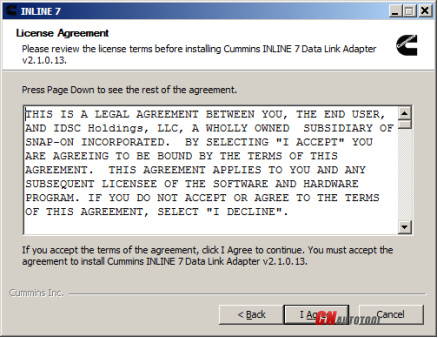
4. Read all the all information on this screen, then click I Agree
5. Carefully read the warning message, and disconnect all RP1210 adapters to which your laptop or PC might be connected prior to proceeding with the installation.
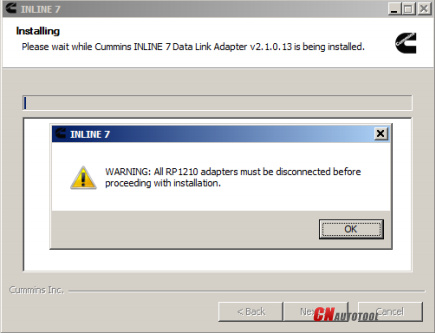
6. Once you have complied with the requirements of the warning message, click OK to continue.
Hope it help!
Any need please feel free with us sale@cnautotool.com, thanks
下一則: Porsche Piwis 3 Tester III Diagnostic Software
- Autel MaxiIM IM508 adds Smart Key Hyundai Santafe ID46 2016
- Solving DPA5 Adapter Not Seeing in Diagnostic Software VDA List
- PIWIS 3 for Porsche Macan/Cayenne
- Noregon JPRO Professional 2022 V3 Truck Diagnostics Scan Tool
- Good news! Porsche Tester III Software has been upgraded to a new system!
- What is a car diagnostic software?
限會員,要發表迴響,請先登入


