FAQ about Foxwell scan tool
2016/05/09 15:25
瀏覽228
迴響0
推薦0
引用0
Here's sort out 5 frequently asked questions and give the solution:How to check the serial number and password of my scanner 、What should I do if the update is interrupted or failed and why can i register my scanner、How to update these professional scanners and automotive service tools、How to update code reader NT301 or TPMS Trigger Tool NT1001

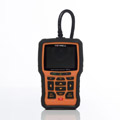

1.How to check the serial number and password of my scanner ?
To check the serial number and password of Foxwell NT401/402/415/4021/500/510/414/624/630/640/641/642/643/644
- Please boots up the scanner
- Select Setup-About
- The serial number and password would show right on the About page.
2.What should I do if the update is interrupted or failed?
First, please check your network connection.
Second, please check if your SD card is full. All scanners sold before November 2014 are supplied with 4GB SD card. As Foxwell keep issuing new updates to improve the products, there might not be enough space for the 4GB SD card of NT644. Our suggestion is to replace it with a 8GB SD card. Alternatively, you may delete some of the vehicle software that you are not in need to make room for future updates. Please remember it's always suggested to delete and update software via the update client
3.Why can’t I register my scanner?
First, please make sure the serial number and registered password are correct. Please pay special attention to letter “O” and number “0” and letter “I” and number “1” also. Even though there is a serial number on the back label, please always use the one you found by selecting Setup>About.
Second, if the serial number and password are proved to be right and you still fail to register, please contact your distributor for assistance.
4.How to update these professional scanners and automotive service tools, please follow steps below:
- Visit Foxwell offical site www.foxwelltech.comand then click Register (you can find it both at the top right of the website or at the lower side of home page) to create a Foxwell ID. Create a unique user name and password, and enter a valid email address to complete the registration. If you have already had a Foxwell ID, just click the Sign in link at the top right of the website to login.
- Boot up your scan tool and locate the serial number and registration password, which are used to register your product.
- Associate your serial number and registration password with your Foxwell ID by selecting New Registration.
- Visit our site and click Product. Find your product model and click it to view the product profile. Select Download tab. Download the PC update application and install it.
- Launch the update tool Foxscanner by double clicking the desk icon and login with your Foxwell ID and password.
- Remove the SD card from your tool, and then plug it into your computer.
- Select My Update then all the updates applicable to your tool display. Click Update button to start updating. Depending on the file size of the update packaging, the update time varies from one model to another. We strongly advise you to update no more than 5 items each time.
5.How to update code reader or NT1001 ?
To update code reader NT301 or TPMS Trigger Tool NT1001 please follow steps below:
- Visit foxwell official website http://www.foxwelltech.com/and then select Support>Update. Or visit the Product profile page of NT301 or NT1001( http://www.foxwelltech.com/support/update/) and then select the Download tab to download the update application NTWonder. Or load CD provided to your computer to find the update application.
- Click the image of your tool to download NTWonder.
- Follow on-screen instructions to install the application and double click the desktop icon to launch it.
- Connect the device to computer with the USB cable provided. Press and hold the Help key for 5s to enter the Update Mode, and the application identifies NT301 or NT1001 automatically.
- Clickto download and install the latest version to your tool. Or clickto install an old version which is automatically recorded by the update client.
source:
自訂分類:FOXWLL
上一則: How to disable seat belt chime on 2008 A4 using Foxwell NT500 VAG scan tool下一則: Foxwelll NT301 and NT1001常见问题解决方案
你可能會有興趣的文章:
- Foxwell NT510 BMW scanner and BMW INPA,which is batter
- (Solved)2001 GU Patrol (Y61) going into limp home mode
- How 04 BMW E46 325xi do DIY diagnose using Foxwell NT510 scanner
- How to bleed the air out of BMW X5 ABS block using Foxwell NT510 scanner
- Foxwell NT510 Review on BMW and Mini models
- foxwell nt644 function,user manual,review(for all)
限會員,要發表迴響,請先登入


